Does iPhone Have a Barometer? Complete Sensor Guide for Users

Can an iPhone Detect Air Pressure Changes?

Many iPhone users are curious about whether their device can do more than make calls, take photos, and browse the internet. With advanced sensors built into modern smartphones, people often ask does iphone have a barometer and whether an iPhone can help track changes in altitude or weather conditions.

For outdoor enthusiasts in New Zealand, such as hikers, climbers, and travelers exploring areas like the Southern Alps or coastal regions, understanding how an iPhone measures environmental changes can be useful. The barometer sensor in an iPhone can detect air pressure variations, while the iphone battery helps ensure these features remain available during outdoor activities.

Does iPhone Have a Barometer Built Into the Device?

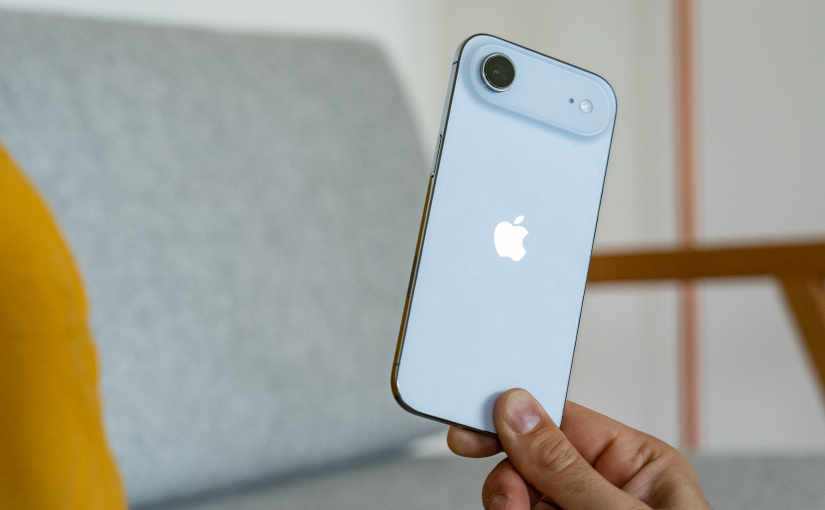
The question does iphone have a barometer has a simple answer: many newer iPhone models do include a built-in barometer sensor. Apple introduced the barometric pressure sensor starting with the iPhone 6 series, and it has continued to appear in many later models.

A barometer is a sensor that measures atmospheric pressure. Since air pressure changes with altitude, the iPhone can use this information to estimate elevation changes. This feature is especially useful for fitness tracking, navigation, and outdoor activities where knowing elevation gain or loss matters.

However, not every iPhone model has the same sensor setup. Users who want to use barometer-related functions should check whether their specific iPhone model supports this feature.

Can an iPhone Measure Barometric Pressure Accurately?

Many people ask can an iphone measure barometric pressure because they want to know if their phone can replace a traditional weather instrument. The answer is yes, an iPhone with a built-in barometer can measure changes in atmospheric pressure.

The barometer does not usually work as a standalone weather station. Instead, it provides pressure data that apps can use for activities such as altitude tracking, hiking records, and fitness measurements. Some third-party apps can display pressure readings, allowing users to monitor environmental changes directly from their phone.

For users in New Zealand, where weather conditions can change quickly, pressure readings may provide additional information when combined with weather forecasts and outdoor planning tools.

Where Is the Barometer Sensor on an iPhone?

A common question from users is where is the barometer sensor on an iphone. The barometer is located inside the iPhone body as part of the internal sensor system. It is not a visible component that users can access from the outside.

The sensor needs a small opening to detect changes in air pressure. On many iPhone models, the pressure sensor is positioned near the bottom area of the device, close to other internal components such as microphones and speaker openings.

Because the sensor depends on detecting outside air pressure, a heavily blocked case or damaged device housing could potentially affect sensor performance. Keeping the iPhone clean and using a suitable protective case can help maintain normal operation.

Why Do iPhones Have a Barometer Sensor?

Users often wonder why do iphones have a barometer when smartphones already include GPS and other location technologies. The main reason is that barometers provide more precise altitude information than GPS alone in many situations.

A barometer can help improve fitness tracking by measuring elevation changes during activities such as running, cycling, and hiking. It can also support navigation features by detecting whether a user is moving upward or downward.

For New Zealand users who enjoy outdoor activities, a barometer can be particularly helpful when exploring hiking trails, mountain areas, and locations where elevation information improves safety and planning.

What iPhone Has a Barometer?

Another frequently searched question is what iphone has a barometer. Apple began including barometer sensors in several models from the iPhone 6 generation onward. Many newer devices, including recent iPhone models, feature this sensor.

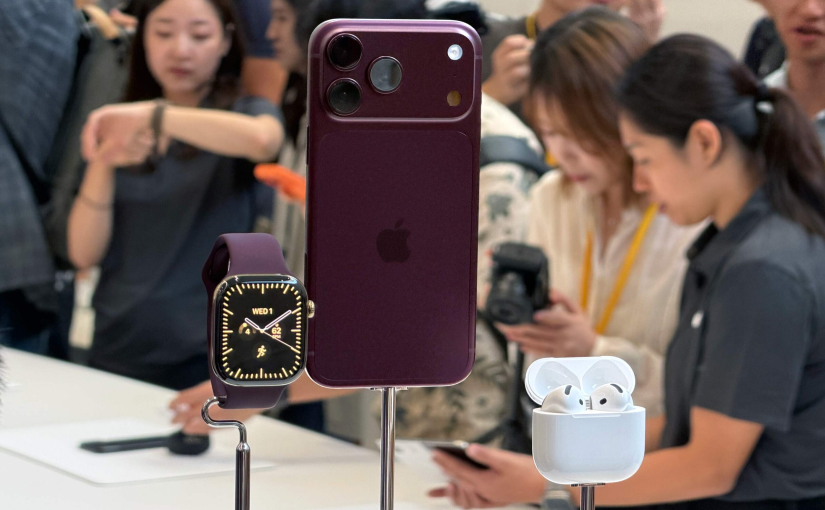
Examples of iPhone models with a barometer include iPhone 6 and later generations, including iPhone 7, iPhone X, iPhone 11, iPhone 12, iPhone 13, iPhone 14, iPhone 15, and newer models.

The exact availability of features may vary depending on the model and software version. Users should check their device specifications before relying on barometer-based functions.

How Does the iPhone Barometer Work With Other Sensors?

The iPhone does not rely only on the barometer. It combines data from multiple sensors, including GPS, accelerometer, gyroscope, and motion sensors, to provide a more complete understanding of movement and location.

For example, during a hiking trip, GPS can identify your location, while the barometer can help detect elevation changes more quickly. The combination of these technologies allows fitness and navigation apps to provide more detailed activity information.

This sensor combination is one reason modern smartphones can replace several traditional outdoor tools for everyday users.

iPhone Battery Performance When Using Barometer Features

The iphone battery is an important factor when using outdoor and fitness features. Although the barometer itself uses very little power, apps that continuously use GPS, location services, and motion tracking can consume more battery energy.

For users hiking in New Zealand’s remote areas, battery management is important. Reducing screen brightness, closing unnecessary apps, carrying a portable charger, and enabling low power settings when needed can help extend usage time.

If an iPhone battery becomes older, reduced battery capacity may affect how long users can rely on navigation, fitness tracking, and outdoor applications during the day.

How to Check If Your iPhone Barometer Is Working

If you want to test whether your iPhone barometer is functioning, you can use a barometer or altitude tracking app from the App Store. These apps can display pressure readings and elevation changes based on sensor data.

You can also compare readings while moving between different heights, such as walking up stairs or traveling to a higher location. A working barometer should detect pressure changes as altitude changes.

If readings appear incorrect, restarting the phone, updating software, or checking whether an app has the required permissions may help solve the issue.

The iPhone Barometer Adds More Possibilities for Everyday Use

So, does iphone have a barometer? Many modern iPhones do. The built-in barometer helps measure atmospheric pressure changes and improves features related to altitude, fitness tracking, and outdoor navigation.

Understanding can an iphone measure barometric pressure, where is the barometer sensor on an iphone, why do iphones have a barometer, and what iphone has a barometer can help users make better use of their devices.

For New Zealand users who enjoy hiking, travel, and outdoor activities, the combination of barometer technology and reliable iphone battery performance can make an iPhone a useful companion for everyday adventures.

How to Find Passwords on iPhone and Manage Autofill Settings

Why Finding Saved Passwords Has Become Essential for Smartphone Users

With the increasing number of online accounts, remembering every password can be difficult. Many smartphone users in New Zealand rely on built-in password management tools to save login information securely and access accounts quickly. Whether you need to find password details for an app, recover a forgotten login, or check stored information before changing devices, knowing where your passwords are saved can save time and reduce frustration.

Modern smartphones provide convenient solutions for password storage, including Google password tools on Android devices and Apple password features on iPhones. At the same time, good password management habits can also help improve device security and reduce unnecessary battery usage caused by repeated login attempts.

How to Find Passwords on Android Devices

Android smartphones usually store saved login information through password management services connected to your Google account. If you want to find passwords on Android, you can access the saved password section through your device settings or your Google account.

Many users search for find passwords on android when they forget a social media login, email password, or shopping account password. Android devices allow users to review saved credentials, update outdated passwords, and remove accounts they no longer use.

Using a password manager can also make daily smartphone use easier. Instead of repeatedly entering passwords manually, users can allow saved information to autofill when signing into apps or websites.

Understanding Google Password Manager and Saved Passwords

For Android users, Google password manager is one of the most commonly used tools for storing and managing passwords. It helps save login details, generate stronger passwords, and automatically fill in account information when needed.

Many people search for passwords google com saved passwords because they want to check passwords stored in their Google account. By accessing saved password settings, users can view stored accounts, update passwords, and manage their digital security more effectively.

Keeping passwords organized is especially useful for people who use multiple devices, such as smartphones, tablets, and laptops. A reliable password management system reduces the risk of losing access to important accounts.

How to Find Passwords on iPhone and iOS 18

Apple users often need to know how to find passwords on iphone when they forget account details or want to check saved login information. iPhones include a built-in password management system that stores website and app passwords securely.

For users searching how to find saved passwords iphone, the process usually involves opening the password settings area and confirming identity through device security features. This allows users to review saved usernames, passwords, and related account information.

With newer software versions, many users also search how to find passwords on iphone ios 18 because the password management experience has changed with updated iPhone features. iOS 18 provides easier access to saved passwords and helps users organize login details more efficiently.

How to Find Autofill Passwords on iPhone

Autofill makes signing into websites and applications much faster. If you want to know how to find autofill passwords on iphone, you can check the password management settings where stored login details are available.

Autofill passwords are useful because they reduce the need to manually type complex passwords. This is particularly helpful for users who have many online accounts or frequently switch between different applications.

However, users should regularly review saved passwords and remove outdated accounts. Keeping unnecessary passwords stored on a device may increase security risks if the phone is lost or accessed by someone else.

Find My Passwords and Managing Forgotten Login Information

The phrase find my passwords is commonly searched by users who cannot remember saved login details. Whether the password belongs to an email account, social media platform, or online service, checking the device password manager is often the fastest solution.

Instead of creating multiple new passwords every time, users can review existing saved information and update security settings when necessary. This approach helps maintain better account organization and prevents password confusion.

For users in New Zealand, where online banking, shopping, and digital services are widely used, managing passwords properly is an important part of everyday smartphone security.

Apple Password Reset and Recovering Account Access

Sometimes saved passwords are unavailable or outdated, and users may need an apple password reset process to regain access to their accounts. Resetting passwords can help protect personal information and restore access when login details are forgotten.

Before resetting a password, users should check whether the password is already saved on their device. This can prevent unnecessary account recovery steps and avoid changing passwords repeatedly.

Creating strong passwords and enabling additional security features can provide better protection for personal data stored on smartphones.

The Connection Between Password Management and Smartphone Battery Life

Although passwords do not directly consume much power, poor account management habits can affect smartphone battery performance. Frequent login failures, repeated app authentication, and background activity from poorly managed applications may increase battery usage.

A healthy smartphone battery helps users access password managers, authentication apps, and online services without interruptions. Users experiencing reduced battery performance should also pay attention to battery age, charging habits, and app activity.

Regularly updating apps, reducing unnecessary background processes, and maintaining good charging practices can help extend smartphone battery lifespan. A reliable smartphone battery supports smoother daily use, especially when managing important accounts and security information.

Better Password Habits for Long-Term Smartphone Security

Finding saved passwords is only one part of digital security. Users should also create unique passwords, avoid reusing the same password across multiple accounts, and review stored login information regularly.

Password managers provide convenience, but users should still protect their devices with screen locks, biometric authentication, and secure account recovery options.

Whether you use Android or iPhone, understanding how to find and manage saved passwords makes smartphone usage easier and safer. Combined with good smartphone battery care, effective password management helps users maintain a reliable and secure digital experience.

14 pro max battery mah and which iphone color is most attractive? Full Buying Guide

Why Battery and Color Matter More Than Ever

When people in New Zealand consider upgrading their smartphones, two questions often come up early in the decision process: performance endurance and visual appeal. In particular, searches like 14 pro max battery mah and which iphone color is most attractive? show how users balance practical needs with personal style. A phone is no longer just a communication tool—it is a daily companion for work, travel, photography, and entertainment, so both battery life and design choices matter more than ever.

14 Pro Max Battery mAh and What It Means in Real Use

The phrase 14 pro max battery mah refers to the battery capacity of the iPhone 14 Pro Max, which is around the 4,300–4,400 mAh range depending on measurement standards and internal configuration. While this number may seem like a simple technical detail, it translates into real-world usage that many New Zealand users care about, especially those who spend long hours commuting, working remotely, or traveling between cities like Auckland, Wellington, and Christchurch.

In everyday conditions, this battery capacity supports a full day of heavy use for most users. Activities such as streaming music, browsing social media, using navigation apps, and taking photos during outdoor trips are handled comfortably without needing a mid-day recharge. For lighter users, the device can often stretch into a second day, especially when power-saving settings are enabled.

However, battery performance is not just about mAh numbers. System optimization, display efficiency, and background app management all play a significant role. This is why two phones with similar battery capacities can feel very different in real-world usage. In the case of the iPhone 14 Pro Max, its combination of efficient hardware and software design helps it deliver consistent performance even under demanding conditions.

Daily Usage in New Zealand Lifestyle Context

New Zealand users often value reliability due to active lifestyles. Whether it is hiking in Queenstown, road trips across the North Island, or long workdays in urban centers, battery endurance becomes a practical concern. The iPhone 14 Pro Max is often favored by users who rely heavily on their phone camera for landscapes and travel photography, where battery drain can be significant due to GPS, image processing, and video recording.

In colder environments, which are common in parts of New Zealand during winter, battery performance can also fluctuate slightly. This makes a stable, high-capacity battery even more important for users who are outdoors frequently. The 14 pro max battery mah specification therefore becomes more than a number—it becomes a reassurance of consistent usability throughout the day.

Design and Color Preferences: Which iPhone Color Is Most Attractive?

A second major consideration for buyers is appearance, often expressed through the question which iphone color is most attractive? Unlike battery performance, color preference is highly subjective and influenced by personality, lifestyle, and even cultural trends.

Some users prefer darker tones because they feel professional and understated, making them suitable for work environments or formal settings. Others lean toward lighter or more reflective finishes that stand out and feel more expressive. In New Zealand’s outdoor-focused culture, many users also prefer colors that complement natural environments, such as ocean blues, graphite tones, or subtle metallic finishes.

Interestingly, attractiveness is not only about the color itself but also about how it interacts with lighting. In natural sunlight—very common in New Zealand’s coastal and mountainous regions—certain finishes appear more vibrant and dynamic. Indoors or under artificial lighting, the same color can feel more muted and elegant. This shifting visual effect plays a big role in why people disagree on the single answer to which iphone color is most attractive?

How Battery Life and Design Work Together in Real Decisions

While battery and color are often discussed separately, in real purchase decisions they are closely linked. A user who prioritizes long outdoor activity might choose a model with stronger endurance like the iPhone 14 Pro Max, then pair that choice with a color that suits visibility and personal identity.

On the other hand, users who focus more on fashion and aesthetic expression may prioritize color first, then adjust expectations around battery usage habits. For example, they might be more willing to carry a portable charger if it means having a device that visually matches their style.

This balance between function and design is especially noticeable in New Zealand’s young professional and student communities, where smartphones are both productivity tools and lifestyle accessories.

Broader Factors Beyond Battery and Color

Although 14 pro max battery mah and which iphone color is most attractive? are common search phrases, they are only part of the decision-making process. Camera quality, storage capacity, display smoothness, and software experience all contribute significantly to overall satisfaction.

For example, users who frequently capture videos of New Zealand’s landscapes may prioritize stabilization and low-light performance. Others who rely on their phone for business communication may care more about processing speed and multitasking capabilities. These factors often outweigh minor differences in design or battery specifications when the device is used intensively.

A Balance of Power and Personality

Ultimately, choosing a smartphone like the iPhone 14 Pro Max involves both technical understanding and personal preference. The 14 pro max battery mah figure highlights endurance and reliability, making it suitable for demanding daily routines and active lifestyles in New Zealand. At the same time, the question which iphone color is most attractive? reflects the emotional and aesthetic side of technology, where individuality and style come into play.

The best choice is rarely about a single feature. Instead, it comes from balancing performance with personality—ensuring the device not only works well throughout the day but also feels right every time you pick it up.

S25 ultra vs s25 plus camera and s25 plus vs s25 ultra price complete comparison value and performance guide

Choosing Between S25 Plus and S25 Ultra

When comparing Samsung’s latest flagship phones, many buyers in New Zealand often struggle between two closely positioned models. The discussion usually starts with s25 plus vs s25 ultra size, then moves into performance differences and quickly focuses on s25 ultra vs s25 plus camera. On top of that, price expectations and value for money make the decision even harder, especially when users search for s25 plus vs s25 ultra price. A final common question is samsung s25 vs s25 ultra which is better, since both devices appear powerful on paper but serve slightly different user needs.

Camera Differences Between S25 Plus and S25 Ultra

The biggest distinction comes from photography capabilities, which is why s25 ultra vs s25 plus camera is one of the most searched comparisons. The Ultra model is designed for users who want maximum camera flexibility, especially in zoom range, low light performance, and detail clarity. It is more suitable for capturing landscapes, city night scenes, and distant subjects with higher precision.

The Plus model still delivers strong camera performance for everyday use. It handles social media photos, video calls, and casual travel photography very well. However, when lighting becomes challenging or when zoom is required, the Ultra shows a clear advantage due to its more advanced imaging system and processing power. For users in New Zealand who enjoy outdoor photography, hiking, or travel content creation, this difference becomes more noticeable.

Price Comparison Between S25 Plus and S25 Ultra

Another major factor is s25 plus vs s25 ultra price, which often determines the final purchase decision. The Plus model is positioned as the more affordable flagship option, offering most premium features at a lower cost. It is designed for users who want high performance without paying the highest tier price.

The Ultra model is significantly more expensive, reflecting its upgraded camera system, larger storage options, and additional productivity features. For many buyers, especially those who prioritize budget control, the price gap is an important consideration. In New Zealand, where flagship phones are already a major investment, the Plus model often feels like a more balanced financial choice.

Size and Design Differences Between S25 Plus and S25 Ultra

The topic s25 plus vs s25 ultra size plays a big role in daily usability. The Plus model is generally lighter and more compact, making it easier to hold with one hand and more convenient for pocket carry. This makes it appealing for users who commute or prefer simple daily handling.

The Ultra model is larger and heavier, but this size brings advantages. The bigger screen improves multitasking, video viewing, and productivity tasks. It is also more comfortable for users who frequently edit documents, watch content, or use split screen features. While less portable, it provides a more immersive experience for power users.

Performance Battery and Everyday Use

Both devices deliver strong performance, with fast processors and smooth user experiences. In daily tasks like browsing, messaging, gaming, and video streaming, both phones feel very similar. However, the Ultra usually maintains higher stability during extended heavy usage such as long gaming sessions or professional video editing.

Battery life is reliable on both models. The Plus can sometimes feel slightly more efficient due to its smaller display, while the Ultra compensates with a larger battery capacity. For users in New Zealand who spend long days traveling or working outdoors, both devices can comfortably last a full day depending on usage habits.

Software Experience and Extra Features

Both models share the same software ecosystem, including AI features, multitasking tools, and seamless integration with other Samsung devices. The Ultra model may include additional productivity tools and advanced features depending on configuration, making it more suitable for professional use.

The Plus model focuses on simplicity and smooth performance without unnecessary complexity. It delivers a clean flagship experience that is easy to use for everyday tasks without requiring advanced knowledge of phone features.

Which One Is Better Samsung S25 vs S25 Ultra

The question samsung s25 vs s25 ultra which is better does not have a single universal answer. The Ultra is better for users who want the highest level of camera performance, larger display, and advanced productivity features. It is designed for users who want a complete flagship experience without compromise.

The Plus is better for users who want strong performance at a lower price with easier handling and a more compact design. It offers excellent value while still delivering a premium smartphone experience.

Making the Right Choice

When looking at s25 ultra vs s25 plus camera, s25 plus vs s25 ultra price, and s25 plus vs s25 ultra size, the differences become clear in terms of priorities rather than overall quality. The Ultra focuses on maximum capability and advanced features, while the Plus focuses on balance and affordability.

For New Zealand users, the decision depends on lifestyle. If photography, large screen usage, and productivity matter most, the Ultra is worth considering. If comfort, price efficiency, and everyday convenience are more important, the Plus is the smarter choice.

Iphone 14 pro max battery capacity guide: battery test vs 13 pro

Understanding iPhone 14 Pro Max Battery Capacity and Real-World Meaning

The iPhone 14 Pro Max is widely discussed for its efficiency rather than just raw size. When people search for iphone 14 pro max battery capacity, they are usually referring to its approximate 4,400 mAh class lithium-ion system, which is optimized through software and chip efficiency rather than simply increasing physical size.

In comparison, iphone 14 pro max battery mah vs 13 pro max shows only a small difference in raw capacity, but real-world performance improved due to better power management in the newer generation. The iPhone 13 Pro Max still remains close in endurance, but the newer model often lasts slightly longer under mixed usage such as streaming, GPS navigation, and social media browsing, which is especially relevant for users in New Zealand who rely heavily on mobile data during daily commuting and travel.

Battery Test Results and Reddit User Experiences

When looking at iphone 14 pro max battery test, controlled benchmarks often show up to a full day and a half of moderate use, sometimes stretching longer with light usage. However, real-world discussions like iphone 14 pro max battery life reddit reveal a more nuanced picture.

Many users report excellent standby performance, especially overnight drain being minimal. Others note that heavy camera use, gaming, or hotspot sharing can significantly reduce endurance. Reddit-style feedback often highlights that battery performance is highly dependent on background apps and signal strength, which is particularly relevant in areas with variable reception.

Charging Speed, Charger Watt, and Charging Time Expectations

Modern charging behavior is another major topic under iphone 14 pro max battery charger watt. The device typically supports fast wired charging with adapters around 20W to 30W range for optimal speed.

In practical terms, iphone 14 pro max battery charging time is roughly around 30–50% in about 30 minutes under fast charging conditions, while a full charge usually takes around 1.5 to 2 hours depending on usage during charging and temperature conditions. Wireless charging is slower but more convenient for overnight use, especially for users who prefer desk or bedside charging setups.

Battery Draining Fast Issues and Why They Happen

A common concern is iphone 14 pro max battery draining fast, which is usually not caused by the battery itself but by software or usage patterns. High screen brightness, 5G usage, background app refresh, and poor signal strength are among the most common reasons.

Even system updates or location services running constantly can temporarily impact battery performance. In many cases, optimizing settings rather than replacing hardware resolves the issue.

Battery Health, 76% and 70% Questions Explained

Battery health is one of the most misunderstood topics. When users ask is 76% battery health ok?, the answer depends on usage expectations. At 76%, the battery is still functional but noticeably reduced in endurance compared to a new condition.

Similarly, is 70% maximum battery capacity bad? generally means the battery is approaching end-of-life performance. At this level, shorter usage time and faster drain become obvious, and replacement is often considered for smoother daily use.

Battery Replacement, Change Process, and Price Considerations

When performance declines, users often search for iphone 14 pro max battery change. This refers to replacing the internal battery module to restore original endurance levels.

The iphone 14 pro max battery price can vary depending on service quality and region, but it typically reflects labor plus component cost. In many cases, users choose replacement when battery health drops below 80% and daily usage becomes inconvenient, especially for travel-heavy lifestyles.

Do Any iPhones Have 4000 mAh or 5000 mAh Batteries?

A frequently asked question is is there any iphone with 5000 mah battery? and the straightforward answer is that mainstream iPhones do not reach that level of physical capacity in mAh terms.

Similarly, which iphone has a 4000 mah battery? shows that only Pro Max models in recent generations approach or slightly exceed the 4000 mAh range. Apple tends to prioritize chip efficiency and system optimization rather than dramatically increasing battery size, which results in strong real-world performance despite lower numerical capacity compared to some Android devices.

Battery Performance in Daily Life

Overall, the iPhone 14 Pro Max remains one of the most balanced long-battery smartphones in its category. While discussions around iphone 14 pro max battery capacity, iphone 14 pro max battery test, and iphone 14 pro max battery life reddit show different user experiences, the general consensus is strong endurance under typical daily use.

Charging behavior such as iphone 14 pro max battery charging time and iphone 14 pro max battery charger watt highlights efficient fast charging without excessive heat issues when used correctly. At the same time, concerns like iphone 14 pro max battery draining fast are usually manageable through settings optimization rather than hardware change.

In conclusion, whether comparing iphone 14 pro max battery mah vs 13 pro max or evaluating health questions like is 76% battery health ok? and is 70% maximum battery capacity bad?, the key takeaway is that battery experience depends heavily on usage habits rather than just specifications.

Iphone 14 plus vs pro vs pro max full comparison guide for size and experience differences

Introduction Understanding the iPhone 14 lineup differences

When people compare Apple’s 2022 models today, the discussion often starts with iphone 14 plus vs 14 and quickly expands into iphone 14 vs pro because these devices still feel relevant for everyday use in New Zealand. The standard iPhone 14 focuses on simplicity, the Plus model emphasizes screen size and battery comfort, while the Pro series targets users who want higher performance and more advanced features.

Size experience across Plus Pro and Pro Max models

One of the most important comparison points is iphone 14 plus vs iphone 14 pro size because the physical feel is very different even though they belong to the same generation. The Plus model offers a larger display than the Pro, but the Pro adds a more compact and premium design with a heavier feel due to its materials and camera system. When looking at iphone 14 plus vs iphone 14 pro max size the Pro Max clearly becomes the largest option, built for users who prioritize immersive viewing and media consumption over portability. This naturally connects with 14 plus vs 14 where the Plus version immediately feels more spacious than the standard model.

Performance and feature differences in daily use

When comparing iphone 14 plus vs pro vs pro max the differences are not only about size but also about features and performance levels. The Pro models introduce smoother display technology and more advanced camera capabilities, which is why iphone 14 plus vs pro is often a key decision point for users who care about photography or scrolling experience. At the same time iphone 14 vs pro highlights how the Pro version upgrades multiple areas including display fluidity and processing power, while the standard model stays more basic and budget friendly.

Case compatibility and real world usability

A frequent practical question is is iphone 14 plus and pro the same case and the answer is no because the dimensions and camera layout are different. Even small structural changes between models mean accessories are not interchangeable. This becomes even more important when users compare larger devices like Plus and Pro Max since iphone 14 plus vs iphone 14 pro size differences affect how cases fit and how comfortable the phone feels in daily use.

Comparing with older generation models

Looking back at previous models helps with decision making especially in iphone 14 plus vs 13 pro comparisons. The 13 Pro still offers strong performance and a premium build, while the 14 Plus focuses more on a larger display and improved battery experience. For many users this becomes a choice between older Pro level features and newer large screen convenience, depending on what matters more in daily usage.

Price differences and value considerations

Price is another key factor when evaluating iphone 14 pro vs 14 plus price because the Pro model is usually positioned higher due to its advanced display technology and camera system. The Plus model tends to offer a more balanced option for users who want a big screen experience without moving into the higher price range. This is why many people also compare iphone 14 vs pro to decide whether the extra cost of the Pro features is actually worth it for their needs.

Battery performance and real world endurance

Battery life is one of the strongest points in iphone 14 pro vs 14 plus battery comparisons. The Plus model generally performs better in endurance because of its larger battery capacity and more power efficient usage profile. The Pro model focuses more on performance and display quality which can slightly reduce overall runtime under heavy use. For users who rely heavily on mobile data navigation and streaming throughout the day this difference can be very noticeable.

Conclusion choosing based on lifestyle not specs

In the end choosing between these models depends on personal usage rather than raw specifications. Whether it is iphone 14 plus vs pro iphone 14 plus vs pro vs pro max or iphone 14 vs pro each device is designed for a different type of user. The Plus model is ideal for long battery life and big screen comfort the Pro models are better for performance and photography while the standard iPhone 14 sits in between as a simpler option for everyday use.

How to Find WiFi Password Guide for Windows 11, iPhone and Android Users

Understanding How to Check WiFi Password in Everyday Use

Many users often search for how to find wifi password when they switch devices, visit a new home, or simply forget their login details. In real life, knowing how to retrieve saved network credentials can be useful across laptops, phones, and tablets. People commonly ask how to check wifi password when they need to reconnect a device, and the answer depends on the system you are using. Whether you are using Windows, iOS, or Android, there are built-in ways to view stored network information without needing to reset the router.

A frequent question is also how do i view my wi-fi password? which usually comes up when users want to share internet access with friends or reconnect smart devices. In most cases, the password is already saved on your device or router, so you are not “breaking into” anything—you are simply accessing stored settings.

Windows 11 Methods and CMD Approach for Viewing WiFi Password

On laptops and desktops, especially with Microsoft systems, users often try to find ways for view wifi password windows 11 when they forget previously connected network details. Windows actually stores WiFi credentials locally, and they can be accessed through system settings or advanced tools.

A more technical method involves using the command prompt, which is why many people search for check wifi password cmd. This approach is based on built-in system commands that display saved network profiles and their associated security keys. Some users also ask what is the code to see wi-fi password? which typically refers to these system commands used in Windows environments.

Overall, if you are trying to understand how to find wifi password on a Windows laptop, the system already has the information stored as long as you have connected to the network before. That is why users frequently rely on Windows tools instead of third-party software.

iPhone WiFi Password Access and Apple Device Behavior

On Apple devices, users commonly search for check wifi password iphone because iOS handles saved network credentials differently from Windows. Modern iPhones allow users to view saved WiFi passwords through system settings once authenticated with Face ID or passcode.

Unlike older versions of iOS, newer systems make it easier to retrieve network details directly without needing to reset the router. This is especially helpful when switching between home WiFi, office networks, or shared connections while traveling.

Many users still assume the password is hidden permanently, but in reality, iPhones securely store it and allow controlled access when needed. This makes reconnecting other devices much more convenient.

Android Devices, QR Codes, and WiFi Password Viewer Apps

Android users often search for check wifi password android when they forget previously saved network credentials. Depending on the Android version, WiFi passwords may be available through system settings or sharing options.

A very common question is how to see wifi password on android without qr code because many newer Android phones rely on QR-based sharing. While QR codes are convenient, not everyone wants to scan them, especially when helping others connect manually.

This is also why people look for tools like wifi password viewer apps. These apps claim to display saved network passwords, but their functionality depends heavily on device permissions and system restrictions. Another related query is which app shows all wi-fi passwords? which usually reflects the desire to manage multiple saved networks in one place.

In most modern Android systems, security rules limit direct access, so built-in settings remain the safest and most reliable way to retrieve saved credentials rather than relying on external applications.

General Questions About WiFi Password Recovery and Access

Across all devices, users frequently ask is it possible to find the password of a wi-fi? The simple answer is yes—but only if you already have permission and access to a device or router where the password is saved. It is not something that can be freely guessed or retrieved without authorization.

Another common query is how to check wifi password, which often refers to the general process of locating stored network credentials across different platforms. Each operating system handles this differently, but the principle remains the same: the password is stored in a secure settings area and can be viewed with proper authentication.

Many users also explore different methods depending on convenience, such as router admin pages, saved device settings, or built-in sharing features.

Final Thoughts on Managing WiFi Passwords Safely

Understanding how WiFi passwords are stored and accessed can make everyday connectivity much easier, especially in homes, workplaces, and shared environments in New Zealand where multiple devices often connect to the same network.

While tools and methods exist across Windows, iPhone, and Android, the safest approach is always using built-in system features rather than unknown external apps. This ensures your network remains secure while still allowing you to retrieve credentials when needed.

Whether you are searching for how to find wifi password or exploring advanced options like check wifi password cmd, the key idea is simple: your device already knows the password—you just need the right place to look.

How to Tell If Someone Blocked Your Number: WhatsApp, Text & iPhone Guide

Why People Wonder If Their Number Has Been Blocked

It can be frustrating when someone suddenly stops responding. Whether you are waiting for an important reply from a friend, family member, colleague, or customer, unanswered messages often lead to one question: how to tell if someone blocked your number. While no phone provides a direct notification when someone blocks you, there are several clues that may help you determine what is happening.

Many users also ask how do you check if a number has blocked you? The reality is that there is no single method that guarantees an answer. Instead, you need to look at a combination of signs across calls, text messages, and messaging apps.

How to Tell If Someone Blocked Your Number Through Text

One of the most common questions is how to tell if someone blocked your number through text. In most cases, blocked text messages simply disappear from the sender’s perspective. Your phone may show that the message was sent, but you may never receive a response.

This leads many people to ask, can you tell if someone blocked your texts? Unfortunately, standard SMS technology does not usually provide a clear blocked notification. A lack of replies alone does not prove a block because the recipient may be busy, have changed numbers, or simply chosen not to respond.

When trying to determine whether your messages are being blocked, it is important to observe patterns over time rather than relying on a single message.

How to Know If Someone Blocked Your Number on iPhone

Apple devices handle blocked communications differently from Android devices. Many users search for how to know if someone blocked your number on iPhone because they notice unusual calling or messaging behavior.

If your calls consistently go directly to voicemail after a single ring or no ring at all, it may indicate that your number has been blocked. However, the recipient could also have their phone turned off, be using Focus Mode, or have poor network coverage.

People often ask how to tell if an iPhone blocked you? One possible clue is that iMessages may stop showing delivery confirmations. However, delivery receipts can be disabled by users, so this should not be considered definitive proof.

How to Tell If Someone Blocked Your Number or Their Phone Died on iPhone

A particularly confusing situation is how to tell if someone blocked your number or their phone died iPhone. The symptoms can look very similar because both situations may send calls to voicemail and prevent message delivery.

The best approach is patience. If the behavior continues for several days while the person remains active on social media or other communication channels, blocking becomes more likely. If communication returns after the phone is charged or repaired, then the issue was probably related to the device rather than a block.

How to Tell If Someone Blocked Your Number Through Text Android

Android users frequently search for how to tell if someone blocked your number through text android. Similar to iPhone devices, Android phones generally do not inform senders when they have been blocked.

If messages never receive responses and calls consistently fail to connect, blocking is one possible explanation. However, Android manufacturers and mobile carriers may handle messaging differently, which means results can vary from one device to another.

Because of these differences, users should avoid drawing conclusions from a single failed text message.

How to Tell If Someone Blocked Your Number Through Text Samsung

Samsung users often have a more specific concern: how to tell if someone blocked your number through text Samsung. Since Samsung devices use Android, the general principles remain the same.

Repeated unanswered messages, immediate voicemail routing, and the absence of normal communication patterns may suggest a block. However, software settings, network problems, and device configurations can produce similar symptoms. For that reason, Samsung users should evaluate multiple indicators before assuming they have been blocked.

How Do You Know If Someone Blocked Your Number on Android?

Another popular question is how do you know if someone blocked your number on android. The answer usually involves looking at several factors together. If your calls consistently fail, texts receive no replies, and communication suddenly stops without explanation, a block becomes more likely.

At the same time, Android users should remember that spam filters, network outages, and Do Not Disturb settings can create similar experiences. This is why no single sign should be treated as absolute confirmation.

How to Tell If Someone Blocked Your Number on Android Without Calling

Some people prefer not to call because they do not want to appear intrusive. As a result, they search for how to tell if someone blocked your number on android without calling.

Without placing a call, your options are more limited. You may observe whether text messages receive responses, whether messaging apps show activity, or whether mutual contacts can still reach the person. While these observations may provide clues, they cannot guarantee an accurate answer.

How to Tell If Someone Blocked Your Number Without Texting Them or Calling

Many users also wonder how to tell if someone blocked your number without texting them or calling. Unfortunately, there is no reliable method that works without any form of communication attempt.

Some people try checking social media activity or messaging applications, but privacy settings vary widely. The safest conclusion is that unless there is direct evidence, you should avoid making assumptions. Respecting privacy and allowing time for a response is often the best approach.

How to Tell If Someone Blocked Your Number on WhatsApp

Messaging apps add another layer to the question. Many people search for how to tell if someone blocked your number on WhatsApp because WhatsApp provides several visible indicators.

When blocked on WhatsApp, you may no longer see profile updates, last seen information, online status, or message delivery changes. However, WhatsApp intentionally limits certainty to protect user privacy. Therefore, even multiple signs together cannot provide absolute confirmation.

Users should remember that privacy settings can create similar results without any blocking taking place.

If Someone Blocked Your Number Can You Still WhatsApp Them?

A common follow-up question is if someone blocked your number can you still WhatsApp them. Technically, you can continue sending messages, but they will not be delivered to the person who blocked you.

The messages may appear to have been sent from your side, but they will not reach the recipient’s device. Likewise, calls placed through WhatsApp generally will not connect when a block is active.

Common Reasons Someone May Seem Unreachable

Before assuming you have been blocked, consider other possibilities. The person may be travelling in a remote part of New Zealand, experiencing network issues, using a new phone number, or intentionally taking a break from digital communication. Temporary technical problems can often look very similar to blocking.

Understanding these possibilities can help reduce misunderstandings and prevent unnecessary worry.

When trying to determine how to tell if someone blocked your number, it is important to avoid jumping to conclusions. Network issues, dead batteries, airplane mode, Focus Mode, privacy settings, and simple personal circumstances can all mimic the signs of blocking.

Whether you are researching how to tell if someone blocked your number on WhatsApp, how to tell if someone blocked your number through text, how to know if someone blocked your number on iPhone, or how do you know if someone blocked your number on android, the most accurate approach is to look for multiple consistent indicators over time. A single missed call or unanswered message rarely provides enough evidence on its own.

For most New Zealand users, patience and respectful communication remain the best way to handle uncertainty. Sometimes a delayed response has a much simpler explanation than being blocked.

Tough phones nz guide: how to choose the best rugged smartphone

New Zealand users increasingly rely on durable mobile devices that can handle outdoor work, travel, and unpredictable weather. Whether you are searching for tough phones nz, comparing samsung rugged phone nz, exploring doogee phones nz, or checking options like cat phones nz and blackview phone nz, the market for rugged devices has grown quickly. At the same time, people often look up practical support queries such as rugged phones nz phone number, or try to identify a reliable rugged phone company that can offer long-term service and compatibility. This guide explains the ecosystem of rugged smartphones in New Zealand, including brands like ulefone nz, agm phone nz, and carrier-related options such as one nz phones.

Why Tough Phones Matter in New Zealand Conditions

New Zealand’s environment is one of the key reasons rugged smartphones are in high demand. From construction sites in Auckland to hiking trails in Queenstown and farming regions across the countryside, standard phones often struggle with drops, dust, and moisture. This is where the category of tough phones nz becomes especially relevant.

Many users prefer devices designed for impact resistance, water protection, and long battery life. Whether you are working outdoors or simply want a reliable backup phone, rugged devices provide peace of mind. This is also why searches for rugged phones nz phone number often come from users needing quick repair or support assistance, especially when devices are used in physically demanding jobs.

Popular Rugged Brands in the NZ Market

The New Zealand rugged phone market includes several well-known and emerging brands. When people search for samsung rugged phone nz, they are usually looking for reliable enterprise-grade devices built for durability. Samsung Electronics offers rugged models designed for fieldwork, making them a common choice in professional environments.

Another major name is cat phones nz, associated with heavy-duty construction equipment heritage. Caterpillar Inc. has long been recognized for producing ultra-durable devices that suit construction workers and outdoor professionals.

These brands remain popular because they balance performance with rugged certification standards, making them suitable for New Zealand’s mixed urban and outdoor lifestyles.

Samsung, CAT, and Mainstream Rugged Options

When evaluating samsung rugged phone nz, users often prioritize ecosystem compatibility, security updates, and display quality alongside durability. Samsung’s rugged lineup is widely used in industries where communication reliability is critical.

Similarly, cat phones nz are favored for extreme durability. These devices are often designed with reinforced frames, drop resistance, and water protection that go beyond typical smartphones. They are especially useful in construction, agriculture, and logistics sectors across New Zealand.

Together, these mainstream rugged options form the backbone of many business and personal use cases where device failure is not an option.

Emerging Choices: DOOGEE, Blackview, Ulefone, and AGM

In recent years, alternative rugged smartphone brands have become more popular among users searching for value and flexibility. Keywords like doogee phones nz, blackview phone nz, ulefone nz, and agm phone nz reflect this growing demand.

DOOGEE devices are known for large batteries and high durability at competitive pricing. Blackview phones often emphasize military-grade protection and long battery life, making them appealing for outdoor users in rural New Zealand.

Ulefone and AGM also target similar audiences, offering rugged devices designed for extreme environments. These brands are increasingly considered by users who want rugged functionality without paying premium flagship prices.

ONE NZ Phones and Carrier Considerations

Network compatibility is another important factor when choosing rugged smartphones. Many users searching for one nz phones are referring to device compatibility with One New Zealand.

Carrier support matters because rugged phones are often used in remote areas where stable coverage is essential. Ensuring your device supports local network bands and 4G/5G coverage can significantly improve performance in rural regions, coastal areas, and worksites across New Zealand.

How to Choose the Right Rugged Device

Selecting the right rugged phone depends on how and where it will be used. Users focused on outdoor work may prioritize battery life and drop resistance, while others may care more about camera quality or software updates.

When comparing tough phones nz, it is important to consider waterproof ratings, dust resistance, and screen durability. Some users prefer entry-level rugged models, while others choose premium devices with advanced processing power.

The growing variety of rugged phones nz phone number searches also highlights how important after-sales support has become. Many buyers want reassurance that repair services or troubleshooting assistance is available locally or through authorized channels.

Rugged Phone Company Support and Contact Questions

One of the most overlooked aspects of buying rugged devices is after-sales support. Users often search for a reliable rugged phone company that can provide warranty handling, repairs, and spare parts availability.

In New Zealand, support availability can vary depending on brand and distributor. This is why checking service options before purchasing is essential, especially for users working in high-risk environments where downtime is costly. Whether choosing ulefone nz, agm phone nz, or mainstream brands, support infrastructure can make a major difference in long-term satisfaction.

The rugged smartphone market in New Zealand continues to expand as more users demand durability, reliability, and outdoor performance. From samsung rugged phone nz and cat phones nz to doogee phones nz, blackview phone nz, ulefone nz, and agm phone nz, there are more choices than ever before.

Whether you are researching tough phones nz, checking one nz phones compatibility, or even searching for rugged phones nz phone number for support, the key is to match your device to your environment and usage needs. With the right choice, a rugged phone becomes more than just a device—it becomes a dependable tool built for New Zealand’s challenging conditions.

What Are the Best Android Phones with Expandable Storage for Extra Space?

Why Expandable Storage Still Matters

As smartphone cameras become more powerful and mobile apps continue to grow in size, storage capacity remains a major concern for many users. While cloud storage is popular, many people in New Zealand still prefer keeping photos, videos, documents, and entertainment files directly on their devices. This is why many shoppers continue searching for the best android phones with expandable storage.

Expandable storage offers flexibility that fixed storage models cannot match. By simply inserting a microSD card, users can increase available space without replacing their phone. This feature is especially useful for travelers, students, content creators, and anyone who stores large media libraries offline. Storage is important, but users should also pay attention to smartphone battery life, especially when using power-hungry apps, streaming services, navigation tools, and mobile gaming throughout the day.

Are There Any Android Phones with Expandable Memory?

One of the most common questions consumers ask is: are there any android phones with expandable memory?

The answer is yes. Although some flagship smartphones have removed microSD card slots, several Android manufacturers continue to support expandable storage. Brands such as Samsung, Sony, Motorola, and certain rugged phone makers still offer devices with microSD card compatibility.

For users who regularly shoot high-resolution photos, record 4K videos, or download movies for offline viewing, expandable memory can significantly extend the lifespan and usefulness of a smartphone. Instead of constantly deleting files, users can simply upgrade their storage card when needed. This approach provides greater flexibility and can help users manage growing digital collections more efficiently.

Which Android Phone Has the Most Storage Space?

When comparing storage capacities, many buyers wonder: which android phone has the most storage space?

Today, some premium Android smartphones come with built-in storage options ranging from 512GB to 1TB. High-end devices are increasingly targeting power users who require extensive storage for gaming, video production, and professional applications.

However, the real advantage often comes from combining large internal storage with expandable memory. A phone with 512GB or 1TB of internal storage plus microSD support can provide significantly more usable space than devices limited to internal storage alone. This combination is particularly attractive for users who want long-term storage flexibility and enough room for future app updates, media files, and work-related documents.

Which Phone Has the Highest Expandable Memory?

Another frequently searched question is: which phone has the highest expandable memory?

The answer varies depending on the manufacturer and microSD card compatibility. Many modern Android phones officially support microSD cards up to 1TB, while some models can recognize cards with even larger capacities as storage technology evolves.

For users who store thousands of photos, large video collections, or extensive music libraries, choosing a phone with high expandable memory support can be more important than selecting the largest internal storage option. Checking both the phone specifications and supported microSD standards is essential before purchasing. A well-balanced device should also offer reliable performance, efficient power management, and strong overall usability.

Which Android Has 1TB Storage?

As storage requirements continue to grow, many consumers ask: which android has 1tb storage?

Several flagship Android devices now offer 1TB internal storage variants. These models are designed for users who require substantial local storage without relying heavily on cloud services. A 1TB smartphone can comfortably hold years of photos, large gaming libraries, high-resolution videos, and work-related files.

For New Zealand users living in areas where mobile data coverage may vary during travel, having large local storage can be especially valuable. Downloaded maps, entertainment content, and offline documents remain accessible even when connectivity is limited. Users investing in a premium device should also consider smartphone battery health, as long-term performance depends not only on storage capacity but also on battery condition. Maintaining good battery health can help ensure a consistent experience over several years of ownership.

Key Features to Consider Beyond Storage

While storage is important, it should not be the only factor when choosing a smartphone. Battery life, display quality, camera performance, processor efficiency, and software support all contribute to the overall user experience.

A phone with expandable storage becomes even more valuable when paired with a long-lasting battery and reliable performance. Users who frequently travel across New Zealand or spend time outdoors may also appreciate water resistance, durable construction, and strong network compatibility. Future-proofing is another consideration. Choosing a device that supports larger microSD cards can help accommodate growing storage needs over the coming years without requiring a new phone purchase.

Finding the Right Android Phone for Your Needs

The market still offers excellent options for users seeking expandable storage. Whether you are searching for the best android phones with expandable storage, asking are there any android phones with expandable memory?, comparing which android phone has the most storage space?, researching which phone has the highest expandable memory?, or wondering which android has 1tb storage?, the ideal choice depends on how you use your device.

For many New Zealand consumers, the best smartphone is one that balances performance, battery life, camera quality, and storage flexibility. A device with expandable memory remains one of the most practical solutions for users who want greater control over their digital content while avoiding storage limitations in the future. Before upgrading to a new device, some consumers also compare the cost of smartphone battery replacement with the price of purchasing a completely new phone. Evaluating storage options alongside battery replacement considerations can help buyers make a more informed and cost-effective decision.