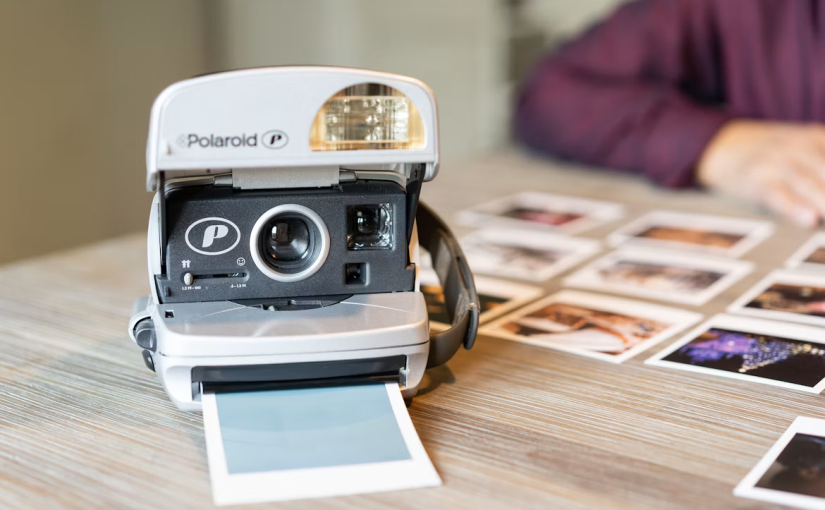
Portable Photo Printers Bring Instant Photo Printing Back into Everyday Life

A New Appreciation for Printed Memories

In a world where almost every moment is captured on a smartphone, printed photographs are finding a fresh place in everyday life. Across New Zealand, portable photo printers offer a simple way to turn digital images into physical keepsakes, whether someone is exploring the South Island, enjoying a family barbecue, attending a birthday party, or documenting an ordinary weekend in Auckland.

The appeal is easy to understand. Smartphones can store thousands of pictures, but scrolling through a gallery is different from holding a photograph in your hand. A small printed image can become a travel souvenir, a gift for a friend, a decoration for a bedroom, or a lasting reminder of a special occasion.

Portable photo printers make this experience more convenient than ever. Many models connect wirelessly to a smartphone, allowing users to select a picture, adjust its appearance, and print it within minutes. There is no need to visit a photography shop or wait for an online printing order to arrive.

For New Zealand consumers who value experiences, outdoor adventures, and personal creativity, this combination of portability and instant results gives compact printing devices a compelling role in modern life.

Why Portable Photo Printing Fits the New Zealand Lifestyle

New Zealand offers countless opportunities to take memorable photographs. From coastal walks and lakeside holidays to weekend markets and road trips, people regularly capture moments they want to remember beyond a phone screen.

Portable printers are particularly useful when travelling. Someone visiting Queenstown, for example, might photograph a mountain sunrise, print the best image later that morning, and add it to a travel journal. Families camping near a lake could print pictures of their children enjoying the outdoors, creating a small collection of memories before the trip ends.

These printers also suit social occasions. At a birthday gathering, guests can take pictures and print their favourites to share immediately. At a wedding or engagement celebration, a compact printer can support a simple guestbook activity, allowing attendees to leave photographs alongside handwritten messages.

For students, portable printing can make creative projects more personal. Pictures can be added to school presentations, scrapbooks, art assignments, and visual diaries. Small businesses can also use printed photographs for mood boards, product displays, or informal promotional activities.

The appeal is not limited to major events. A photograph of a favourite café, a beloved pet, or a beautiful afternoon in the garden can be worth printing simply because it makes an everyday moment feel special.

How Portable Photo Printers Work

Most portable photo printers are designed around a straightforward workflow. Users install a companion application, connect a compatible smartphone through Bluetooth or Wi-Fi, select an image, and choose the print settings.

Depending on the model, the application may provide cropping tools, colour adjustments, decorative borders, stickers, templates, or collage layouts. Some printers produce small adhesive-backed photographs, while others create conventional borderless prints.

There are several printing technologies to consider. ZINK printers use specially coated paper that develops colour through controlled heat, eliminating the need for conventional ink cartridges. Dye-sublimation models transfer colour onto specialised media and may apply a protective finishing layer. Other compact printers use different ink-based or thermal processes.

Each technology involves trade-offs. Paper prices, print dimensions, colour reproduction, image durability, and printing speed can differ considerably. Consumers should therefore compare the complete printing experience rather than judging a device solely by its purchase price.

Compatibility matters, too. Buyers should confirm that the printer supports their smartphone, operating system, preferred image formats, and desired connection method. A printer that is simple to operate is more likely to become part of someone’s routine instead of remaining forgotten in a drawer.

Choosing the Right Printer for Travel and Everyday Use

Portability means more than having a small body. A useful travel printer should fit comfortably in a backpack, handbag, or camera bag without creating unnecessary bulk.

Weight and dimensions are important for people who travel frequently or prefer to carry minimal luggage. A compact device can be particularly appealing during a weekend away, when travellers may already be carrying a phone charger, camera equipment, water bottle, and other essentials.

Print size deserves equal attention. Smaller prints work well for journals, wallets, photo walls, and personal gifts. People who want larger pictures for scrapbooking or home decoration may prefer a model with a bigger output format, even if it is less convenient to carry.

The cost of consumables is another important consideration. Some printers require specialised paper packs, while others use media that includes integrated colour technology. A seemingly affordable printer may become expensive if replacement supplies cost more than expected.

Battery performance should also be part of the buying decision. A printer intended for day trips needs enough charge for the number of photographs its owner expects to produce. Checking the manufacturer’s stated print capacity, charging method, and charging time can help prevent disappointment when travelling away from a power outlet.

New Zealand buyers should also consider warranty support, local availability of compatible paper, and the ease of obtaining replacement accessories. A printer that performs well but relies on difficult-to-source consumables may be less practical over time.

The Battery Question Behind Instant Printing

Although the photograph receives most of the attention, portable printing depends on a compact power system. The battery must provide enough energy for the device to process an image, heat or operate its printing mechanism, and complete the print cycle reliably.

The exact requirements depend on the printer’s technology. Thermal printing systems can draw significant power during heating, while motors and electronic controls add to the overall demand. This makes battery capacity, power management, and charging design important factors in the user experience.

When comparing replacement printers battery options, consumers should never assume that physical size alone determines compatibility. Voltage, connector design, battery chemistry, dimensions, and the manufacturer’s specifications all need to match the particular device.

It is also worth distinguishing between printers with integrated rechargeable batteries and models that use replaceable power sources. Many portable photo printers have built-in rechargeable batteries, meaning the battery may not be designed for routine user replacement. In such cases, authorised servicing or manufacturer guidance is the safer route when battery performance deteriorates.

Charging habits can influence long-term convenience. Following the manufacturer’s instructions, avoiding excessive heat, and storing the printer under suitable conditions can help users care for its rechargeable power system. Owners should not open sealed battery compartments or attempt improvised repairs, particularly when lithium-ion cells are involved.

Making Better Prints From Smartphone Photos

A portable printer cannot automatically rescue every photograph. Image quality still depends on the original picture, the printer’s capabilities, and the chosen paper.

Before printing, users should check composition and brightness. A picture that looks attractive on a bright smartphone screen may appear darker on paper, so a small adjustment to exposure can sometimes improve the result. Cropping away distractions and choosing an appropriate aspect ratio can also make a photograph feel more polished.

Lighting is especially important for outdoor photography. New Zealand’s changeable weather can produce dramatic landscapes, but strong backlighting, cloudy conditions, or deep shadows may affect how a scene appears in print. Taking a few extra photographs from different angles gives users more options when selecting the final image.

People printing pictures for albums should consider storage as well. Following the paper manufacturer’s recommendations for handling and preservation can reduce avoidable fading or damage. Keeping prints away from excessive moisture, direct sunlight, and rough surfaces is a sensible starting point.

The best approach is to treat printing as part of the creative process. Instead of printing every picture, users can select images that tell a story, represent a journey, or capture a meaningful detail.

Portable Printers and New Zealand’s Small Businesses

Portable photo printers may also offer practical benefits beyond personal photography. Small businesses often need affordable ways to create visual materials without investing in large office equipment.

A market stall selling handmade jewellery, for example, might use printed photographs to show product variations or display examples of previous custom orders. A photographer could produce small keepsakes for clients at an event. A tourism operator might incorporate printed images into a welcome pack or customer experience.

However, photo printers are not substitutes for every business printer. Their small output size, specialised paper, and ongoing media costs make them better suited to specific creative tasks than high-volume document production.

Before using one commercially, businesses should calculate the cost per print, estimate how many prints they need each week, and consider whether the device can handle the expected workload. They should also obtain permission before printing or sharing other people’s photographs, especially when children or private events are involved.

For small creative businesses, the greatest value may lie in the experience rather than the technology itself. Giving a customer a photograph immediately can make a transaction feel more personal and memorable.

Sustainability and the Cost of Printed Memories

The convenience of instant printing raises an important question: how can consumers enjoy physical photographs without creating unnecessary waste?

Specialised photo paper and packaging can add to the environmental footprint of a printing habit. Consumers can reduce waste by previewing pictures before printing, avoiding duplicate copies, and buying supplies in quantities that match realistic demand.

It is sensible to investigate whether paper packaging can be recycled through local collection systems, since coatings and integrated materials may affect recyclability. Buyers should not assume that all specialised photo paper belongs in household recycling bins.

Battery disposal deserves similar care. Rechargeable batteries and devices containing lithium-ion cells should not be placed in ordinary rubbish when dedicated collection or approved recycling options are available. New Zealand consumers can check local council guidance and relevant battery or electronic-waste collection services for current instructions.

Repairability is another consideration. A device that can be serviced appropriately and supported with available consumables may offer better long-term value than one that becomes unusable when its battery or another component fails.

Making deliberate choices does not mean giving up the pleasure of printing. It means producing photographs that people genuinely want to keep, while considering the materials and energy required to create them.

What to Look for Before Buying in New Zealand

The most suitable portable photo printer depends on how it will be used. A traveller may prioritise low weight and a rechargeable battery, while a scrapbook enthusiast may care more about adhesive-backed paper and creative editing tools.

Before purchasing, compare the following factors:

  • Print quality: Look at sample photographs and check whether colours, skin tones, and fine details meet your expectations.
  • Running costs: Compare the price of compatible paper or other consumables, not just the initial device cost.
  • Battery life: Check the manufacturer’s estimated number of prints per charge and the recommended charging method.
  • Connectivity: Confirm smartphone compatibility and whether Bluetooth or Wi-Fi suits your needs.
  • Portability: Consider weight, dimensions, and whether the printer fits your usual travel bag.
  • Local support: Check warranty terms, availability of supplies, and access to appropriate servicing.

Online reviews can help, but real-world print samples are particularly useful because different models may handle the same image differently. Consumers should also distinguish manufacturer claims from independent testing.

A thoughtful comparison helps prevent an impulse purchase and makes it easier to choose a printer that will actually be used.

A Small Device With a Lasting Emotional Appeal

Portable photo printers bring something distinctive to a digital world: the ability to turn a fleeting moment into a physical object almost immediately. For New Zealand travellers, families, students, and creative entrepreneurs, that experience can make photography feel more personal.

The technology is not without compromises. Printing supplies cost money, print dimensions are limited, and rechargeable power systems require care. Nevertheless, a well-chosen printer can transform an ordinary collection of smartphone pictures into a travel journal, a gift, a family album, or a display of everyday memories.

For consumers comparing replacement printers battery options, understanding the specific device’s power requirements is just as important as evaluating print quality and media costs. Compatibility and safe servicing should always come before price alone.

Ultimately, the appeal of portable photo printing is not simply that it produces pictures quickly. It gives people a reason to pause, choose their favourite moments, and share them in a form that can be held, displayed, and revisited long after the phone screen has gone dark.
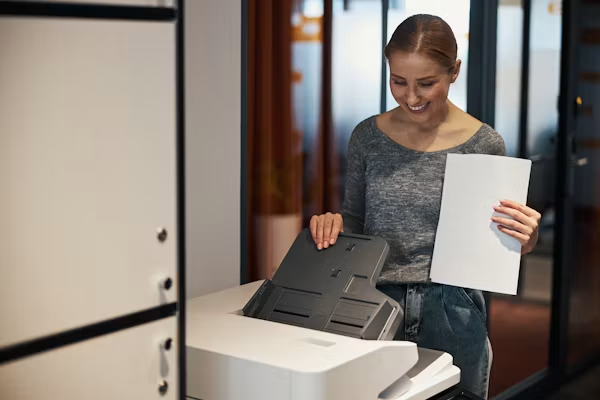
AI-Powered Printing Is Changing the Future of Home Offices in New Zealand

The Home Office Is Getting Smarter

The way New Zealanders work from home is changing rapidly. A few years ago, a typical home office might have consisted of a laptop, a desk, a Wi-Fi router and perhaps a basic printer sitting quietly in the corner. Today, that setup is becoming much more connected and intelligent.

Artificial intelligence is moving beyond chatbots and productivity assistants and into everyday hardware. Printers, once considered relatively simple office machines, are now becoming part of this transformation. New AI-powered printing features can help users format documents, organise information, improve scanned files and reduce unnecessary printing.

This shift is particularly relevant in New Zealand, where remote work, flexible employment and small businesses have become important parts of modern working life. For many people, the home office is no longer a temporary arrangement. It is a permanent workspace that needs reliable technology.

The arrival of AI-powered printing means the humble printer could become one of the most useful smart devices in the modern Kiwi home office.

From Basic Printing to Intelligent Printing

Traditional printing is surprisingly inefficient.

A person may find an interesting article online, press the print button and suddenly discover that the document is spread across several pages. Advertisements, navigation menus, blank spaces and oversized images can consume paper and ink without adding any real value.

This is exactly the type of everyday frustration that new AI printing technology is trying to solve.

In New Zealand, HP launched Print AI in August 2026 for compatible home and office printers. One of its features, Precise Print, is designed to improve the appearance of web-based content before it reaches the printer. Compatible printers can automatically adjust awkward layouts and help reduce unnecessary paper, ink and reprints.

That may sound like a small improvement, but the impact can be significant.

For someone working from home, printing may involve invoices, recipes, school materials, travel information, reports, contracts, forms and business documents. When a printer can understand the structure of digital content rather than simply reproduce everything on a screen, printing becomes more efficient.

The printer is no longer just an output device. It becomes an intelligent assistant.

Why This Matters for New Zealand Home Offices

New Zealand has a large number of small businesses, freelancers, contractors and professionals who depend on flexible working arrangements. For these users, technology has to deliver practical value rather than simply look impressive.

A smart printer can help solve several common problems.

Imagine a self-employed designer in Auckland preparing documents for a client. Instead of manually downloading, editing and formatting several web pages, an AI-assisted printer can potentially handle some of the formatting automatically.

Or consider a small business owner in Christchurch who needs to print invoices and shipping documents every afternoon. Even small improvements in efficiency can save time over weeks and months.

The same applies to families.

Parents may need to print school worksheets, children may need project materials, and households may regularly print travel documents, forms or recipes. A printer that can reduce unnecessary pages makes the process less frustrating.

The most interesting part is that these improvements do not necessarily require users to become technology experts.

That is one of the biggest advantages of AI: complicated processes can happen quietly in the background.

AI Can Help Reduce Printing Waste

Sustainability is another reason intelligent printing is attracting attention.

Paper waste can be surprisingly easy to create. A document that should occupy two pages can sometimes become four or five pages because of poor formatting. A single image may occupy an entire sheet. A website may include advertisements and menus that nobody actually wants on paper.

AI can potentially identify these problems before printing.

For New Zealand households that are becoming more conscious of consumption and waste, this can be an appealing feature. Saving paper also means reducing the frequency with which users need to purchase printer supplies.

The environmental benefit may appear small when considering one print job. However, the picture changes when thousands of households and small businesses make similar improvements every day.

AI-powered printing is therefore not simply about convenience. It can also become part of a broader effort to make digital-to-physical workflows more efficient.

The Hidden Importance of Printer Power

As printers become smarter, their internal technology is also becoming more sophisticated.

Modern multifunction printers may include wireless connectivity, touchscreens, sensors, processors, memory and other electronic components. These features allow printers to communicate with computers, smartphones and cloud-based services.

That also makes dependable power increasingly important.

A printer that is connected to a home network may be expected to remain available throughout the working day. For businesses, an unexpected power interruption can interrupt printing schedules and delay important documents.

This is where components such as a printers battery can become relevant in certain printer designs and backup-power applications. While not every household printer uses a dedicated internal battery, battery technology can support specific functions, portable printing systems or backup capabilities.

As printers become more intelligent and connected, reliable energy management is likely to receive more attention.

The Rise of Wireless Printing

Another major change in home offices is the disappearance of unnecessary cables.

Modern printers increasingly connect through Wi-Fi, allowing users to print from laptops, tablets and smartphones without physically connecting a cable. This is particularly convenient in a home where multiple people use the same printer.

A parent can print from a phone in the kitchen. A student can send an assignment from a laptop in a bedroom. A freelancer can print a document from a desk without moving the computer closer to the printer.

Wireless printing also fits naturally into the broader smart-home ecosystem.

The printer becomes another connected device on the network, alongside smart speakers, cameras, televisions, lighting systems and other electronics.

That convenience, however, creates another requirement: dependable connectivity.

An intelligent printer is only useful if it can communicate reliably with the devices around it.

Smartphones Are Becoming Part of the Printing Experience

The smartphone is also changing how people interact with printers.

Instead of opening a desktop computer, users can increasingly manage printing tasks directly from mobile devices. This is especially useful for people who work flexibly and do not spend the entire day sitting at a traditional desk.

A business owner might receive a document through email while travelling around Wellington and send it to a printer at home. A student might download a study guide on a phone and print it minutes later.

AI can make these workflows even simpler.

Instead of requiring users to understand complicated formatting settings, intelligent software can increasingly make decisions automatically.

This reflects a broader technology trend in New Zealand: consumers are becoming accustomed to devices that anticipate what they want instead of simply waiting for instructions.

AI Scanning Could Be Just as Important

Printing is only half of the story.

Scanning is becoming increasingly important as offices attempt to move between physical and digital information.

A traditional scanner creates a digital copy of a paper document. AI-enhanced scanning can potentially go further by recognising text, identifying document structures and helping users organise information.

For a small business, this could mean turning invoices, receipts or forms into more useful digital records.

For a household, it could make it easier to store important paperwork without maintaining large piles of physical documents.

This is another reason the modern multifunction printer is beginning to look less like a printer and more like a compact information-management system.

What About Privacy?

The growing intelligence of printers also raises important questions about privacy.

Whenever a connected device processes documents, users need to understand what information is being handled and where it goes. Business documents may contain customer details, financial information, addresses or other sensitive material.

New Zealand businesses therefore need to think carefully about security when adopting AI-powered office equipment.

AI should make work easier, but convenience should not come at the expense of responsible data management.

Users should check how specific features operate, what information is processed and whether cloud-based services are involved. Businesses should also ensure that connected printers are protected through secure networks and appropriate access controls.

The more capable a printer becomes, the more seriously it should be treated as part of the business’s technology infrastructure.

Battery Technology Has a Future in Portable Printing

Although most home-office printers remain connected to mains electricity, portable printing is an interesting area to watch.

Small businesses, field workers, delivery operators and mobile professionals sometimes need to produce documents away from traditional offices. Portable printers can provide greater flexibility in these situations.

As portable electronics become more powerful, energy efficiency and battery performance become increasingly important.

A portable printing system may depend on a printers battery to provide power when a conventional electrical outlet is unavailable. Better battery technology could make mobile printing more practical for workers who operate across different locations.

This fits well with New Zealand’s geography and working culture. From urban centres to smaller communities, flexibility can be valuable when work does not always happen in a conventional office.

The Printer Could Become a Productivity Hub

Perhaps the most exciting possibility is that printers could become genuine productivity hubs.

Instead of simply receiving a file and printing it, future systems could help users prepare documents, scan paperwork, organise information and communicate with other devices.

Imagine asking an office assistant to prepare a three-page report for printing. The AI could check the layout, remove unnecessary blank space, organise the pages and send the final version to the printer.

The user would only need to approve the result.

This is very different from the traditional printing experience.

It also reflects a wider movement in artificial intelligence. Technology is gradually moving from tools that respond to commands toward systems that can assist with multi-step tasks.

New Zealand’s AI strategy already focuses on enabling businesses to safely use and innovate with artificial intelligence, making practical applications of AI increasingly relevant to local organisations.

Printing may not be the most glamorous AI application, but it could be one of the most practical.

A More Sustainable Home Office

The future New Zealand home office will probably not be defined by having the largest number of devices.

Instead, it will be about having devices that work together efficiently.

A laptop can generate information. A smartphone can communicate it. Cloud services can store it. AI can process it. And a smart printer can turn selected digital information into physical documents when necessary.

This approach can reduce unnecessary steps.

It can also reduce waste.

If AI helps users print only what they actually need, households may consume less paper and ink. If scanning becomes smarter, fewer physical documents may need to be stored. If wireless connections become more reliable, users can place printers wherever they are most convenient.

In this sense, the smart printer becomes part of a more efficient digital lifestyle rather than simply another piece of office equipment.

What Kiwi Consumers Should Look For

For New Zealand consumers considering a new printer, the number of pages per minute is no longer the only specification worth considering.

Connectivity is important. Wi-Fi support can make a major difference in a busy household.

AI capabilities are also worth investigating, particularly for users who frequently print web content or manage large numbers of documents. However, compatibility matters because advanced AI functions may only work with particular printer models or configurations. HP’s current New Zealand Print AI offering, for example, is limited to supported printers and requires compatible connectivity.

Security should also be considered.

Finally, users should think about long-term running costs. A printer that looks affordable initially may become expensive if it consumes large amounts of ink or requires frequent replacement components.

The smartest printer is not necessarily the one with the longest list of features. It is the one that fits the user’s actual workflow.

The Next Chapter of Home Printing

For decades, the printer was one of the least exciting devices in the office.

That may finally be changing.

Artificial intelligence is giving printers a new role in the modern home office. Instead of simply reproducing whatever appears on a computer screen, intelligent printing systems can help users organise, optimise and manage physical documents.

In New Zealand, this transformation arrives at an interesting moment. Remote work, small businesses, digital services and AI adoption are all reshaping how people work. The home office is becoming more sophisticated, and its devices are expected to do more with less effort.

The future printer may not feel like a traditional printer at all.

It could become a quiet digital assistant that knows how to prepare a document, improve a scan, reduce wasted paper and connect seamlessly with the rest of the home office.

As hardware becomes smarter, battery technology, connectivity and energy efficiency will also become increasingly important. For specialised and portable systems, a dependable printers battery could play a role in keeping printing available when conventional power is not.

The third mention of printers battery is a reminder of a broader point: the future of printing is not only about ink and paper. It is about processors, software, connectivity, artificial intelligence and reliable power working together.

For Kiwi households and small businesses, that could make the next generation of home-office technology considerably more useful—and perhaps make the humble printer one of the smartest devices on the desk.