Apple Pencil 1 vs 2 vs 3 Complete Comparison and Buying Guide

Understanding the Apple Pencil Lineup in a Changing Ecosystem

When comparing styluses for iPad, most users quickly end up searching for apple pencil 1 vs 2 because these two models define the core of Apple’s drawing and note-taking experience. However, the conversation has expanded to include newer generations, leading to comparisons like apple pencil 1 vs 2 vs 3 and apple pencil 1 vs 2 vs pro, especially as Apple continues refining design, latency, and compatibility across different iPad models.

In practical terms, choosing between models is not only about features but also about device support, charging method, and how each generation integrates into daily workflows such as study, design, and business use in New Zealand’s increasingly digital education and remote work environments.

Apple Pencil 1 Gen Experience and Compatibility Limits

The apple pencil 1 gen remains widely used, particularly among users with older iPads. The biggest strength of this generation is its simplicity and solid writing precision, making it suitable for basic sketching, annotation, and classroom use.

However, apple pencil 1 compatibility is limited compared to newer versions. It uses a Lightning charging method, which can feel less convenient in modern setups. It also does not magnetically attach to the iPad, which affects portability and storage. Despite these limitations, many users still rely on it because it supports a broad range of older iPads commonly found in schools and households.

When evaluating apple pencil 1 vs usb-c, the difference becomes clear in charging convenience and ecosystem alignment. The USB-C version of Apple Pencil is newer and more streamlined for current devices, while the first generation feels more tied to legacy hardware.

Apple Pencil 2 A Major Step Forward

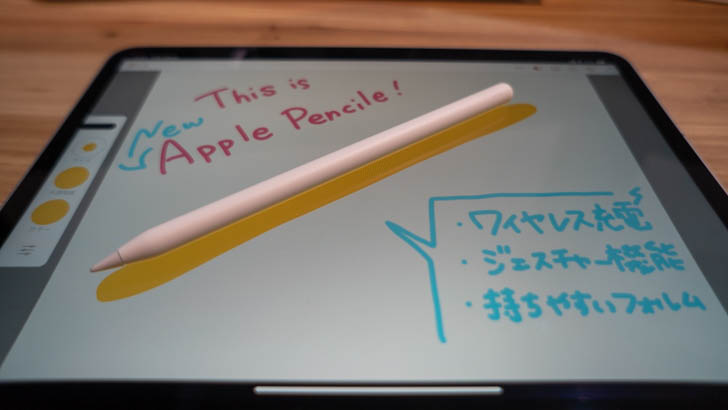
The apple pencil 2 represents a significant upgrade and is often considered the “sweet spot” for most modern iPad users. It introduces magnetic attachment, wireless charging, and gesture controls, making the overall experience smoother and more integrated.

When discussing apple pencil 2 compatibility, it is important to note that it only works with specific iPad Pro, iPad Air, and iPad Mini models that support magnetic charging. This makes it more advanced but also more selective in device pairing.

In daily use, the Apple Pencil 2 feels more natural for professionals and students who rely on frequent note-taking or illustration work. The double-tap gesture for tool switching also improves workflow efficiency, especially in creative apps.

The comparison apple pencil 2 vs usb-c often comes down to functionality versus flexibility. While USB-C models focus on broader compatibility and simplified charging, the second generation emphasizes deeper integration with supported iPads.

Apple Pencil 2 vs USB-C Practical Differences

The apple pencil 2 vs usb-c comparison highlights two different design philosophies. Apple Pencil 2 prioritizes premium features like pressure sensitivity, gesture control, and magnetic charging. In contrast, USB-C versions focus on universal connectivity and simplified charging, making them attractive for users who want a simpler stylus without advanced gestures.

For users in New Zealand who often balance work, study, and travel, USB-C models may feel more convenient for cross-device usage. However, Apple Pencil 2 still offers a more refined experience for digital artists and professionals who need precision and responsiveness.

Apple Pencil 1 vs 2 vs 3 The Evolving Standard

The apple pencil 1 vs 2 vs 3 comparison reflects how Apple’s stylus technology has evolved over time. The first generation focuses on basic functionality, the second generation improves interaction and charging, and the third-generation concept (where available in discussion or newer updates) tends to emphasize refined ergonomics, improved latency, and tighter ecosystem integration.

When users search apple pencil 2, they are often trying to understand whether upgrading is worth it. In most cases, the answer depends on whether their iPad supports newer models and whether they need advanced features like gesture controls or magnetic charging.

Apple Pencil 1 vs 2 vs Pro Professional Workflow Considerations

The apple pencil 1 vs 2 vs pro comparison is especially relevant for designers, architects, and students in creative fields. The Pro version is designed to push precision and responsiveness even further, often integrating advanced pressure sensitivity and enhanced haptic feedback features depending on supported devices.

In real-world usage, apple pencil 1 vs 2 vs pro is less about basic writing ability and more about professional-grade performance. While the first generation is sufficient for simple note-taking, and the second generation balances power and usability, the Pro version targets users who demand maximum control and fluidity in digital illustration or advanced design work.

Apple Pencil Compatibility Across Devices

Understanding apple pencil 1 compatibility and apple pencil 2 compatibility is essential before making a purchase decision. Many users assume all Apple Pencils work across all iPads, but in reality, each generation is tied to specific hardware designs.

The first generation is typically compatible with older Lightning-based iPads, while the second generation requires newer models with flat edges and magnetic charging support. This distinction often becomes the deciding factor for users upgrading their iPad rather than just their stylus.

For users in New Zealand, where educational institutions and workplaces often standardize different iPad generations, compatibility becomes a key practical consideration rather than just a technical detail.

Final Thoughts Choosing the Right Apple Pencil

Ultimately, deciding between apple pencil 1 vs 2 vs 3 or exploring apple pencil 1 vs 2 vs pro depends on your device, usage style, and budget. The apple pencil 1 gen remains a reliable entry-level option, while apple pencil 2 offers the most balanced and widely recommended experience for modern iPads. Meanwhile, USB-C variants and Pro-level models expand the ecosystem for users who want either simplicity or advanced creative control.

Whether you are studying, working remotely, or creating digital art in New Zealand, understanding apple pencil 1 vs usb-c and apple pencil 2 vs usb-c helps ensure you choose a stylus that fits your workflow rather than forcing you to adapt to its limitations.

Best Tablet for Kids NZ Guide: How to Choose from Tablets for Kids NZ

Why Tablets Remain Popular Across New Zealand

The demand for tablets nz continues to grow as more New Zealand families, students, and professionals look for portable devices that can handle entertainment, education, and productivity. Whether you need a device for online learning, video streaming, digital note-taking, or gaming, tablets offer a convenient balance between smartphones and laptops.

With a wide variety of models available, consumers are increasingly searching for best tablets nz that match their budgets and daily needs. From premium devices with advanced features to budget-friendly options, there is now a tablet suitable for nearly every user.

Choosing the Right Tablets for Children

Parents often prioritize safety, durability, and educational features when looking for tablets for kids nz. Modern children’s tablets can provide access to learning apps, e-books, creative tools, and age-appropriate entertainment while allowing parents to manage screen time and content access.

When searching for the best tablet for kids nz, it is important to consider factors such as battery life, screen size, parental controls, and protective cases. A good kids’ tablet should be durable enough to handle everyday use while offering a smooth experience for educational activities and interactive learning.

Many New Zealand parents also compare devices available through a kids tablet warehouse, where a wide selection of child-friendly tablets can often be found. Having multiple options makes it easier to choose a device that fits both educational requirements and household budgets.

Affordable Options for Budget-Conscious Buyers

Not every buyer needs a premium tablet. Many users simply want a reliable device for web browsing, streaming, reading, and communication. This is why searches for cheap tablets nz continue to increase across the country.

For those who prefer the Android ecosystem, cheap android tablets nz provide excellent value. These devices often include large displays, expandable storage, and access to thousands of applications while remaining affordable. Students, casual users, and families frequently choose budget Android tablets because they offer practical functionality without a significant investment.

As technology improves, even lower-priced tablets now feature faster processors, better displays, and longer battery life than previous generations, making them a sensible choice for everyday use.

The Growing Demand for Small and Portable Tablets

Portability is becoming a major purchasing factor. Many users are looking for a small tablet nz option that can easily fit into a handbag, backpack, or travel bag. Compact tablets are especially useful for commuters, travelers, and younger children who may find larger devices difficult to handle.

A smaller tablet can still provide excellent performance for reading, watching videos, attending online classes, and managing daily tasks. The lightweight design also makes these devices ideal for people who spend long periods holding their tablets for work or entertainment.

For New Zealand consumers who value convenience and mobility, compact models remain one of the most practical choices available today.

Why More Users Want a Tablet with Pen Support

Digital note-taking has transformed the way people work and study. As a result, interest in a tablet with pen nz continues to rise among university students, business professionals, artists, and creative users.

A stylus-compatible tablet allows users to take handwritten notes, annotate documents, sketch designs, and organize ideas more naturally. For students attending lectures or professionals participating in meetings, pen functionality can significantly improve productivity.

Creative users also benefit from pen-enabled tablets because they provide a more precise and intuitive drawing experience. Whether used for graphic design, digital art, or simple note-taking, pen support adds versatility that many users now consider essential.

Comparing Features Before Making a Purchase

Finding the right tablet requires more than simply comparing prices. Screen quality, battery life, processing performance, storage capacity, and software compatibility should all be considered before making a decision.

When evaluating best tablets nz, users should think about how they plan to use the device. Families may prioritize durability and parental controls, while students may focus on battery life and note-taking features. Professionals often look for multitasking capabilities, while entertainment-focused users may prefer larger displays and better speakers.

Taking time to compare specifications helps ensure that the chosen tablet provides long-term value and remains suitable as needs evolve.

The Future of Tablets in New Zealand

The tablet market in New Zealand continues to evolve as manufacturers introduce faster processors, improved displays, longer battery life, and smarter software features. Whether consumers are looking for tablets for kids nz, exploring a kids tablet warehouse, searching for cheap android tablets nz, comparing cheap tablets nz, considering a small tablet nz, or investing in a tablet with pen nz, there are now more options available than ever before.

By carefully assessing personal needs, budget requirements, and desired features, New Zealand buyers can confidently choose from the many tablets nz available today and find the best tablet for kids nz or one of the best tablets nz for their lifestyle.

Huawei MatePad 10.8 Stylus and Keyboard Support for Note-Taking and Drawing

Elegant Design That Fits Modern Kiwi Lifestyles

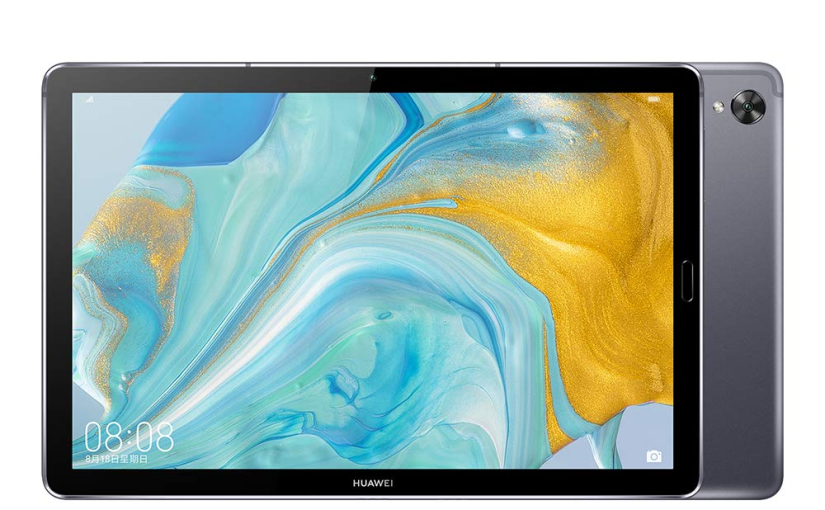
The Huawei MatePad 10.8 brings a clean and modern aesthetic that matches New Zealand’s growing appetite for sleek, lightweight tech. Its 10.8-inch high-resolution display delivers crisp clarity that feels ideal for streaming local sports, enjoying digital textbooks, or browsing everyday content. The metal body adds a smooth premium touch, offering durability without feeling heavy, making it a practical companion for students and professionals who are always on the move.

Strong Performance for Daily Work and Entertainment

Inside the MatePad 10.8 sits a powerful processor paired with generous memory, enabling smooth multitasking for studying, remote work, online meetings, and gaming. Apps open quickly, large files load without delay, and streaming platforms run effortlessly. As New Zealand continues embracing hybrid work and digital education, tablets with stable performance and fluid usability are becoming more popular, pushing devices like this into the spotlight.

To align with current search habits in the country, many users are looking for long-term usability tips such as tablet battery replacement NZ service guide, which often appear in discussions around device durability. The MatePad 10.8, thanks to its efficient power management, naturally fits into conversations about reliable long-term tablet use.

Intelligent Features Supporting a Smarter Lifestyle

The MatePad 10.8 supports stylus writing and magnetic keyboards, turning it into a flexible tool for handwritten notes, sketches, and mobile document editing. This appeals to creators, students, and professionals who want an affordable but capable work device. Its vivid display and immersive sound system provide a cinema-like experience that suits New Zealand’s strong streaming culture, which has rapidly grown with new media platforms and digital content trends.

In online communities, users often share tips on extending device life through topics such as extend tablet battery life New Zealand techniques, reflecting the country’s preference for making tech last longer rather than replacing it too quickly. The MatePad’s efficiency and stable endurance make it a relevant option in these ongoing conversations.

Standout Highlights in Today’s Market

What sets the MatePad 10.8 apart is how well it balances premium-level features with approachable practicality. The large, detailed display offers a rewarding viewing experience, while the quad-speaker setup enhances everything from movies to music. Support for productivity accessories expands its capabilities far beyond basic entertainment, letting users transition smoothly between work and relaxation.

With increasing interest in sustainable tech usage across New Zealand, people also pay attention to topics like Huawei tablet battery swap options in NZ, which shows how consumers value devices that can remain in use for many years. The MatePad’s performance and build quality help it fit naturally into this long-term-use trend.

A Tablet That Matches New Zealand’s Digital Needs

The Huawei MatePad 10.8 is well-positioned for New Zealanders seeking a powerful, beautiful, and adaptable tablet. Its blend of design, performance, intelligent features, and strong multimedia experience makes it suitable for students, remote workers, creatives, and media enthusiasts alike. In a market where durable, versatile and efficient technology is becoming increasingly valued, the MatePad 10.8 stands out as a device that keeps up with the nation’s evolving digital lifestyle.

Keeping Your Samsung Devices Healthy: Insights on Samsung Care and Battery Replacement

Understanding Samsung Care NZ

Samsung Care NZ is a service designed to help users in New Zealand maintain their Samsung devices efficiently. It goes beyond the standard support options, offering tailored assistance for various issues, including device diagnostics, repairs, and guidance on proper usage. For users who rely heavily on their smartphones, tablets, or wearables, Samsung Care NZ provides peace of mind by ensuring that expert help is just a call or visit away. This service is particularly valuable for those who want to extend the life of their devices and avoid common technical problems.

The Benefits of Samsung Care Plus

Samsung Care Plus complements Samsung Care NZ by offering an extra layer of protection. It includes coverage for accidental damage, hardware issues, and sometimes even screen repairs. For individuals who tend to use their devices in challenging environments or for long hours, Samsung Care Plus can be a crucial investment. This service also emphasizes convenience, as it often allows faster service options and reduces the hassle of unexpected repair costs. Users can enjoy their devices with confidence, knowing that unexpected accidents or malfunctions won’t disrupt their daily routines.

Battery Replacement: Why It Matters

Battery replacement is an essential service for any long-term device owner. Over time, batteries naturally lose efficiency, resulting in shorter usage time and unexpected shutdowns. Utilizing services such as Samsung Care NZ and Samsung Care Plus ensures that battery replacement is handled efficiently and safely. A timely battery replacement not only restores the device’s performance but also prevents potential damage caused by battery degradation. Whether it’s a smartphone, tablet, or wearable, addressing battery issues early can significantly extend the device’s usable life.

Maintaining Device Performance

Beyond battery replacement, maintaining your Samsung device involves routine checks and updates. Services linked with Samsung Care NZ and Samsung Care Plus often include software optimization, security updates, and troubleshooting support. Regular maintenance helps prevent common issues such as slow performance, overheating, or connectivity problems. Users who combine proactive care with timely battery replacement tend to experience fewer disruptions and a more reliable device over time.

Making the Most of Your Samsung Device

By leveraging Samsung Care NZ and Samsung Care Plus, users gain more than just repair services—they gain insights on maximizing device longevity and performance. Coupled with timely battery replacement, these services ensure that devices remain functional, safe, and efficient throughout their lifecycle. Investing in proper care today reduces the likelihood of major problems tomorrow, making every device experience smoother and more enjoyable.

Maximizing Laptop Performance: Understanding the C1552B Battery and Laptop Battery Board

Introduction to Laptop Power Systems

In modern laptops, power management plays a critical role in overall performance and longevity. Central to this system are the c1552b battery and the laptop battery board, two components that work together to ensure stable and efficient energy delivery. Understanding their function can help users make informed decisions about maintenance and upgrades.

The Role of the C1552B Battery

The c1552b battery serves as a primary energy source for your laptop. Unlike external power adapters, this battery provides mobility and uninterrupted performance, even when away from a power outlet. Its capacity and efficiency directly influence how long a laptop can operate on a single charge, making it an essential consideration for anyone relying on portable computing.

How the Laptop Battery Board Works

The laptop battery board is the intermediary between the battery and the laptop’s internal systems. It regulates voltage, monitors charge cycles, and protects against overcharging or overheating. A malfunctioning battery board can lead to performance issues, rapid battery drain, or even complete failure of the laptop’s power system, highlighting its importance in maintaining laptop health.

Maintenance Tips for Longevity

To ensure that both the c1552b battery and the laptop battery board function optimally, it is crucial to follow proper maintenance practices. Avoiding extreme temperatures, performing regular charge cycles, and ensuring the board’s connections are clean can significantly extend the lifespan of these components. Additionally, monitoring battery health through built-in software tools helps prevent unexpected shutdowns.

Upgrading and Replacing Components

In some cases, users may need to replace the c1552b battery or the laptop battery board due to wear or performance decline. When selecting replacements, attention should be given to compatibility and specifications, as mismatched components can cause instability or reduce overall battery efficiency. Proper installation ensures continued reliable performance without risking damage to the laptop.

Conclusion

The c1552b battery and laptop battery board are critical for delivering reliable power to laptops. By understanding their roles, maintaining them carefully, and selecting compatible replacements when needed, users can maximize laptop performance and extend device longevity. Taking a proactive approach to laptop power management can prevent interruptions and ensure a smooth, productive computing experience.

Unlocking the Power: A Comprehensive Look at the C1552B Battery

When it comes to maintaining the longevity and performance of your Google Pixel C tablet, the c1552b battery plays a crucial role. This specific battery model is designed as a replacement for the Pixel C, ensuring that users can restore their device’s original stamina and functionality without hassle. Understanding the features and care tips for the c1552b battery can greatly enhance your tablet experience.

What is the C1552B Battery?

The c1552b battery is a rechargeable lithium-ion battery crafted to fit the Google Pixel C tablet perfectly. Over time, tablet batteries degrade and lose their ability to hold a charge efficiently. By replacing the original battery with a c1552b battery, users can extend the usability of their device and avoid performance slowdowns caused by battery wear.

Benefits of Using the C1552B Battery

Replacing an old or failing battery with the c1552b battery can significantly improve the tablet’s performance. A fresh battery means longer usage between charges, more consistent power delivery, and the elimination of unexpected shutdowns. This replacement also supports the same voltage and capacity specifications as the original, which means the device operates smoothly without compatibility issues.

How to Properly Care for Your C1552B Battery

To maximize the lifespan of the c1552b battery, proper care is essential. Avoid exposing your tablet to extreme temperatures, as excessive heat or cold can damage the battery cells. Charging habits also matter; it’s best to avoid letting the battery drain completely or charging it to 100% all the time. Instead, aim to keep the battery level between 20% and 80% to maintain optimal health.

Installation Considerations for the C1552B Battery

Installing the c1552b battery requires care and precision. While some users may opt to replace the battery themselves, it is important to follow detailed guides or seek assistance to prevent damage to the tablet. Proper tools and a clean workspace help ensure the battery is installed correctly, preserving the device’s integrity and performance.

Extending Your Tablet’s Life with the C1552B Battery

Ultimately, the c1552b battery offers a practical solution for anyone looking to breathe new life into their Google Pixel C tablet. By replacing the old battery with this compatible model and following good maintenance practices, users can enjoy extended tablet usage without needing to purchase a new device.

Maintaining your tablet’s power source is key to seamless use, and the c1552b battery is an excellent option for those who want a reliable and effective replacement. With the right care and installation, this battery will keep your Google Pixel C running efficiently for years to come.