Understanding the Apple Pencil Lineup in a Changing Ecosystem
When comparing styluses for iPad, most users quickly end up searching for apple pencil 1 vs 2 because these two models define the core of Apple’s drawing and note-taking experience. However, the conversation has expanded to include newer generations, leading to comparisons like apple pencil 1 vs 2 vs 3 and apple pencil 1 vs 2 vs pro, especially as Apple continues refining design, latency, and compatibility across different iPad models.
In practical terms, choosing between models is not only about features but also about device support, charging method, and how each generation integrates into daily workflows such as study, design, and business use in New Zealand’s increasingly digital education and remote work environments.
Apple Pencil 1 Gen Experience and Compatibility Limits
The apple pencil 1 gen remains widely used, particularly among users with older iPads. The biggest strength of this generation is its simplicity and solid writing precision, making it suitable for basic sketching, annotation, and classroom use.
However, apple pencil 1 compatibility is limited compared to newer versions. It uses a Lightning charging method, which can feel less convenient in modern setups. It also does not magnetically attach to the iPad, which affects portability and storage. Despite these limitations, many users still rely on it because it supports a broad range of older iPads commonly found in schools and households.
When evaluating apple pencil 1 vs usb-c, the difference becomes clear in charging convenience and ecosystem alignment. The USB-C version of Apple Pencil is newer and more streamlined for current devices, while the first generation feels more tied to legacy hardware.
Apple Pencil 2 A Major Step Forward
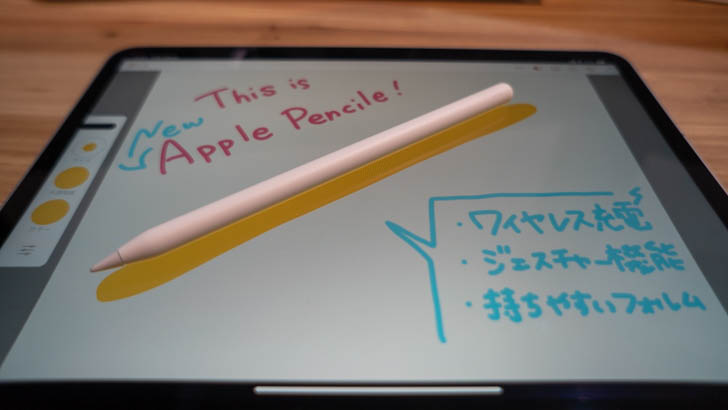
The apple pencil 2 represents a significant upgrade and is often considered the “sweet spot” for most modern iPad users. It introduces magnetic attachment, wireless charging, and gesture controls, making the overall experience smoother and more integrated.
When discussing apple pencil 2 compatibility, it is important to note that it only works with specific iPad Pro, iPad Air, and iPad Mini models that support magnetic charging. This makes it more advanced but also more selective in device pairing.
In daily use, the Apple Pencil 2 feels more natural for professionals and students who rely on frequent note-taking or illustration work. The double-tap gesture for tool switching also improves workflow efficiency, especially in creative apps.
The comparison apple pencil 2 vs usb-c often comes down to functionality versus flexibility. While USB-C models focus on broader compatibility and simplified charging, the second generation emphasizes deeper integration with supported iPads.
Apple Pencil 2 vs USB-C Practical Differences
The apple pencil 2 vs usb-c comparison highlights two different design philosophies. Apple Pencil 2 prioritizes premium features like pressure sensitivity, gesture control, and magnetic charging. In contrast, USB-C versions focus on universal connectivity and simplified charging, making them attractive for users who want a simpler stylus without advanced gestures.
For users in New Zealand who often balance work, study, and travel, USB-C models may feel more convenient for cross-device usage. However, Apple Pencil 2 still offers a more refined experience for digital artists and professionals who need precision and responsiveness.
Apple Pencil 1 vs 2 vs 3 The Evolving Standard
The apple pencil 1 vs 2 vs 3 comparison reflects how Apple’s stylus technology has evolved over time. The first generation focuses on basic functionality, the second generation improves interaction and charging, and the third-generation concept (where available in discussion or newer updates) tends to emphasize refined ergonomics, improved latency, and tighter ecosystem integration.
When users search apple pencil 2, they are often trying to understand whether upgrading is worth it. In most cases, the answer depends on whether their iPad supports newer models and whether they need advanced features like gesture controls or magnetic charging.
Apple Pencil 1 vs 2 vs Pro Professional Workflow Considerations
The apple pencil 1 vs 2 vs pro comparison is especially relevant for designers, architects, and students in creative fields. The Pro version is designed to push precision and responsiveness even further, often integrating advanced pressure sensitivity and enhanced haptic feedback features depending on supported devices.
In real-world usage, apple pencil 1 vs 2 vs pro is less about basic writing ability and more about professional-grade performance. While the first generation is sufficient for simple note-taking, and the second generation balances power and usability, the Pro version targets users who demand maximum control and fluidity in digital illustration or advanced design work.
Apple Pencil Compatibility Across Devices
Understanding apple pencil 1 compatibility and apple pencil 2 compatibility is essential before making a purchase decision. Many users assume all Apple Pencils work across all iPads, but in reality, each generation is tied to specific hardware designs.
The first generation is typically compatible with older Lightning-based iPads, while the second generation requires newer models with flat edges and magnetic charging support. This distinction often becomes the deciding factor for users upgrading their iPad rather than just their stylus.
For users in New Zealand, where educational institutions and workplaces often standardize different iPad generations, compatibility becomes a key practical consideration rather than just a technical detail.
Final Thoughts Choosing the Right Apple Pencil
Ultimately, deciding between apple pencil 1 vs 2 vs 3 or exploring apple pencil 1 vs 2 vs pro depends on your device, usage style, and budget. The apple pencil 1 gen remains a reliable entry-level option, while apple pencil 2 offers the most balanced and widely recommended experience for modern iPads. Meanwhile, USB-C variants and Pro-level models expand the ecosystem for users who want either simplicity or advanced creative control.
Whether you are studying, working remotely, or creating digital art in New Zealand, understanding apple pencil 1 vs usb-c and apple pencil 2 vs usb-c helps ensure you choose a stylus that fits your workflow rather than forcing you to adapt to its limitations.