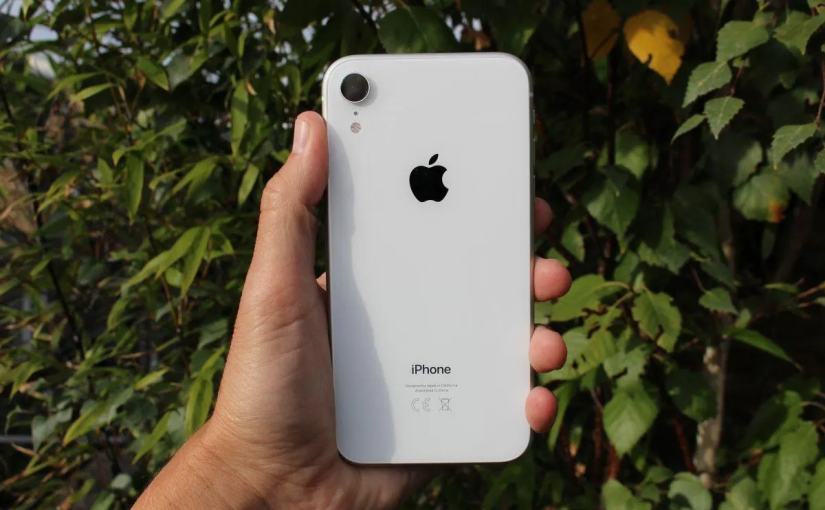
Understanding the Importance of the iPhone XR Battery
The iPhone XR remains a popular smartphone in New Zealand because of its reliable performance, durable design, and long-lasting battery life. Even years after its release, many users still rely on the device for work, travel, streaming, and everyday communication. However, like every smartphone, the iphone xr battery naturally loses capacity over time. After hundreds of charging cycles, users may notice faster battery drain, overheating, or unexpected shutdowns.
A healthy battery is essential for maintaining smooth performance. When the battery condition declines, apps may load slower, gaming performance may drop, and the phone may struggle to last through a full day. This is why many users eventually start looking into iphone xr battery replacement options to restore their device’s usability without buying a new phone.
Signs That You May Need an iPhone XR Battery Replacement
Battery wear happens gradually, so many people do not immediately realize their device is aging. One of the most common signs is rapid power loss even during light usage. If your phone drops from 80% to 40% within a short time, the battery may already be heavily degraded.
Another clear warning sign is unexpected shutdowns during colder weather, which is especially relevant in parts of New Zealand during winter. Older lithium batteries struggle more in low temperatures and may fail to deliver stable power. Some users also notice that their phones become unusually warm while charging or while using social media and video apps.
Checking the Battery Health section in iOS can provide useful information. When maximum capacity falls significantly, many people begin considering iphone xr battery replacement as a practical way to extend the life of the device for another few years.
What to Expect From an iPhone XR Battery Replacement
For many users, replacing the battery is far more affordable than upgrading to a newer smartphone. A successful iphone xr battery replacement can improve daily performance, reduce lag caused by power management features, and restore longer screen-on time.
The replacement process itself is relatively straightforward for experienced technicians. The phone is opened carefully, the old battery is removed, and a new compatible battery is installed. In New Zealand, users often choose local repair shops because of faster turnaround times and easier support if any issues arise later.
Battery replacement can also help reduce electronic waste. Instead of discarding a functioning device, extending its lifespan supports more sustainable technology use. Since the iPhone XR still handles modern apps well, many users find that a new battery makes the phone feel refreshed again.
How to Keep iPhone XR Battery Healthy Over Time
Many users search for advice on how to keep iphone xr battery healthy because battery habits can significantly affect long-term lifespan. One of the best practices is avoiding excessive heat. Leaving the phone inside a parked car during summer or exposing it to direct sunlight for long periods can permanently reduce battery capacity.
Charging habits also matter. It is generally better to keep the battery level between moderate ranges rather than constantly draining it to 0%. Frequent full discharges place more stress on lithium-ion batteries. Using optimized charging features in iOS can help slow battery aging by learning your charging routine.
Another important tip for how to keep iphone xr battery healthy is reducing unnecessary background activity. Apps that constantly refresh location services, Bluetooth connections, or background data can increase battery strain. Adjusting these settings can improve both battery health and daily battery life.
Daily Usage Habits That Affect Battery Performance
Screen brightness is one of the largest contributors to battery drain. Many users in New Zealand spend long hours outdoors, where maximum brightness becomes necessary, but keeping brightness high all day can accelerate battery consumption. Automatic brightness settings often provide a better balance between visibility and efficiency.
Network conditions also play a role. In rural areas or during long drives between cities, weak mobile signals force the phone to work harder to maintain connections. This can cause the iphone xr battery to drain more quickly than normal. Using Wi-Fi when available can help reduce this extra power usage.
Gaming, video editing, and extended video streaming sessions are also demanding on older batteries. While the iPhone XR can still handle these tasks well, older batteries may heat up faster during intensive usage. Managing app usage and allowing the phone to cool down occasionally can improve long-term battery condition.
Choosing the Right Time to Replace the Battery
Many people wait too long before replacing their battery. If the phone no longer lasts through a normal workday, replacing the battery earlier can improve the overall user experience significantly. Delaying replacement may also lead to swelling or performance throttling that affects the device further.
For users planning to keep their phone for another year or two, iphone xr battery replacement is often one of the most cost-effective upgrades available. Since the iPhone XR still supports current iOS features and common apps, a new battery can continue delivering reliable performance for daily use across New Zealand.
Final Thoughts on iPhone XR Battery Care
The iPhone XR continues to offer dependable performance for many users, but battery aging is unavoidable over time. Understanding the warning signs of battery wear, learning how to keep iphone xr battery healthy, and knowing when to consider iphone xr battery replacement can help users get the most value from their device.
With proper charging habits, careful temperature management, and regular battery monitoring, the iphone xr battery can remain in good condition for much longer. For users who still enjoy the performance and design of the iPhone XR, maintaining battery health is one of the smartest ways to extend the life of the device without unnecessary upgrades.