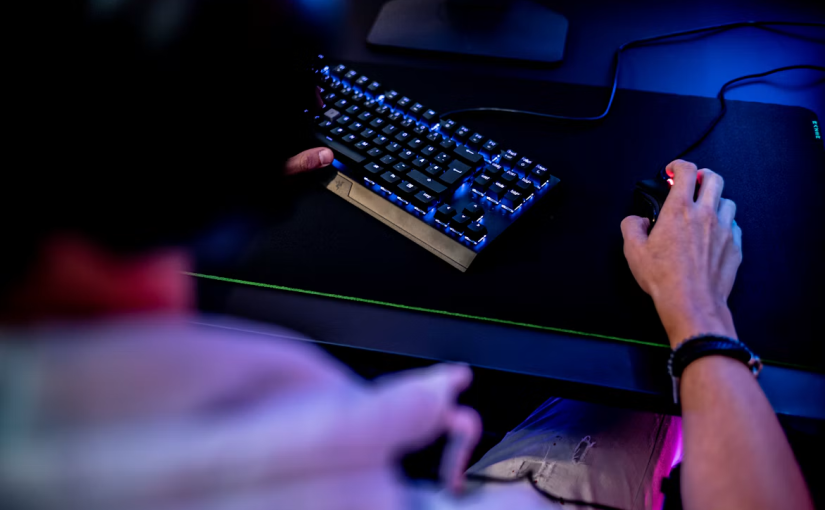
A New Era for PC Gaming in New Zealand
Gaming keyboards are no longer just accessories designed to make a desk look impressive. For many PC gamers in New Zealand, they have become essential tools that influence reaction speed, comfort, precision, and the overall enjoyment of competitive play. As gaming communities grow, esports events attract attention, and more players invest in powerful home setups, one category of peripheral is generating particular interest: magnetic gaming keyboards.
Unlike traditional mechanical keyboards, which generally rely on physical electrical contacts to register a keypress, magnetic models use magnetic sensors to detect how far a key moves. This approach introduces features such as adjustable actuation, rapid triggering, and highly customisable input behaviour. For players who compete in fast-paced shooters or enjoy demanding rhythm games, these features can make a noticeable difference to how a keyboard feels and responds.
New Zealand gamers face many of the same decisions as players elsewhere, but local considerations matter too. Import costs, availability, warranty support, shipping times, desk space, and the value of a purchase in New Zealand dollars can all influence which keyboard makes sense. Understanding the technology is therefore more useful than simply choosing whichever model has the most impressive specifications.
What Makes a Magnetic Gaming Keyboard Different?
Most conventional mechanical keyboards use a switch mechanism that registers a keypress at a particular point in its travel. The precise design varies by switch type, but the general principle is straightforward: pressing a key activates a mechanism, and releasing it allows the key to return.
Magnetic keyboards work differently. Many use Hall-effect sensors to measure changes in a magnetic field as a magnet attached to the moving key stem travels closer to or farther from the sensor. The keyboard’s controller interprets this movement and translates it into an input.
Because the sensor can measure movement across a range rather than merely detect a single contact point, compatible keyboards can offer adjustable actuation. Players may be able to decide how far a key must travel before the computer recognises a press.
That flexibility is appealing to gamers who want a very short actuation point for quick inputs or a deeper press to reduce accidental commands. Some models also allow individual keys to have different settings, making it possible to create a layout tailored to a particular game.
However, magnetic technology does not automatically make every keyboard faster or better. Sensor quality, firmware, software implementation, stabilisation, build quality, and personal preference all influence the final experience.
Why Rapid Trigger Has Captured Gamers’ Attention
One of the most talked-about features in magnetic keyboards is rapid trigger. On compatible devices, a key can reset based on its upward movement rather than requiring it to return to one fixed reset position.
This can help players repeatedly activate movement keys with less physical travel. In competitive games where tiny timing differences affect positioning, the ability to press and release a key quickly can feel particularly useful.
Consider a player moving between directions in a tactical shooter. Releasing one movement key and pressing another at the right moment can help control movement and improve precision. A rapid-trigger keyboard can make these repeated actions more responsive, although practice, network conditions, and game mechanics remain important.
Rhythm games offer another example. Players often need to deliver repeated inputs in quick succession, and adjustable actuation can help them find a comfortable balance between responsiveness and control.
Still, rapid trigger is not a shortcut to becoming a better player. A keyboard cannot replace game knowledge, consistent practice, or good decision-making. The most useful setting is the one that supports reliable inputs without causing accidental presses.
Which Kiwi Gamers Are Most Likely to Benefit?
Not every player needs a specialist magnetic keyboard. The strongest case for upgrading usually comes from people who play games where repeated movement, timing, or precise input control is central to performance.
Competitive first-person shooter players may value adjustable actuation and rapid trigger because movement commands can be repeated frequently. Rhythm-game enthusiasts may appreciate the ability to customise how keys respond. Some players who enjoy experimenting with hardware settings may also find magnetic keyboards appealing.
For casual gaming, strategy titles, role-playing adventures, and everyday typing, the difference may be less significant. A good conventional mechanical keyboard can already provide satisfying feedback, dependable performance, and a wide choice of switch types.
New Zealand buyers should also consider how much time they spend at the computer. Someone who plays competitive games every evening may benefit more from specialised features than a person who games occasionally after work or study.
A practical approach is to identify a real problem before spending money. If repeated keypresses feel sluggish, accidental inputs happen frequently, or the current keyboard lacks the desired customisation, magnetic technology may be worth exploring. If the existing setup works well, upgrading simply because a feature is fashionable may not deliver much value.
Choosing the Right Keyboard for Your Budget
Price is one of the biggest factors in a keyboard upgrade. Specialist gaming peripherals can cost considerably more than basic office keyboards, and premium models may add features that many users will rarely touch.
Before buying, compare the features that directly affect your gaming habits. Adjustable actuation and rapid trigger may matter more to competitive players than elaborate lighting effects. Others may prioritise a compact layout, a comfortable wrist position, quieter switches, or dedicated media controls.
Layout is particularly important. A tenkeyless keyboard removes the number pad to create more room for mouse movement, while a smaller 60% or 65% model saves even more desk space. These compact designs can suit players with limited desk space, including students or people working from shared rooms.
Yet smaller is not always better. Anyone who regularly uses spreadsheets, enters numbers, or switches between gaming and office work may prefer a full-size keyboard. Buyers should check the location of arrow keys, function controls, and other frequently used commands before committing.
It is also worth checking whether a keyboard’s advanced features work across the operating systems and games the buyer uses. Software support, firmware updates, and the ability to save settings can matter more over time than a headline specification.
Wired or Wireless: What Matters in New Zealand?
Wireless gaming keyboards offer a cleaner desk and greater flexibility, but they introduce additional considerations. Battery life, charging methods, connection stability, and wireless performance should all be evaluated before purchasing.
For players who prefer a wireless setup, the manufacturer’s advertised battery life is a useful starting point, not a guarantee. Lighting brightness, polling settings, wireless mode, and daily use can change how often a keyboard needs charging.
A keyboard battery becomes particularly relevant when comparing wireless models because battery capacity and power management influence how convenient the device is to use. A keyboard with impressive gaming features may be less attractive if it needs frequent charging or if the battery performance falls short of the buyer’s expectations.
Wired models avoid battery maintenance and can offer a simple, consistent connection. They are often a sensible option for players who keep their keyboard in one place and want to focus on performance rather than charging routines.
New Zealand households should also think about their physical setup. A shared study and gaming desk, a compact apartment, or a multi-device workstation can make cable management and portability more important than they first appear.
Battery Life and Everyday Convenience
Wireless keyboards are designed to balance performance with power consumption. Features such as bright RGB lighting, high polling rates, wireless connectivity, and additional onboard functions can all affect energy use.
Some models offer software controls that reduce lighting when the keyboard is idle or allow users to select lower-power settings. Others provide different connection modes, giving buyers a choice between convenience and performance.
When comparing products, look for battery-life estimates that explain the testing conditions. A manufacturer’s figure based on minimal lighting may differ substantially from the experience of someone using maximum brightness every evening.
It is also sensible to investigate whether the battery is rechargeable, how charging works, and whether the device can be used while connected to power. These details influence the long-term ownership experience.
For buyers who want to avoid charging altogether, a wired keyboard remains a straightforward alternative. The right choice depends on whether the freedom of wireless use is worth the additional maintenance.
Build Quality, Comfort, and Long-Term Value
A gaming keyboard is something users may interact with for thousands of hours, so durability deserves attention. The quality of the keycaps, case, stabilisers, switches, and USB connection can shape how the device feels after months of regular use.
Magnetic keyboards also depend on reliable sensing and software. Adjustable actuation is useful only when the settings behave consistently, while rapid-trigger features should remain predictable during extended sessions.
Buyers should check warranty conditions, return policies, and repair options before purchasing. For New Zealand consumers, an overseas listing may look cheaper at first but could become less attractive if returns are expensive or support is difficult to access.
The same principle applies to replacement parts and maintenance. A well-supported product may offer better long-term value than a cheaper model with limited documentation or uncertain software updates.
Comfort should not be overlooked either. Keyboard height, wrist position, desk ergonomics, and typing style all affect daily use. Even the fastest keyboard will not make a setup enjoyable if it encourages an uncomfortable posture.
What to Check Before Buying Locally
Shopping for gaming hardware in New Zealand involves more than comparing international reviews. A model available overseas may have different delivery times, regional pricing, or warranty arrangements when purchased locally.
Start by comparing the total cost, including shipping and any applicable charges. Check whether the seller is based in New Zealand, whether the advertised model is actually in stock, and how returns are handled if the product arrives damaged or does not meet expectations.
It is also worth reading reviews that describe real-world use rather than repeating specification sheets. Pay attention to reports about software stability, typing noise, key wobble, wireless reliability, and whether rapid-trigger settings work as expected.
If possible, try a similar keyboard in person. Switch feel is subjective, and a short hands-on test can reveal whether a design suits your hands and typing habits.
A keyboard battery is another specification worth checking when evaluating wireless products. Buyers should look beyond a single capacity figure and consider the manufacturer’s estimated runtime, charging options, replacement arrangements, and how lighting or performance settings influence power consumption.
These details are especially useful when deciding whether a premium wireless keyboard offers enough convenience to justify its price over a simpler wired alternative.
Are Magnetic Keyboards Worth the Upgrade?
For competitive players who regularly rely on precise movement and rapid repeated inputs, magnetic keyboards offer genuine features worth investigating. Adjustable actuation allows users to personalise key response, while rapid trigger can support quicker repeated actions on compatible models.
For everyone else, the decision is more nuanced. A conventional mechanical keyboard may already provide excellent responsiveness, satisfying tactile feedback, and strong value. Spending more on magnetic technology makes sense only if its particular advantages improve the user’s experience.
It is also important to compare complete products rather than buying based on one feature. A well-built keyboard with reliable software and a sensible layout may be a better purchase than a technically advanced model that feels uncomfortable or difficult to configure.
New Zealand buyers should weigh performance against price, availability, warranty support, and intended use. The best choice is not necessarily the most expensive model or the one with the longest list of features. It is the keyboard that suits the games being played and the person using it.
The Future of Gaming Keyboards
Magnetic sensing demonstrates how a familiar computer accessory can evolve through improvements in sensors, firmware, and customisation. As manufacturers refine these systems, buyers may see more accessible pricing, better software, and greater flexibility across different gaming styles.
The broader trend is also a reminder that performance upgrades should solve real problems. A faster input system can help a player execute an action more consistently, but it cannot guarantee better results. Skill, practice, a stable computer, and a comfortable environment still matter.
For Kiwi gamers building or refreshing a PC setup in 2026, magnetic keyboards deserve a place on the shortlist, particularly when competitive play is a priority. The smartest purchase starts with understanding the technology, testing the features that matter, and comparing the full cost of ownership.
Wireless users should pay particular attention to charging convenience and long-term power performance. A keyboard battery may seem like a minor specification beside sensor speed and actuation settings, but it can make a real difference to everyday satisfaction.
Ultimately, the best gaming keyboard is the one that feels natural, performs consistently, and supports the way its owner plays. Magnetic models offer new possibilities, but thoughtful comparison remains the surest route to a worthwhile upgrade.