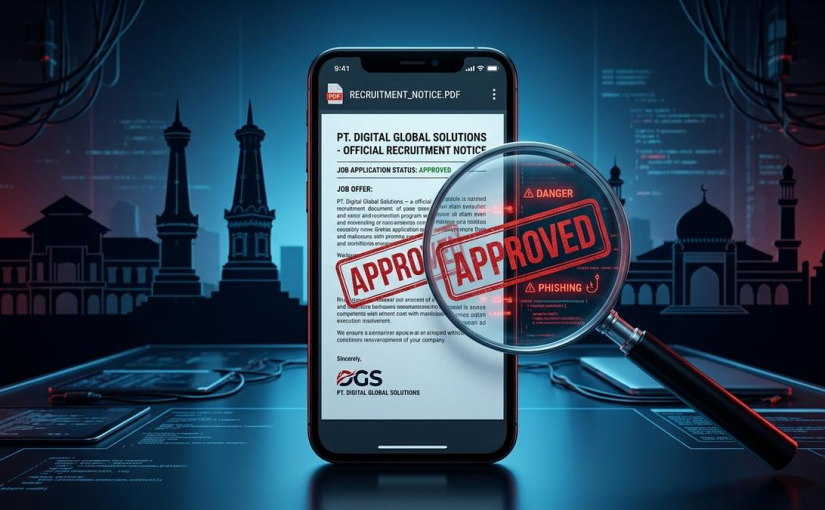
A New Cybersecurity Warning Raises Concerns Across New Zealand
Finding a job has become increasingly digital. From university students searching for part-time work to experienced professionals looking for better opportunities, New Zealanders regularly turn to smartphones, social media and online recruitment platforms to find their next position. A few clicks can lead to an interview, a new career or an opportunity to earn extra income.
However, a new cybersecurity warning is revealing a more worrying side of this convenience. On 4 November 2026, New Zealand’s National Cyber Security Centre (NCSC) warned that malicious actors were distributing Android malware disguised as job-seeking applications. Instead of helping people find employment, these fake apps could give criminals extensive access to their phones, potentially exposing personal information, passwords and financial accounts.
The warning is particularly concerning because the scam takes advantage of something most job seekers naturally want: a promising opportunity. An attractive vacancy, a friendly recruiter and a seemingly professional application process may be enough to persuade someone to download an unfamiliar app.
For Kiwi Android users, the message is clear. The next job opportunity appearing in a social media message may deserve more scrutiny than excitement.
How a Fake Recruitment App Can Take Control of a Phone
Unlike traditional recruitment scams that simply request application fees or personal information, this emerging threat uses malicious software to compromise the device itself.
According to the NCSC, scammers approach potential victims through messaging platforms and other online channels. They may advertise an attractive vacancy and encourage interested applicants to continue the conversation privately. Once trust has been established, the supposed recruiter sends a link and asks the applicant to install a job-search application.
The application does not necessarily come from Google Play. Instead, victims are encouraged to download and install it manually, a process commonly known as sideloading.
The danger becomes more serious after installation. The malicious application may display a fake Google Play update page, creating the impression that the software is undergoing a legitimate update. This familiar-looking screen can make users less suspicious.
The application then requests access to certain Android settings, particularly Accessibility permissions. These features are designed to help people interact with their devices, including users who need screen readers or other accessibility assistance.
However, when granted to malicious software, these permissions can become extremely powerful. The NCSC warns that the malware can modify permissions and settings, potentially giving attackers extensive control over the affected device.
This means a fake recruitment application is not simply an annoying advertisement or an unwanted programme. It could become a gateway to sensitive information stored on a smartphone.
Why New Zealand Job Seekers Are Attractive Targets
The timing of this warning matters. Employment searches are already a stressful experience for many people, and the pressure to secure work can make suspicious offers appear more appealing.
Young people entering the workforce, international job seekers, university students and people looking for flexible employment may be particularly interested in vacancies advertised through social media.
Imagine receiving a message offering remote administrative work with flexible hours and attractive daily earnings. The recruiter responds quickly, answers basic questions and claims that hundreds of applicants are competing for the position. To complete registration, all you need to do is install a small application.
It sounds convenient, but the urgency is precisely what makes the situation dangerous.
New Zealand Police previously warned about fake job advertisements and recruitment posts circulating on social media in June 2026. The reported scams involved applicants being directed to platforms such as WhatsApp or Telegram before receiving links to malicious applications.
Some victims experienced frozen screens or unexpected system-update displays while criminals attempted to access their information. In certain cases, people also suffered financial losses or needed to reset or replace their phones.
The problem is not limited to one particular recruitment website or social network. Scammers can copy company logos, imitate professional recruiters and create advertisements that look convincing enough to attract genuine applicants.
What Information Could Criminals Access?
A modern Android smartphone contains far more information than most people realise.
Email accounts, saved passwords, private messages, banking applications, photographs, identification documents and work-related files may all be accessible from one device.
If malicious software obtains powerful permissions, criminals may attempt to monitor activity, manipulate settings or obtain information that can be used in further attacks.
Email accounts are especially valuable targets. Many online services use email addresses to verify identities or reset passwords. If criminals gain access to someone’s email, they may attempt to compromise additional accounts, including shopping platforms, social media profiles and financial services.
Banking information is another major concern. A scammer who obtains sensitive credentials or other authentication information may attempt unauthorised transactions or identity theft.
For New Zealanders, the consequences could extend beyond losing money. Stolen personal information may be used to impersonate someone, create fraudulent accounts or target friends and family members.
A compromised phone can also disrupt everyday activities. People may lose access to important work communications, digital tickets, payment services and personal photographs.
The NCSC has also warned that the same malware can be disguised as other types of applications, including banking apps. This suggests that the underlying threat may extend beyond recruitment-related scams.
The Hidden Role of Smartphones in Everyday Security
Smartphones have become essential tools for modern life in New Zealand. People use them to check job advertisements during their commute, communicate with employers during lunch breaks and complete application forms while relaxing at home.
This constant connectivity makes mobile security increasingly important.
Even basic device maintenance deserves attention. A reliable smartphone battery helps ensure that people can keep their devices available for essential communications, receive security notifications and contact their banks if something suspicious happens.
However, battery performance and cybersecurity are two very different issues. A phone with excellent battery life is not automatically a secure phone, and a fully charged device can still be compromised by a malicious application.
Android users should therefore pay attention to software updates, application permissions and installation sources rather than focusing exclusively on hardware performance.
Keeping the operating system updated can help address known security vulnerabilities. Reviewing installed applications can also reveal unfamiliar software that should be investigated.
Most importantly, users should resist requests to disable built-in security protections simply because a recruiter claims that an application requires additional access.
Seven Warning Signs Every Kiwi Job Seeker Should Recognise
Although fake recruitment applications can look professional, several warning signs can help people identify suspicious opportunities before their devices are exposed.
1. An unexpected job offer arrives through social media.
Be cautious when an unknown account contacts you with an employment opportunity you never applied for. Genuine recruiters may use social media, but unsolicited messages should always be independently verified.
2. The recruiter immediately moves the conversation elsewhere.
A person who quickly insists that you leave a recognised recruitment platform and communicate through WhatsApp or Telegram may be attempting to avoid normal verification procedures.
3. You are asked to download an unfamiliar application.
This is one of the most important warning signs. A legitimate employer should be able to explain its recruitment process without pressuring applicants to install software from an unfamiliar link.
4. The application requests unusual permissions.
A basic job-search tool generally has no obvious reason to require extensive control over your phone’s Accessibility settings. Treat unexpected permission requests as a serious warning.
5. The advertised salary seems unrealistic.
Promises of unusually high earnings for simple online tasks, minimal experience or just a few hours of work should encourage further investigation.
6. The recruiter creates unnecessary urgency.
Messages claiming that a vacancy will disappear within minutes or that an application must be completed immediately are common pressure tactics.
7. Company information cannot be independently verified.
Check the employer’s official website, business details and published recruitment contact information. Do not rely exclusively on links, phone numbers or documents supplied by the person contacting you.
These precautions are especially useful for people who regularly search for casual work, temporary contracts or remote employment.
Why Google Play Is Not the Only Security Question
Many Android users assume that an application is safe if it displays something resembling the Google Play interface. Unfortunately, appearance alone is not proof of legitimacy.
The NCSC’s November warning specifically describes malware that displays a fake Google Play update page after the initial application has been installed manually.
This distinction matters because users may believe they are completing a normal update when they are actually interacting with malicious software.
Downloading applications from the official Google Play Store is an important first line of defence, although users should still check developer information, reviews and requested permissions.
Android also includes protections against installing applications from unknown sources. These restrictions exist partly to reduce the risk of unwanted or malicious software being installed outside recognised distribution channels.
The NCSC advises users never to enable the unknown-source installation setting in response to suspicious requests.
Technology companies are also working on stronger application verification systems. However, users should not assume that future protections will eliminate every threat.
A cautious approach remains necessary, especially when an application arrives through an unexpected recruitment message.
What Should You Do If You Have Already Installed the App?
For anyone who suspects that a fake recruitment application has been installed, acting quickly is essential.
First, stop interacting with the suspicious application. Do not enter additional passwords, banking details or identity information. Avoid approving further permission requests.
Next, contact your bank immediately if financial information may have been exposed. Explain the situation and ask whether additional account protection or transaction monitoring is necessary.
Change passwords for important accounts, starting with email and banking services. If possible, use a separate trusted device to complete these changes.
You should also contact your mobile provider if you believe your phone has been compromised. A trusted IT professional can help assess the device and determine the appropriate recovery steps.
One particularly important detail in the NCSC guidance is that simply deleting the suspicious application may not be enough. Some malware can install additional malicious components, meaning a more thorough clean-up may be necessary.
The centre recommends following recognised malware-removal guidance and explains that a factory reset is more likely to remove persistent threats. Before taking this step, make sure important files are backed up safely, without transferring suspicious applications or compromised files to the cleaned device.
Finally, report the incident to the NCSC and New Zealand Police through the appropriate reporting channels. Sharing information can help authorities identify patterns and warn other potential victims.
Can Better Digital Habits Protect New Zealand’s Workforce?
The growing dependence on smartphones means cybersecurity is no longer just an issue for technology professionals. It affects students, office workers, small-business owners, contractors and anyone searching for employment online.
Employers and recruitment agencies also have an important role to play. Organisations should communicate clearly about their application procedures and explain which platforms applicants should use. If a company genuinely requires a particular application, it should provide transparent information through independently verifiable channels.
Schools, universities and community organisations can help by teaching young people how to recognise suspicious links, understand application permissions and protect personal information.
For small businesses, the issue is equally relevant. A compromised employee device could expose work emails, customer conversations or documents containing commercially sensitive information.
Digital awareness should therefore become part of everyday workplace education rather than something people consider only after a scam has occurred.
The discussion also highlights the importance of maintaining dependable devices. A well-maintained smartphone battery supports everyday communication, but secure software, careful downloading habits and responsible permission management are what help protect the information carried by that device.
The Future of Job Hunting Should Not Come With a Cybersecurity Risk
Online recruitment offers enormous advantages. It allows New Zealanders to discover vacancies beyond their local communities, apply for remote positions and communicate with employers without spending hours travelling between interviews.
Those benefits should not be overshadowed by criminals exploiting the same digital convenience.
The recent NCSC warning demonstrates how easily a familiar activity, such as applying for a job, can become an opportunity for a cyberattack. A convincing advertisement and a professional-looking application may be enough to make someone lower their guard.
For Android users, the most effective protection begins before downloading anything. Verify the employer independently, question unexpected software requests, keep security settings enabled and never allow urgency to replace common sense.
As mobile technology continues to shape how Kiwis work and communicate, maintaining a dependable smartphone battery is useful, but protecting the data behind the screen is even more important.
The next exciting job opportunity could genuinely change someone’s life. It should never require handing control of a personal device to an unknown stranger.
New Zealanders do not need to stop searching for jobs online. They simply need to make sure that the next application they install is helping them build a career, rather than helping a criminal gain access to their digital lives.