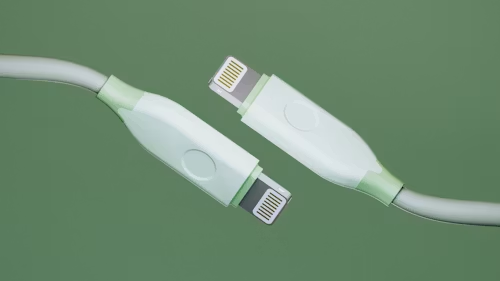
Understanding USB Orientation and Why It Matters
When using usb cables, many people have experienced the same small but frustrating problem: trying to plug in a USB connector, only to find that it does not fit, then flipping it over and trying again. This common experience is related to usb orientation, which refers to the correct direction a USB connector should face when inserted into a USB port.
For users in New Zealand who use laptops, desktop computers, smartphones, gaming devices, cameras, and other electronics every day, understanding USB orientation can make connecting devices easier and help avoid unnecessary wear on USB ports and cables.
Does USB-C Have an Orientation?
A common question from users is does usb-c have an orientation? The answer is no in the traditional sense. USB-C was designed as a reversible connector, meaning it can be inserted into the port in either direction. Unlike older USB connectors, you do not need to check which side is facing up before connecting a USB-C cable.
This reversible design is one of the biggest improvements of USB-C technology. Whether you connect the cable one way or flip it around, the connector should work the same way as long as the cable and device support the required functions, such as charging, data transfer, or video output.
Which Side of USB Goes Up?
Many people search which side of usb goes up? when they are using traditional USB connectors such as USB-A. For USB-A cables, the correct side usually depends on the position of the USB symbol or the internal connector design.
In most cases, the USB logo on the connector faces upward when inserting the cable into a standard horizontal USB port. However, the direction can change depending on how the USB port is installed, especially on desktop computers, monitors, or docking stations.
If the cable does not slide in easily, forcing it is not recommended. Checking the port direction first can help prevent damage to both the USB port and the cable.
What Is the Orientation of the USB Logo?
Another frequently searched question is what is the orientation of the usb logo? The USB logo is often used as a visual guide to show the correct insertion direction of a USB connector.
For many USB-A cables, the logo is placed on the side that should face upward when connecting to a typical USB port. This design helps users identify the correct orientation without looking closely at the internal pins.
However, the logo position may vary between different usb cables, so it should be considered a helpful guide rather than a strict rule for every cable model.
Why Is USB-A Not Symmetrical?
Many users wonder why is usb-a not symmetrical? The reason is related to the original design of USB-A connectors. USB-A was created with a specific top and bottom orientation to ensure that the electrical contacts connect correctly and to prevent incorrect insertion.
Although this design worked well for many years, it also created the familiar problem of trying to insert the connector multiple times before finding the correct direction. This is why many people joke about the difficulty of connecting USB-A cables.
The development of USB-C solved this inconvenience by introducing a symmetrical and reversible connector design.
Understanding Micro USB Orientation
Before USB-C became widely used, micro usb orientation was a common issue for smartphone and electronic device users. Micro USB connectors are not reversible, meaning they must be inserted in a specific direction.
Micro USB cables usually have a flatter side and a slightly curved side. The flatter side often faces upward when connecting to many devices, but the exact position depends on the design of the device’s charging port.
Many older Android phones, Bluetooth devices, power banks, and accessories still use Micro USB, so knowing the correct orientation remains useful when using older electronics.
The USB Orientation Meme and Everyday Frustration
The phrase usb orientation meme became popular because so many people have experienced the same situation: trying to insert a USB cable, getting it wrong, flipping it over, and somehow finding that the original direction was correct.
These jokes reflect a universal technology experience. Even though USB connections are simple, the small inconvenience of incorrect orientation has become one of the most recognisable everyday technology frustrations.
USB-C has reduced this problem significantly, but USB-A and Micro USB users still encounter it regularly.
USB Port Orientation and Different Device Designs
usb port orientation can vary depending on the type of device. A laptop USB port may be positioned horizontally, while a desktop computer case may have ports facing different directions. Monitors, gaming consoles, car entertainment systems, and charging stations can also have unique USB port layouts.
Because of these differences, there is no single universal “up” direction for every USB port. The best approach is to check the shape of the connector, look for the USB symbol, and insert the cable gently.
USB Correct Orientation Tips for Everyday Use
Finding the usb correct orientation becomes easier when you understand the connector design. USB-A connectors usually have a visible USB symbol or a small opening that indicates the top side. Micro USB connectors require matching the connector shape with the port, while USB-C connectors can be inserted either way.
If you are searching for the correct usb orientation, avoid pushing the connector with force. A properly aligned USB connector should enter smoothly with minimal pressure.
For New Zealand users who frequently connect chargers, external drives, keyboards, phones, and other accessories, using the correct orientation can help extend the lifespan of both USB cables and device ports.
Which USB Type Is Reversible and Can Be Inserted in Either Orientation?
A popular question is which usb type is reversible and can be inserted in either orientation? The answer is USB-C. USB-C connectors are designed to work regardless of which side is facing up or down.
USB-C is now widely used in modern laptops, smartphones, tablets, gaming devices, and accessories because it offers a simpler connection experience. Some USB-C cables also support faster charging, higher-speed data transfer, and additional features depending on their specifications.
Older USB-A and Micro USB connectors are not reversible and require the correct orientation before insertion.
USB-C Motherboard Connector Orientation and PC Building
For computer builders, usb c motherboard connector orientation and usb c header orientation are important topics when installing front-panel USB-C ports.
Unlike external USB-C cables, internal motherboard USB-C headers may have a specific connection direction. When installing a PC case front USB-C cable, users need to carefully match the connector with the motherboard header to avoid incorrect installation.
The motherboard usb c header orientation depends on the motherboard design, so checking the motherboard layout and connector markings is important during installation.
Choosing Reliable USB Cables for Different Devices
USB cables are available in many types, including USB-A to USB-C, USB-C to USB-C, and Micro USB cables. Choosing the right cable depends on the device, charging requirements, and data transfer needs.
For everyday use in New Zealand homes, offices, and travel situations, USB-C cables are becoming increasingly popular because they are easier to connect and reduce the frustration associated with traditional USB orientation.
A suitable USB cable should match your device requirements and provide stable charging and data performance. Understanding connector types and orientation can help you choose the right cable and avoid common connection problems.
Final Thoughts on USB Orientation
USB orientation may seem like a small detail, but it affects everyday interactions with many electronic devices. From which side of usb goes up? to does usb-c have an orientation?, these questions show how connector design influences user experience.
USB-C has made connections much easier with its reversible design, while USB-A and Micro USB still require users to pay attention to the correct direction. By understanding usb orientation, usb cables, and different connector designs, you can connect devices more confidently and reduce unnecessary damage caused by incorrect insertion.