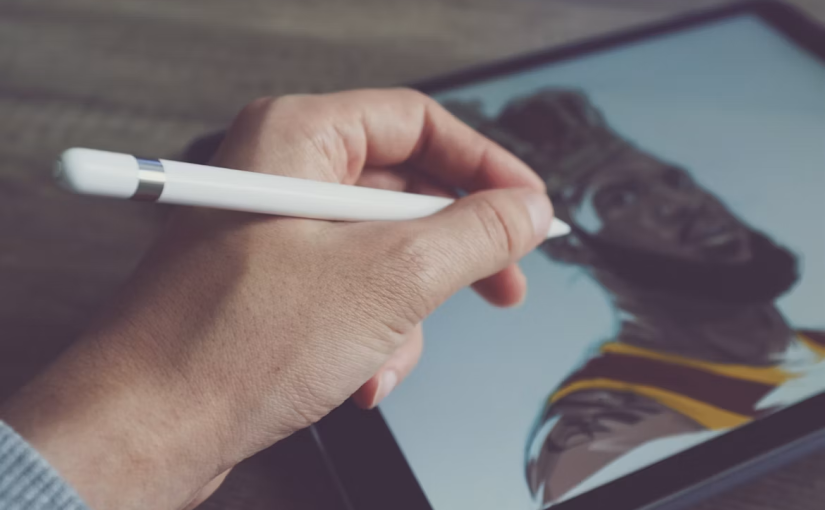
Choosing the right stylus for an iPad can be confusing because Apple has released several different models with different features, charging methods, and compatibility. Many New Zealand users search for compare apple pencils, apple pencil pro, apple pencil a2051, and apple pencil 2 before deciding which one is the best fit for drawing, note-taking, studying, or professional work. Understanding the differences between each model can help you choose a pencil that matches your iPad and daily needs.
Understanding All Apple Pencil Models
When looking at all apple pencil models, there are several versions to consider, including Apple Pencil (1st generation), Apple Pencil (2nd generation), Apple Pencil USB-C, and Apple Pencil Pro. Each model was designed for different types of iPad users, from casual note-takers to digital artists and creative professionals.
The main differences between Apple Pencil models include pressure sensitivity, charging methods, wireless features, gesture controls, hover support, and compatibility with different iPad models. Newer models usually provide more advanced functions, while older versions can still meet the needs of users who mainly write notes or mark documents.
Apple Pencil Pro Features and Improvements
The apple pencil pro is designed for users who want a more advanced and flexible drawing experience. It introduces features such as squeeze gestures, barrel roll, haptic feedback, and improved control when using compatible iPad models.
For artists, designers, and students who regularly use creative apps, Apple Pencil Pro offers a more natural way to draw and write. The ability to rotate the pencil for brush adjustments makes it useful for digital artwork and detailed sketches. Users who want more control over their creative workflow may find Apple Pencil Pro a worthwhile choice.
What Is Apple Pencil A2051?
Many users search for apple pencil a2051 because this model number appears on some Apple Pencil devices. The A2051 refers to the hardware model of the second-generation Apple Pencil.
Apple Pencil A2051 supports magnetic attachment and wireless charging with compatible iPad models. It also includes pressure sensitivity, making it suitable for drawing, handwriting, and professional creative work. Compared with the first-generation Apple Pencil, it offers a more convenient charging experience and a cleaner design.
Apple Pencil 2 and Its Features
The apple pencil 2 remains a popular option among iPad users because it introduced several important improvements over the first-generation model. It features magnetic attachment, wireless charging, and a double-tap function that allows users to quickly switch tools.
Although Apple Pencil 2 does not include some of the newest Apple Pencil Pro features, it still provides accurate control and excellent responsiveness. It is a good choice for students, office workers, and creators who need reliable handwriting and drawing performance.
Compare Apple Pencil 1 and USB-C Version
Many people search for compare apple pencil 1 and usb c because these two models are often compared by users looking for a more affordable iPad stylus.
Apple Pencil 1 supports pressure sensitivity, which allows users to create different line thicknesses by changing writing pressure. It is suitable for drawing, sketching, and detailed handwriting. However, its charging method uses a Lightning connector, which may be less convenient for some newer iPad users.
The Apple Pencil USB-C version uses USB-C charging and is designed mainly for writing notes, marking documents, and everyday iPad tasks. However, it does not support pressure sensitivity, making it less suitable for professional drawing.
Difference Between Apple Pencil and Apple Pencil Pro
The difference between apple pencil and apple pencil pro mainly comes down to advanced features and user experience. Standard Apple Pencil models focus on accurate writing and drawing, while Apple Pencil Pro adds more creative tools.
Apple Pencil Pro includes squeeze gestures, barrel roll, haptic feedback, and Find My support. These features can help artists and designers work more efficiently. For users who mainly use an iPad for studying, reading, or taking simple notes, a standard Apple Pencil may already provide enough functionality.
What Apple Pencils Have Pressure Sensitivity?
A common question among iPad users is what apple pencils have pressure sensitivity. Pressure sensitivity allows the pencil to detect how hard you press and adjust the thickness of lines accordingly.
Apple Pencil 1, Apple Pencil 2, and Apple Pencil Pro all support pressure sensitivity. These models are better choices for artists, illustrators, and users who want a realistic writing experience. The Apple Pencil USB-C model does not include pressure sensitivity, so it is better suited for basic note-taking and document editing.
Which Apple Pencil Do I Have?
If you are wondering which apple pencil do i have, you can identify your model by checking its design, charging method, and compatibility with your iPad.
The first-generation Apple Pencil has a removable cap with a Lightning connector underneath. The second-generation Apple Pencil has a flat edge and attaches magnetically to the side of compatible iPads. The Apple Pencil USB-C model has a sliding cover for the USB-C port, while Apple Pencil Pro looks similar to Apple Pencil 2 but includes newer features such as squeeze control and haptic feedback.
Checking your iPad model is also important because Apple Pencil compatibility depends on the specific iPad generation.
Choosing the Right Apple Pencil in New Zealand
For New Zealand users, the best Apple Pencil depends on personal needs and budget. Students may prefer a model that is comfortable for writing notes and completing assignments, while artists and designers may need pressure sensitivity and advanced controls.
Before choosing an Apple Pencil, consider how you use your iPad every day. Features like wireless charging, gesture controls, pressure sensitivity, and compatibility can make a big difference in your overall experience.
Final Thoughts on Comparing Apple Pencil Models
A detailed compare apple pencils guide shows that each Apple Pencil model has different advantages. Apple Pencil Pro is the most advanced option for creative professionals, Apple Pencil 2 remains a reliable choice for many iPad users, Apple Pencil 1 is suitable for pressure-sensitive drawing, and the Apple Pencil USB-C version is a practical solution for basic tasks.
Understanding the differences between apple pencil pro, apple pencil a2051, apple pencil 2, and other models can help you choose the right stylus for your needs. Whether you use your iPad for study, work, drawing, or everyday activities, selecting the correct Apple Pencil can make your iPad experience more efficient and enjoyable.