Understanding What a Button Cell Battery Is and Where It Is Used
A button cell battery is a small, round, and flat power source commonly used in compact electronic devices. Because of its size and stable voltage output, a button cell battery is widely found in watches, calculators, key fobs, medical devices, toys, and small remote controls. Many people do not notice these batteries until the device stops working, but choosing the right button cell battery is important for performance and safety. In New Zealand households, these batteries are especially common in car keys, kitchen scales, and digital thermometers, making them a regular item to keep in storage.
Choosing the Right Button Cell Battery NZ Users Can Easily Find
When searching for a button cell battery nz buyers usually look for options available in local electronics stores, supermarkets, or online shops that deliver within New Zealand. Because devices sold in NZ often follow international standards, most button cell battery nz replacements use the same naming system such as CR2032, LR44, or SR626SW. It is important to check the label on the old battery before buying a new one, since even small differences in thickness or voltage may prevent the device from working correctly. In New Zealand, users also pay attention to shelf life and safe packaging, especially in homes with children.
Learning About Common Button Cell Battery Sizes
Understanding button cell battery sizes helps avoid buying the wrong replacement. The code printed on the battery tells both the diameter and the thickness. For example, CR2032 means the battery is about 20 mm wide and 3.2 mm thick. Different button cell battery sizes are designed for different power needs, so a thicker battery usually lasts longer but may not fit in smaller devices. Watches often use very thin batteries, while car remotes and fitness devices use larger lithium cells. Knowing button cell battery sizes also makes it easier to keep spare batteries ready for frequently used items.
How to Check Button Cell Battery Without Special Tools
Many people want to know how to check button cell battery condition before replacing it. The simplest way to learn how to check button cell battery performance is to observe the device behavior. If the screen becomes dim, the signal range becomes shorter, or the device turns off randomly, the battery may be weak. Another basic method for how to check button cell battery status is to compare it with a new one in the same device. If the device works normally after replacement, the old battery was likely low on power. This quick check is useful at home when no measuring tools are available.
How to Test Button Cell Battery with Multimeter Safely
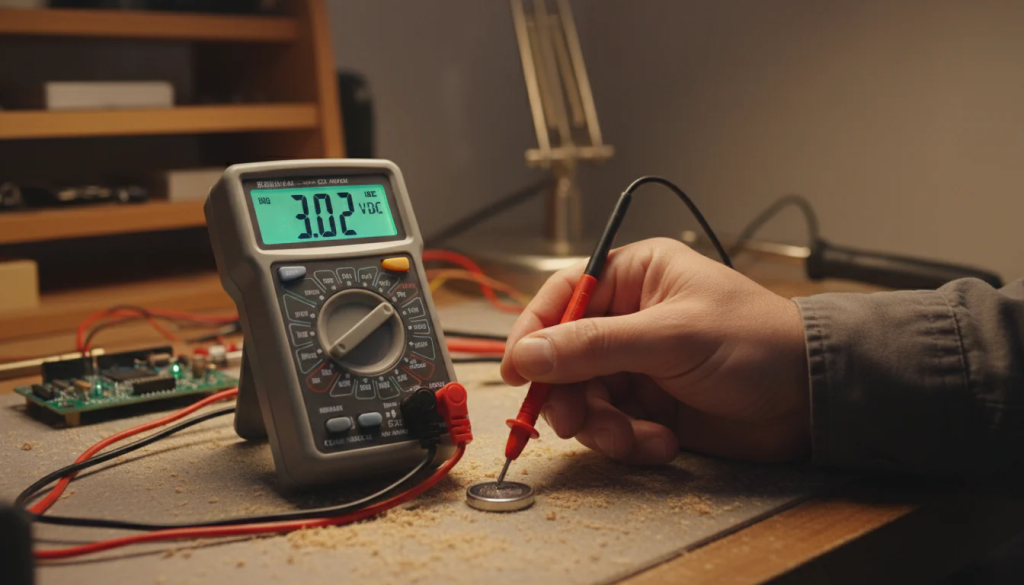
For a more accurate result, many users prefer to learn how to test button cell battery with multimeter. When using this method, set the multimeter to measure DC voltage, then touch the red probe to the positive side and the black probe to the negative side of the battery. Knowing how to test button cell battery with multimeter allows you to see the exact voltage and compare it with the rated value printed on the battery. If the reading is much lower than expected, the battery should be replaced. This method is commonly used by hobbyists, repair technicians, and anyone who wants a precise check.
Storage, Safety, and Everyday Use Tips for Button Cell Batteries
Because button cell batteries are small, proper storage is very important. In New Zealand homes, it is recommended to keep them in a closed container and away from children and pets. Heat, moisture, and metal objects can also damage a button cell battery or cause it to discharge faster. When replacing batteries, always make sure the positive and negative sides are installed correctly. Using the correct button cell battery size and checking it regularly can help devices last longer and work more reliably in daily life.