We are specialists in quality batteries. We have batteries, chargers and accessories for everything you can think of. Low prices, big inventory, expert advice. Find your battery here!
A transformation is underway for Gboard users on Android as Google begins rolling out a redesigned layout for the keyboard. This update introduces circle and pill-shaped keys for a selected group of beta testers, moving away from the traditional rounded rectangle keys. The individual letter keys will be circular, while the space bar and other key functions will adopt a pill shape to enhance usability and visual appeal.
This redesign is part of the latest Gboard beta (version 15.1), which is currently in early phases and has not yet been widely released to all users in the testing program.
Recent changes have also been implemented in the Gboard toolbars, including a refined shortcut button for easier access to essential features. The updated Dynamic Color theme has been streamlined to align more closely with Android’s material design principles, providing users with a fresh interface.
These adjustments are designed to refresh the keyboard’s appearance and improve user engagement. However, not everyone is liking the changes.
For example, folks on Reddit call the most recent changes “awful” and “annoying.” One user said: “The graphic designer in me is just hurt looking at this. Atrocious, atrocious typography.” Over on X, comments about the newly shaped keys are nearly identical: people don’t like it.
Google has not yet announced when the keyboard changes will be available to general Android users or if there will be an option to revert to the old design.
Gboard on Android was originally released in December 2016. It followed a May 2016 release on iOS.
Apple has launched its first in-house C1 modem with the iPhone 16e, marking a major step toward modem independence. The C1 modem focuses on power efficiency, laying the groundwork for a future where Apple fully controls its modem technology.
Apple has long been known for itspush toward self-reliance, designing everything from its A-series and M-series chips to its own operating systems. Yet despite the efforts, there was still one crucial component the company had to source from elsewhere: cellular modems.
That has changeda few days agowith the debut of the Apple C1 modem, launched as part of the iPhone 16e in late February 2025.
This development marks a major shift in the mobile device industry, setting the stage for a potential breakup between Apple and Qualcomm, a company that has dominated the modem business for years.
But how did Apple get here? And what does this mean for both companies and the smartphone industry as a whole?
Apple’s journey toward developing its own modem began in 2019 when itacquiredIntel’s smartphone modem division for $1 billion.
This acquisition was a crucial first step in Apple’s push to reduce its reliance on Qualcomm. Intel had been struggling to develop competitive 5G modem technology, and Apple saw an opportunity to take over the project and develop its own solution.
The deal gave Apple access to critical wireless connectivity patents, a team of over 2,200 engineers, and existing modem designs that could serve as a foundation for its new modem development. And yet, Apple eventually realized that designing a high-performance, power-efficient 5G modem was far more challenging than anticipated, with the company’s engineers encountering numerous issues related to power consumption, network stability, and compatibility with global carrier standards.
Initial prototypes failed to match the performance of Qualcomm’s leading modems, causing significant delays. Apple had originally aimed to release its own modem by 2023, but the setbacks forced the company to extend its existing agreements with Qualcomm multiple times.
After years of development, Apple’s C1 modem was finally introduced in February 2025, making the affordable iPhone 16e the company’s first device to feature an in-house cellular modem.
The modem represents Apple’s push toward total hardware and software integration. While the C1 modem does not set new industry benchmarks for raw speed, it has been highly optimized for power efficiency, reportedly consuming 20 to 25% less power than Qualcomm’s modems powering the rest of the iPhone 16 lineup as a result.
This improvement leads to a better battery life, with the iPhone 16eachievingup to 53 minutes better runtime during continuous 5G usage compared to devices using Qualcomm modems.
However, the launch of the C1 modem does not mean Apple is fully independent from Qualcomm just yet. Due a long-termagreement, Apple will continue using Qualcomm modems in its premium iPhone models until at least 2027.
This phased approach allows Apple to fine-tune its modem technology without downgrading the experience for its main user base.
If any major issues arise with the C1 modem in the iPhone 16e, Apple has plenty of time to refine its design before transitioning all iPhones to its in-house solution.
Apple’s ability to design its own modem gives it greater control over both hardware and software. By integrating its modem with its proprietary chipsets, Apple can optimize performance and efficiency in ways that third-party solutions don’t allow.
This follows the same approach Apple took with its transition from Intel processors to its M-series chips in Macs, leading to better battery life and faster performance.
Financially, moving away from Qualcomm modems could save Apple billions in licensing fees, increasing its profit margins. Although the transition will take time, long-term benefits are set to be significant enough.
Apple is expected to continue refining its modem technology, with future versions likely to be built on TSMC’s advanced 3nm process, improving both efficiency and connectivity.
Beyond iPhones, Apple’s modem technology may come to iPads, Macs, and even Apple Watches. This would further reduce reliance on external suppliers and give Apple full control over wireless connectivity across its entire product lineup.
What this means for Qualcomm
Losing Apple as a customer is most likely going to be a major financial hit for Qualcomm, as Apple’s orders make up a significant share of Qualcomm’s modem business profits. While Qualcomm will continue providing its modem IP to Apple until 2027, it must prepare for the eventual loss of this revenue stream.
To offset this, Qualcomm is expected to focus on expanding its presence in the Android market, automotive sector, and IoT connectivity. However, competition in these areas is growing, particularly from MediaTek and other chipmakers.
If Apple does indeed fully transitions away from Qualcomm modems, Qualcomm will need to adapt its business strategy to stay competitive.
Another potential concern is legal battles. Apple and Qualcomm have a history of lawsuits over modem patents, and if Apple stops licensing Qualcomm’s technology in the future, another dispute may come fairly soon.
What’s next?
The Apple C1 modem is just the first step. While C1 is not yet as fast or widely used as Qualcomm’s modems, it lays the groundwork for future products and innovation. With rumors about C2 andeven C3now out there, we’ll have to wait and see what happens.
After six years,Microsoft has officially releasedfour methods for fixing the “Try that again” or “0x80131500” Microsoft Store error. The bug was first reported in 2019, but the good news is that there is now an official solution for you.
You can fix the “Try that again” error by resetting the Microsoft Store app, using the Microsoft Store troubleshooter (Windows 10 only), checking for updates, and updating your internet’s TLS (Transport Layer Security) settings. However, Microsoft recommends enabling TLS 1.2 and TLS 1.3 for compatibility. However, if the first three methods don’t work, the issue may be due to TLS incompatibility. If this sounds too technical, don’t worry; just follow these steps: press the Windows key > search for Run > typeinetcpl.cpl> press enter > click Advanced tab to ensure that the Use TLS 1.2 and 1.3 are checked. That’s all there is to it.
Before these official solutions, you may have turned to different workarounds. You possibly paused the antivirus protection (even if it was one of thebest antivirus software), created a new local Windows account, turned off yourVPN, or maybe even logged in withSafe mode turned on. So, what causes the 0x80131500 error? Various potential causes include an unstable Internet connection, firewall blocking access, incorrect proxy settings, or even a missing Windows update.
Microsoft hasn’t explained why releasing this official solution for the Microsoft Store bug took so long, but at least they’re here for everyone. If, after trying all the suggested solutions, you still need more help, you can contact Microsoft Support to continue looking for a possible fix for your Windows-related issue.
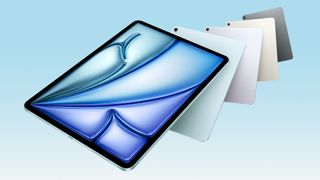
Apple’s latest tablet closes the gap further, but should you still go Pro?
(Image credit: Apple)
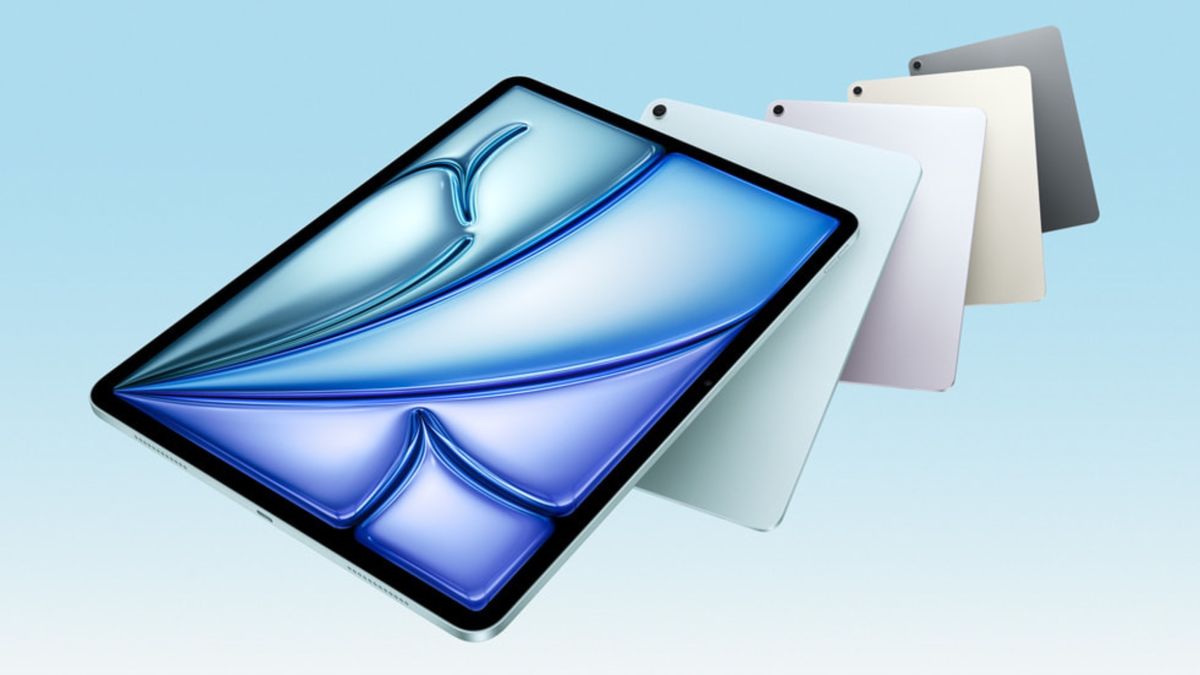
Afterweeks of speculation,stoked by Tim Cook himselfearlier in the week, Apple hasannounced a refresh of its iPad Air, a year after it shook things up with a new 13-inch size option.
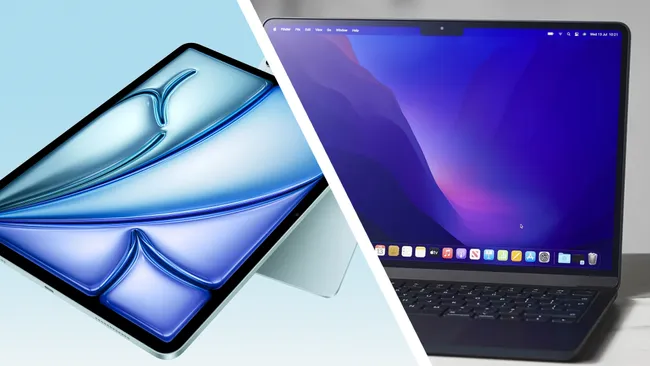
With the iPad Pronot expected to get a new version until the M5 chipset launches, buyers eager for a new Apple tablet right away have a simple choice to make: iPad Air M3 or iPad Pro M4?
We’ve outlined the key differences between the two below, so you can make an informed decision.
11-inch Liquid Retina display (2360 x 1640) | 13-inch Liquid Retina display (2372 x 2048)
11-inch Tandem OLED (2420 x 1668 pixels) | 13-inch Tandem OLED (2752 x 2064 pixels), ProMotion support
Rated brightness
500 nits (11-inch) | 600 nits (13-inch)
1000 nits (SDR) | 1600 nits (HDR)
Rear camera
12MP main (ƒ/1.8)
12MP main (ƒ/1.8)
Front camera
12MP (f/2.0)
12MP (f/2.0)
Chipset
Apple M3
Apple M4
Storage
128GB, 256GB, 512GB, 1TB
256GB, 512GB, 1TB, 2TB
Battery
28.93 wH (11-inch) | 36.59 wH (13-inch)
31.29 wH (11-inch) | 38.99 wH (13-inch)
Size
9.74 x 7.02 x 0.24 inches (11-inch) | 11.04 x 8.46 x 0.24 inches (13-inch)
9.83 x 6.99 x 0.21 inches (11-inch) | 11.09 x 8.48 x 0.2 inches (13-inch)
Weight
1.01 pounds (11-inch) | 1.36 pounds (13-inch)
0.98 pounds (11-inch) | 1.28 pounds (13-inch)
Colors
Blue, Purple, Starlight, Space Gray
Silver, Space Black
iPad Air M3 vs iPad Pro M4: Price
This category is really straightforward. TheiPad Air M3is significantly cheaper than the iPad Pro M4.
The 11-inch iPad Air M3 starts at $599, while the 13-inch version costs $799. Both can be upgraded with cellular connectivity and up to 1TB of storage, meaning prices can rise to up to $1,249 for the smaller version and $1,449 for the larger model.
Those prices spiral quickly, but not as fast as they do with theiPad Pro M4. The 11-inch model starts at $999, with the 13-inch version beginning at $1,299. Extra costs can take things even higher, not only with the same cellular data option as before, but with up to 2TB of total storage, and a nano-texture glass option for models of 1TB or over.
The upshot of this is that you can pay up to $2,299 for the 11-inch version, or $2,599 for the larger model.
In terms of look, there’s not a great deal of difference between the two tablets at a glance, which is hardly surprising when the two share the same screen size. Both are sleek-looking tablets with extremely thin bezels and a front-facing camera placed on the wider edge, for easier use in landscape mode.
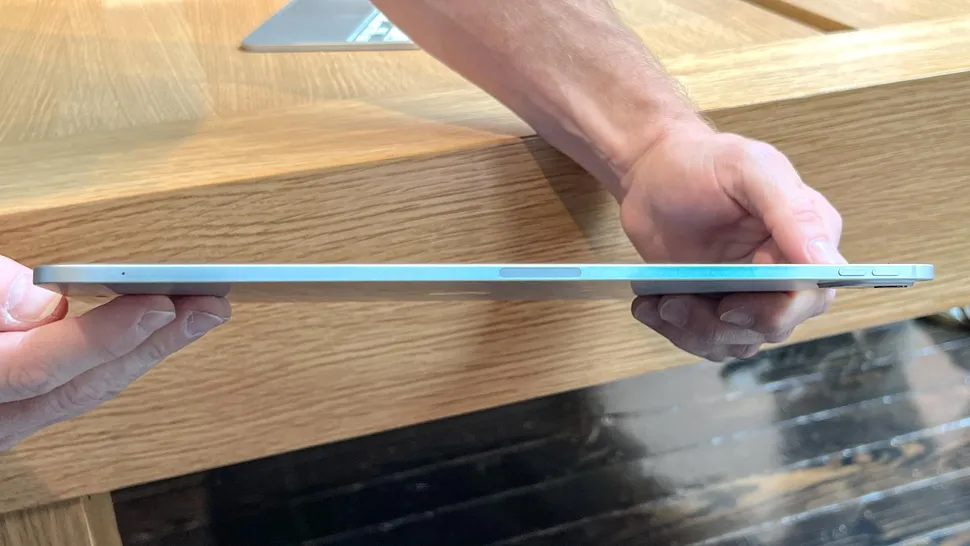
That said, the iPad Pro is thinner: it’s 0.21 inches thick for the 11-inch version and 0.2 inches thick for the 13-inch model, compared to 0.24 inches for both iPad Airs. It’s also lighter, weighing either 0.98 or 1.28 pounds, compared to the iPad Air’s 1.01 and 1.36 pounds.
Although the two share screen sizes and look, the underlying panel technology is very different. While the 2024 iPad Pro was the first Apple tablet to adopt OLED screen technology, the iPad Air persists with an LCD Liquid Retina panel.
The upshot of this is that the Pro model will offer better picture quality with unbeatable contrast thanks to perfect blacks and brighter brights. On top of that, while the Pro models adopt 120Hz ProMotion displays for smoother animations, the new Airs are still stuck at 60Hz, which is a big drawback.
There’s one other important design detail that will become apparent as you use it; While the iPad Pro now uses FaceID for unlocking, the iPad Air persists with TouchID via a fingerprint reader built into the power button.
iPad Air M3 vs iPad Pro M4: Performance
(Image credit: Apple)
Despite early predictions that the iPad Air might match the iPad Pro with the use of the latest M4 chipset, Apple has decided to merely reduce the gap rather than eliminate it completely.
The M2 chipset has been upgraded to M3 which should give it a decent boost — Apple says it will be 2x faster than the M1 iPad Air and 3.5 faster than the model with the A14 Bionic — but will still leave it lagging behind the Pro models.
While it’s not a perfect point of reference, ourcomplete set of M-series MacBook benchmarksshould give you a rough idea of what to expect in terms of performance. In single-core testing, MacBook Pros scored 2,589 when powered by M2, 3,138 for M3 and 3,807 for M4. The difference is greater in multi-core testing: 9,630 for M2, 12,018 for M3 and 15,114 for M4.
In day-to-day use, the difference may not be all that noticeable — especially as both iPads support Apple Intelligence — but if you want peak performance and comparative futureproofing, the iPad Pro is the way to go.
iPad Air M3 vs iPad Pro M4: Camera
This is probably the least important category of all, as few people use tablets for photography.
Nonetheless, there isn’t much between the two. Both have two 12MP cameras, one on the front and one on the back. The former has a f/2.0 aperture, while the latter has a f/1.8 one.
The only real difference is that the iPad Pro version has a TrueDepth camera, which means it supports FaceID. iPad Air users will stick with TouchID via the fingerprint sensor on the power button.
iPad Air M3 vs iPad Pro M4: Battery life
(Image credit: Apple)
It looks like the iPad Pro will have the edge here, once again. The iPad Air has a 28.93 or 36.59wH cell, compared to the iPad Pro’s 31.29 or 38.99wH battery capacity.
How that will manifest itself in terms of hours and minutes away from the charger will have to wait for our full testing, but the iPad Air has its work cut out. In our tests, the 2024 iPad Pro went a massive 13 hours and 13 minutes, comfortably beating the M2 iPad Air’s ten hours and 39 minutes.
iPad Air M3 vs iPad Pro M4: Verdict
In a result that should surprise nobody, the tablet with a starting price of $999 comfortably beats the one that’s just $599.
But the question is whether the differences really add up to $400 worth of value, and many would argue not. M4 power and FaceID is certainly nice, but other than the 120Hz OLED screen, most of the advantages the iPad Pro has won’t leave Air owners feeling too jealous.
In short, if you want the best, most future proof and sleekest-looking Apple tablet around, feel free to splurge on the M4 iPad Pro. But most users will be just fine with the brand-new M3 iPad Air.
It provides a “centralized place” to keep track of PS5 and PC tests
Tests may include PS5 and PC games as well as upcoming console features
Sonyhas announced a new initiative named Beta Program at PlayStation, which aims to offer a convenient hub to keep track of any and all pre-release tests forupcoming gameson PS5 and PC as well as new features.
The accompanyingPlayStation Blog posthas all the details, with SIE senior director of content communications Sid Shuman describing the initiative as “an easy, centralized place for you to register your interest in a range of future PlayStation betas.”
It doesn’t sound too dissimilar to the Xbox Insider program for Xbox Series X, Xbox Series S, Xbox One and PC which allows users to register interest in a range of tests for new games and features.
The post continues: “A single registration for Beta Program at PlayStation will allow you to express interest in gaining beta access to test participating games for the PS5 console and PC, new PS5 console features, PlayStation App features, and even user experience features on PlayStation.com.
“You only need to sign up once to express interest in these various betas, and if you receive an invitation to a specific beta, it’s up to you to decide whether you’d like to participate or not.”
You can sign up for Beta Program at PlayStation over at itsdedicated landing page, the only requirements being that you have a valid PlayStation Network account, live in a supported region and are at or above the legal age requirements for your region.
Additionally, it’s worth noting that signing up for Beta Program at PlayStation doesn’t necessarily guarantee entries into any and all game and feature tests. This seems to be more of a way to collect those tests in one handy sign-up place instead of having to trawl through separate blog posts or emails.
Players must have a valid account for PlayStation Network in good standing with a current email address. Accounts with restrictions or violations may not be eligible for participation.
Players must live in the region where Beta Program at PlayStation is available.
Players must meet the legal age requirement for their region.
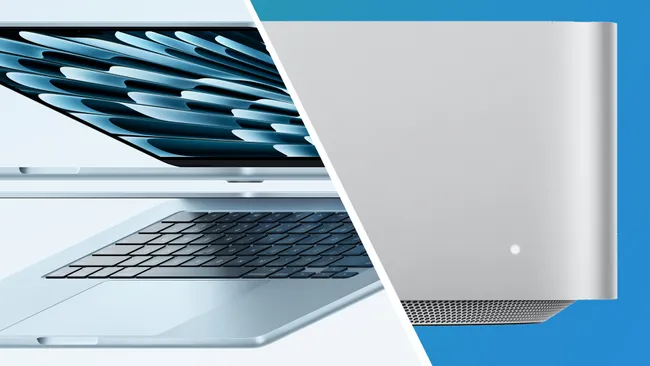
AppleCEOTim Cookchanneled his inner Phil Collins this week by posting “There’s something in the Air” as a teaser. Yesterday we saw the arrival of anew iPad Air M3 tablet with a refreshed Magic Keyboard, and now Apple has followed that up by launching a new MacBook Air M4 and Mac Studio.
First, a recap of yesterday’s news. That new iPad Air comes in 11-inch or 13-inch sizes, both of which cost the same as before. You can pre-order the 11-inch model for $599 / £599 / AU$999 or the 13-inch version for $799 / £799 / AU$1,349 ahead of a March 12 delivery, in your choice of Blue, Purple, Starlight, or Space Gray color options.
Apple also quietly updated the base iPad, doubling the base storage but keeping the A16 chip. This means it won’t get Apple Intelligence – an odd decision, considering how much Apple has been promoting its AI features.
Fortunately for MacBook Air fans, that wasn’t the end of the news. Apple has now also announced a new MacBook Air M4 model (complete with a slight price cut from last year) and a Mac Studio, which it’s calling “the most powerful Mac ever”. Here’s all the latest news and reaction in another big day for Apple…
The evolution of gaming on the Mac is moving along quite well, especially as our Editor-at-Large Lance Ulanoff saw a demo of Cyberpunk 2077 running on the ultra-powerfulnew Mac Studio.
For folks who want a Mac, let’s say specifically or mostly for gaming, the case could be made for a machine with the best chip and a hefty amount of RAM to ensure everything runs smoothly. We’ve seen a steady stream of AAA titles become available for all M-series, and while they do run well on theMacBook Airand even theMini, it’s likely the Mac Studio will deliver the best of the best experience.
There’s some interesting choice of comparisons in Apple’s press release about the M4 MacBook Air. Note how often it’s compared to an Intel MacBook Air, even though such a thing hasn’t been sold since 2020.
Spreadsheet calculation performance in Microsoft Excel is up to 4.7x faster than the fastest Intel-based MacBook Air, and up to 1.6x faster than the 13-inch MacBook Air with M1.
Video editing in iMovie is up to 8x faster than the fastest Intel-based MacBook Air, and up to 2x faster than the 13-inch MacBook Air with M1.
Photo editing in Adobe Photoshop is up to 3.6x faster than the fastest Intel-based MacBook Air, and up to 2x faster than the 13-inch MacBook Air with M1.
Web browsing is up to 60 percent faster when compared to a PC laptop with an Intel Core Ultra 7 processor, and more demanding tasks get up to 2x faster performance.
Cynics will possibly say that Apple is just trying to offer the biggest possible comparison numbers – but I think it’s probably a lot more deliberate than that. Apple knows alotabout people’s buying behavior and how often they update, and I’m guessing that it’s got strong data saying that people who bought Intel MacBook Airs or MacBook Pros are starting to now look to replace them. It’s making the case for what a huge update the MacBook Air will be to these people specifically.
6 March 2025 at 03:19
The color of hue
(Image credit: Apple)
The Blue Sky MacBook Air is an interesting one, in that it takes this laptop further towards meeting the iPad Air, which has been available in lovely pastel hues for a while. If this takes off, will we get pink and green MacBook Air models? I’d beverytempted by the latter, and I could see Apple releasing them later in the year, to tempt people to buy one for the holiday season.
“It’s perhaps a little odd that the Mac Studio uses the M4 Max, but the M3 Ultra – and not an M4 Ultra. There are three obvious potential reasons why:
The M4 Ultra might just produce too much heat for the Mac Studio’s thermal design to handle compared to the M3 Max
The M4 Ultra would be two M4 Max chips Frankensteined together, and perhaps Apple thinks it will struggle to make enough M4 Max chips to meet supply if it has to use two of them per M4 Ultra model sold
The Mac Pro is perhaps about to be upgraded as well, and the M4 Ultra is being saved for that (perhaps partly connected to the reason above – maybe Apple would struggle to produce enough Ultra chips for both machines)
Of course, there could be any other marketing or logistical reason, but it remains one of the more surprising foibles of the new machines.”
6 March 2025 at 00:34
Alongside debuting the MacBook Air with M4, Apple removed the MacBook Air with M3 for sale, as we expected with a new generation, but also removed the MacBook Air with M2, which was the entry point to the lineup.
The 13-inch MacBook with M4 at $999 / £999 / AU$1,699 fills that entry-level spot. Arguably, that will get Apple’s latest chipset in the hands of more folks at a more affordable price. In the United States, with an educational discount, the MacBook Air is just $899 with the M4 chip, 16GB of RAM, and 256GB of storage.
Even so, while Apple is no longer selling the M2- or M3-powered MacBook Air, there is a good chance that third-party retailers will still offer it until stock runs out. Remember, you can still find the M1 MacBook Air at Walmart for a pretty unbeatable value.
Apple’s MacBook Air with the M3 chipset
5 March 2025 at 23:38
Early thoughts on the MacBook Air M4
The MacBook Air M3 (above) has now been retired by Apple(Image credit: Apple)
The editor is very familiar with the MacBook Air series and Apple’s M4 chip, having done in-depth tests of both. And he reckons the new M4 version looks very promising, on paper.
“It’s good to see the 13-inch MacBook Air M4 launch at $999, the original price of the M1 MacBook Air. That’s incredible value for money considering the premium design and build quality” he said.
“And from my time using the M4 chip in the latest MacBook Pros, and last year’s iPad Pro, I’m pretty confident that it will be a great performer,” he added. We’ll give you our official verdict on where it sits in our guide to thebest laptopssoon once we’ve done some benchmarking and real-world testing, of course.
5 March 2025 at 23:13
I’ve decided… the new Sky Blue looks like a winner
(Image credit: Apple)
At first, I was a bit surprised that Apple had replaced Space Grey with its new Sky Blue color option for the MacBook Air M4. I always thought Space Grey was a bit of a default option and maybe Apple’s most popular hue (though I have no data to back this up).
But after looking at the available photos of the new color, I’ve decided it’s probably the one I’d go for. Space Grey is a bit serious for what is an entry-level laptop and metallic blue color looks like a nice compromise between going too iMac and keeping things safe and dull.
The color-matched MagSafe charging cables are nice, too. I’ll reserve final judgement until I see it in the flesh, mind…
5 March 2025 at 22:40
That MacBook Air M4 price drop…
(Image credit: Apple)
Here’s some confirmation of that unexpected, but very welcome, MacBook Air price cut with international pricing.
The 13-inch model starts at $999 / £999 / AU$1,699, which is a drop from the MacBook Air M3’s tag of $1,099 / £1,099 / AU$1,799. If you want a bigger screen, the 15-inch version starts at $1,199 / £1,199 / AU$2,099, which is again a drop from last year’s starting tag of $1,299 / £1,399 / AU$2,199.
That new M4 chip brings more power in the form of a 10-core CPU and up to a 10-core GPU. You can also upgrade the laptop to 32GB of unified memory, though the base model starts at 16GB RAM.
All in all, getting those upgrades for less money than last year is likely to make the new MacBook Air very popular indeed. Still a but surprised that Apple dropped the Space Grey version for the new Sky Blue shade, though…
5 March 2025 at 22:11
And just for good measure… a new Mac Studio
(Image credit: Apple)
Well, this is turning into quite a day for Mac fans. Apple has also just announced a new Mac Studio, which it’s billing as “the most powerful Mac ever”.
It seems that Apple still wants to make sure this relatively compact desktop offering is still overclocked. It offers a range of ports, with the two USB-Cs now being a Thunderbolt 5 flavor, but the real change is under the hood.
The Mac Studio comes with the M4 Max, which is already well-reviewed, and a brand-new M3 Ultra. And while it’s not an “M4 Ultra,” it’s the most powerful one in the lineup, essentially fusing two M3 Max chips.
You can pre-order the Mac Studio from today with prices starting at $1,999 (we’ll follow up with international pricing shortly).
5 March 2025 at 22:01
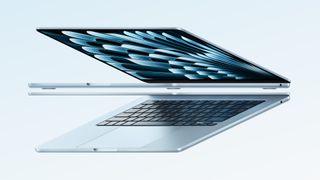
The MacBook Air M4 is here!
(Image credit: Apple)
So it’s finally here – Apple hasjust announced the new MacBook Air M4. Alongside that new M4 chip, Apple has upgraded its 12MP FaceTime camera with some Center Stage powers – it also now has two Thunderbolt 4 ports, a boost from last year’s Thunderbolt 3 ones.
And wait, there’s also a new color. Apple has replaced the Space Gray option (which I always thought that was the most popular) with Sky Blue, which it’s offering alongside Midnight, Starlight and Silver.
Pre-orders for the MacBook Air M4 open today ahead of shipping on March 12 – the 13-inch model starts at $999 and the 15-inch one starts at $1,599. Impressively, that looks like a $100 price cut from last year. More news on the promising entry-level laptop and its international pricing when we get it…
5 March 2025 at 21:35
This time yesterday…
(Image credit: Apple)
Yesterday’s iPad Air M3 announcement took place at 9am ET / 2pm GMT. Could Apple repeat that trick today for the M4 MacBook Air?
It’s by no means certain – Apple’s launch process seems much more scattergun and unpredictable these days. But I’ll certainly be keeping a close eye on my inbox andApple’s newsroomas the clock ticks closer to that time…
5 March 2025 at 20:30
The end of Apple’s 64GB era
(Image credit: Apple)
An interesting footnote from yesterday’s launches, as spotted byMacRumors– Apple no longer offers any iPhones or iPads with 64GB storage options.
That’s because theiPhone 16eandnew base iPad A16have replaced the last two models that offered what today seems a pretty measly 64GB of base storage.
Of course, many will see 128GB as too little storage in this day-and-age, but we can expect the MacBook Air M4 to go beyond that if it arrives today. The current M3 model offers 512GB, 1TB and 2TB options, albeit for the usual hefty Apple premium…
5 March 2025 at 19:52
What to expect from the M4 MacBook Air
(Image credit: Apple)
It’s been a long wait for a MacBook Air M4, with the MacBook Pro, iMac, and Mac Mini all getting Apple’s latest silicon before the entry-level laptop. But what can we expect if it does indeed arrive today?
On the performance front, someleaked benchmarks last monthshowed that the M4 Air could be only slightly behind theM4 MacBook Proin terms of performance and efficiency. Naturally, this will also come down to how you spec the laptop and we won’t know for sure how it performs until we test it, but the Geekbench hints are promising.
Aside from that new M4 chip, the next MacBook Air is also expect to get an improved LCD display (sadly anOLEDpanel is still a few years away), a better webcam, and stronger support forconnecting multiple monitors.
As someone who’s running an aging MacBook Pro from mid-2018, I’m definitely keeping a close eye on the new Air to see if it offers better value than a new Pro.
The battle of the camera phones continues with Nothing’s latest flagship put to the challenge against my Samsung S24 Ultra.
There’s a buzz around the latest Nothing Phone (3a) Pro release, especially as it promises something new in the camera department. Fans have been asking Nothing to work on its camera module for quite some time now, and today I can confirm that it has delivered, making the Nothing Phone (3a) Pro one of thebest budget camera phonesat a price of just $459 / £449 – although this has come at a cost of acontroversial design shift for Nothingthat our Arts and 3D Editor isn’t too keen on.
I’m always interested in the growing performance of smartphone photography, especially now that almost all of thebest camera phonesare being stuffed with AI tools for the best possible shot. And gone is the day that the only option for quality content creation was from one of thebest iPhones for photography– there are some serious contenders out there now.
I got my hands on the new Nothing Phone (3a) Pro in the office this morning, so I headed out into the sunny streets of Bath for a camera phone shootout, pitting the futuristically designed Nothing Phone (3a) Pro against mySamsung GalaxyS24 Ultra.
Take a look at the results and image sliders below (drag the slider to see the full image) and compare how Nothing’s newest flagship held up.
The Nothing Phone (3a) Pro comes equipped with a generous triple-lens array featuring a 50MP (f/1.9) wide lens, a 50MP 70mm periscope telephoto lens, and an 8MP ultrawide lens, which is a little bit meh but still nice to have as an option. I found that the default setting with the Nothing (3a) Pro is a 12MP quality image, so you’ll need to go into the phone settings and change this if you want to get the best out of the camera phone.
In comparison, my Samsung Galaxy S24 Ultra boasts a 200MP main camera (f/1.7), a 10MP telephoto (f/2.4), a 50MP periscope telephoto (f/3.4), and a 12MP ultrawide (f/2.2) camera array. In terms of footage, my Samsung can shoot 8K at 30fps, compared with 4K at 30fps with the Nothing Phone (3a) Pro.
>>>EB-BS721ABY Battery for Samsung Galaxy S24 FEhttps://cdn.knightlab.com/libs/juxtapose/latest/embed/index.html?uid=80d9e5dc-f907-11ef-9397-d93975fe8866https://cdn.knightlab.com/libs/juxtapose/latest/embed/index.html?uid=6c952bf2-f90e-11ef-9397-d93975fe8866
As you can see from the image galleries and sliders above, the Nothing Phone (3a) Pro has a very capable camera unit that produces vibrant shots. The beautiful weather in Bath this morning has definitely helped the cause, but the Nothing seems to have truly captured the vibrancy and essence of Spring.
I used the same 50MP lens and aspect ratio on both camera phones wherever possible to keep things fair. SeeRankin’s 8 steps to smartphone photography successfor some excellent tips on portraiture with a smartphone.
I was also hugely impressed by the Macro mode on the Nothing Phone (3a) Pro, which actually beat my S24 Ultra in both quality and the distance needed between the phone camera and the subject.
Verdict
I have to say that I think my Samsung S24 Ultra takes the win on this one, as even though theNothing Phone (3a) Pro comes very close, the image quality just isn’t on par, as you can see when zooming into the crisp details of the images. However, one area where the Nothing phone really shines is with the Macro camera and the front camera in portrait mode, and I really enjoyed getting to test out this new camera phone. Also – that’s a pretty tempting price!
AppleCEOTim Cookchanneled his inner Phil Collins this week by posting “There’s something in the Air” as a teaser; and now we know which Air he meant – Apple has justannounced a new iPad Air M3 tablet with a refreshed Magic Keyboard.
Will that be the only Air update from Apple this week? We’re staying tuned and keeping this Live Blog fresh with Apple news.
The new iPad Air comes in 11-inch or 13-inch sizes, both of which cost the same as before. You can pre-order the 11-inch model for $599 / £599 or the 13-inch version for $799 / £799 ahead of a March 12 delivery, in your choice of Blue, Purple, Starlight, or Space Gray color options.
Apple also quietly updated the base iPad today, doubling the base storage but keeping the A16 chip. This means it won’t get Apple Intelligence – an odd decision, considering how much Apple has been promoting its AI features.
So where does this leave the much-rumored MacBook Air M4? Speculation from the likes of Bloomberg reporter and accurate Apple tipster Mark Gurman suggested thatApple was set to announce the MacBook Air M4 any day now. This iPad Air M3 announcement likely doesn’t change that, it just means waiting a little longer.
Of course, Apple remains as tight-lipped as ever, so this page will act as a one-stop-shop for the latest rumors, opinion and speculation so far building into what could be a larger Apple announcement on the horizon.
Of course, Tim Apple didn’t say “iPad Air” in his hint on X, he just said “Air,” which is why we’ve been anticipating a MacBook Air refresh, but is it possible there is another Air on the way? Maybe I just have smartphones on the brain after an exciting start to 2025, with some of the best phones we’ve seen already making an early appearance, but I think it’s possible, if remotely so, that Apple could talk about a new iPhone.
I don’t mean the iPhone 16e, of course, I mean the hotly-anticipatediPhone Air. Samsung showed off aGalaxy S25 Edge, a super-thin version of its latest flagship smartphone, and that seemed to make sense considering all the rumors we’ve heard about a slim new iPhone.
Apple usually launches new iPhone models in September, but the iPhone 16e just launched, and it wouldn’t hurt sales too much to announce an upcoming member of the family, just to get people excited (and maybe help buyers forget about Samsung).
If Apple announces the iPhone Air this week, I’ll take a bow, but don’t hold me responsible if it never comes up.
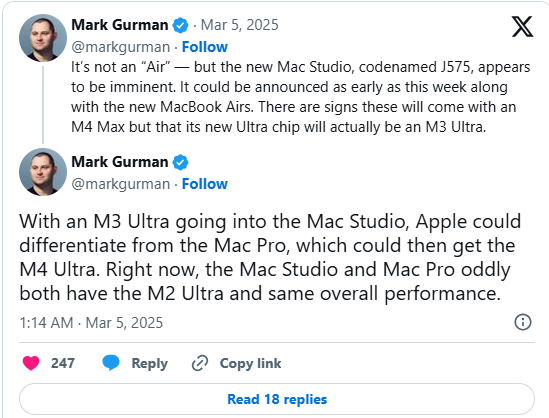
Bloomberg’s Mark Gurman has taken to X to shed a bit more light on what we could see tomorrow. As he previously reported, the MacBook Air with the upgraded M4 processor is still expected to arrive this week, but we also might be getting some other devices.
It would make sense that Apple wants to finish updating its entire Mac lineup to its latest and greatest chipsets. The MacBook Pro, Mac mini, and iMac were all upgraded to the M4 chip series in October of 2024, leaving the MacBook Air, Mac Sutido, and Mac Pro needing an update at some point.
While it’s fully expected that if the MacBook Air’ does get an upgrade, they’ll replace the M3 chip with the base M4, Gurman predicts that the new Mac Studio will get an M4 Max chip, but instead of an M4 Ultra it’ll be the M3 Ultra. Still likely plenty powerful, though.
It initially looked odds-on that Apple would announce the MacBook Air M4 today, rather than a new iPad Air – but the rumor mill isn’t always correct, and it was new iPad day instead.
Does this mean the new MacBook Air is on the back burner? Not at all – in fact, I’d imagine we’ll see that laptop refresh sooner rather than later. Maybe even tomorrow, if we’re lucky.
While Apple isn’t quite adopting the12 days of OpenAIapproach we saw last year, when the ChatGPT maker made a new announcement every day for almost a fortnight, it is definitely moving away from big events towards smaller announcements.
With that in mind, keep your eyes peeled this week for a MacBook Air M4 refresh – we’ll be here to update you the second it’s announced.
5 March 2025 at 00:30
When can you buy the new iPad Air M3?
(Image credit: Apple)
You can pre-order the new iPad Air M3 right now, with availability starting from March 12. So that’s just over a week to wait, but which version should you get? I’ve broken down the pricing below.
With the maxed out version iPad Air M3 costing $1,449 / £1,449 / AU$2,499 (that’s with 1TB storage and both Wi-Fi and cellular connectivity), it might not sound so mid-range.
But that’s unlikely to be necessary for most people – I’d personally be tempted by the 11-inch (512GB) Wi-Fi version, which looks ideal for travel, streaming and photo editing. Your needs may vary though, so here’s a price breakdown for every model…
Model
$US
£UK
AU$
iPad Air M3 11-inch (128GB), Wi-Fi
$599
£599
AU$999
iPad Air M3 11-inch (256GB), Wi-Fi
$699
£699
AU$1,199
iPad Air M3 11-inch (512GB), Wi-Fi
$899
£899
AU$1,549
iPad Air M3 11-inch (1TB), Wi-Fi
$1,099
£1,099
AU$1,899
iPad Air M3 11-inch (128GB), Wi-Fi + Cellular
$749
£749
AU$1,249
iPad Air M3 11-inch (256GB), Wi-Fi + Cellular
$849
£849
AU$1,449
iPad Air M3 11-inch (512GB), Wi-Fi + Cellular
$1,049
£1,049
AU$1,799
iPad Air M3 11-inch (1TB), Wi-Fi + Cellular
$1,249
£1,249
AU$2,149
iPad Air M3 13-inch (128GB), Wi-Fi
$799
£799
AU$1,349
iPad Air M3 13-inch (256GB), Wi-Fi
$899
£899
AU$1,549
iPad Air M3 13-inch (512GB), Wi-Fi
$1,099
£1,099
AU$1,899
iPad Air M3 13-inch (1TB), Wi-Fi
$1,299
£1,299
AU$2,249
iPad Air M3 13-inch (128GB), Wi-Fi + Cellular
$949
£949
AU$1,599
iPad Air M3 13-inch (256GB), Wi-Fi + Cellular
$1,049
£1,049
AU$1,799
iPad Air M3 13-inch (512GB), Wi-Fi + Cellular
$1,249
£,1249
AU$2,149
iPad Air M3 13-inch (1TB), Wi-Fi + Cellular
$1,449
£1,449
AU$2,499
4 March 2025 at 23:26
What’s new with the Magic Keyboard?
(Image credit: Apple)
Arriving in the slipstream of the new iPad Air M3 is a refreshed Magic Keyboard for the Air series – so what’s new?
The new keyboard attachment – which costs $269 / £269 for the 11-inch model, and $319 / £319 for the 13-inch one – gives you a larger trackpad than before, and also a row of function keys that you could previously only get on the Magic Keyboard for iPad Pro.
That means you can quickly tweak things like screen brightness or music volume, and generally get a more laptop-like experience. That’s important because, with its new M3 chip, the latest iPad Air could tempt those who think (with some justification) that theiPad Pro 13-inchis overkill for their needs…
4 March 2025 at 23:00
New base iPad misses out on Apple Intelligence
(Image credit: Apple)
We’ve previously said thatthe Apple Intelligence launch is a mess– and Apple’squiet refresh of the entry-level iPadisn’t going to help change people’s minds about that.
Apple base iPad – now called the iPad (A16) – comes with a new chip, double the starting storage (128GB, up from 64GB), and the same price tag as before (starting at $349 / £329). But bizarrely, that A16 chip means it can’t support Apple Intelligence.
Granted, Apple Intelligence features still aren’t exactly living up to their potential, but it’s strange for Apple to add a new product to its iPad lineup that doesn’t support the features it’s been crowing about for the last six months.
It might also make it difficult to recommend the new cheaper iPad, but we’ll see when we get it in for testing…
4 March 2025 at 22:15
Apple announces… a new iPad Air M3
(Image credit: Apple)
Well, that wasn’t quite the MacBook-flavored news we were expecting, but we’ll take it for now – Apple has just announced a new iPad Air with an M3 chip plus a new Magic Keyboard.
The new Air comes in 11-inch and 13-inch sizes – and the chip upgrade hasn’t affected its price tag either, with the prices starting at the usual $599 (11-inch) and $799 (13-inch). The new Magic Keyboard, meanwhile, has a bigger built-in trackpad and a new 14-key function row.
Will the new iPad Air be an option for those waiting for the new MacBook Air M4? Probably not, judging by our Managing editor Matt Hansen’s experiences whenswapping his laptop for an iPad. But Apple’s new Air certainly looks like a compelling mid-range tablet option.
The only question now is when we’ll see that MacBook Air M4…
4 March 2025 at 21:37
The page for the MacBook Air M3 is still up and running. Usually if there’s a product drop that’s imminently imminent, then Apple tends to have a message saying its updating the store.
Equally, pre-orders for a new MacBook Air might not go live on the same day as the announcement. Watch this space.
4 March 2025 at 21:32
As an FYI, I’m keeping an eye on theApple Newsroom webpage, just in case Apple suddenly drops its announcement today.
4 March 2025 at 21:00
I reckon Apple’s announcement will come on Wednesday
(Image credit: Getty Images)
So when do I think Apple will make an announcement? I’m predicting Wednesday.
Historically, Apple has favored Tuesdays for its product launches, but the iPhone 16e was launched on Wednesday, February 20. And my gut instinct tells me Apple could drop its announcement tomorrow, which would be two weeks on from the last announcement.
I feel that makes sense as it give some room for the nws to breathe before we get into the weekend. Of course, I could be totally wrong.
4 March 2025 at 20:20
Don’t expect a new iPad Air this week
(Image credit: Future / Lance Ulanoff)
But then maybe Apple could go a bit rogue and reveal a new iPad Air.
However, putting aside Gurman’s speculation that new iPads won’t get revealed this week, I’m not convinced we’ll see a new iPad Air this week.
That iPad uses the M2 chip, so is arguably due a specs boost. But I’m not sure the iPad Air necessarily need a lot more power. For power-users the M4-equipped iPad Pros exist, albeit at pretty high prices.
Then again, giving a refreshed iPad Air an M3 chip would be one way for Apple to use up any M3 chips it had lying around and give it something else to announce. If that’s the case, then I tend to agree with Gruman and don’t expect to see a new iPad Air get revealed today; likely Apple will keep such an announcement in its back pocket for a reveal later.
4 March 2025 at 20:10
As I mentioned earlier, the blue line that strikes through the word ‘Air’ has the look of a MacBook Air when closed, so would point towards a revealed of a new Air models.
4 March 2025 at 19:59
(Image credit: Apple)
Speaking of AI, I’d expect Apple announcement to lean hard on talking about Apple Intelligence and its integration into macOS, along with how an M4 chip-equipped Air will be poised perfectly to crunch through onboard AI tasks.
Not sure that’ll rock my world but I stand ready to be entertained and informed.
4 March 2025 at 19:55
Then again, I’m not a huge user of the AI-poweredApple Intelligencetools, which I suspect will only get more demanding as they advance.
So having M4 power could certainly make a new MacBook Air more futureproof.
4 March 2025 at 19:53
Speaking from my experience with the MacBook Air M2, I’m rather unfussed on the next-generation Air having a dollop more power.
My Air has enough grunt to deal with basically any everyday task I throw at it. I opted for the model with 8GB of RAM and I don’t think it’s ever felt slow. Sure, it won’t churn through the handful of proper PC games macOS supports, but it can run the excellentBaldur’s Gate 3so one might argue what more does one need…
4 March 2025 at 19:49
(Image credit: Apple)
Dialing in my specualtion, the obvious upgrade for the MacBook Air, and one that I’ve mentioned earlier, would be an M4 chip.
We’ve already seen this system-on-a-chip get used in the latest versions of the iPad Pro, Mac mini and iMac, so it makes sense for new MacBook Air models to get it.
I highly doubt Apple will have tweaked the silicon to work any differently for the MacBook Airs than these other devices, though there’s sure to be more headroom to push the chipset a little harder in a laptop chassis than in the iPad Pro.
4 March 2025 at 19:44
A final request for a MacBook Air upgrade would be a move to OLED displays. I feel Apple could thread the line of balancing bolder display tech with energy efficiency.
But if such an upgrade was coming this year I reckon the rumor mill would have been churning it out by now; we’ve heard no whispers.
When I’m in the office I use a Samsung laptop with an OLED display and adore how rich its colors are, and that deep contrast OLED offers. So there’s potential here, but I suspect Apple will keep OLED panels for its MacBook Pros for a good few years still.
4 March 2025 at 19:39
Other design changes and upgrades I’d like to see could come in the form of faster charging; the MacBook Air is by no means a slouch when sucking up electrical juice but it’s not amazingly quick either.
I’d also not mind a few more ports. An extra USB-C slot would be appreciated, especially if Apple adds it to the right-hand side where there’s seemingly loads of spare space.
And while I doubt Apple will ever do it, I’d love to see a full-sized SD card slot on the next-generation MacBook Air, as that would make transferring photos from my DSLR to macOS far easier than it currently is for me.
4 March 2025 at 19:35
On the flipside, I’d not want Apple to mess with the Force Touch trackpad, which is basically the best trackpad I’ve used on any laptop.
It’s big, smooth and responsive and I adore it. Force Touch is an odd name however…
4 March 2025 at 19:33
The Microsoft Surface Laptop 7 has a great keyboard that Apple could draw inspiration from.
Other areas for MacBook Air improvement could come in the form of a refreshed keyboard. I love the keyboard on my Air, and my fingers fly across it when I’m writing at speed.
However, there’s not the deepest of key travel and sometimes I feel the keyboard lacks the tactile feel of the amazing keyboard on theMicrosoft Surface Laptopmodels; those balanced snappy responses with a decent bit of travel to make for a wonderfully tactile experience; I feel nostalgic for my oldSurface Laptop 2.
4 March 2025 at 19:28
But there are no rumors indicating to a reworked MacBook Air design. So I’m not going to hold my breath and expect the display notch to have been given a nip and a tuck.
Equally, one can never be 100% sure when it comes to Apple. And the MacBook Air’s design language is a bit long in the tooth for tech standards. So perhaps we could be in for a surprise.
4 March 2025 at 19:26
I’d like a new design for the MacBook Air please Apple
The design of the MacBook Air could do with a refresh(Image credit: Apple)
Having said that I love theMacBook Air M2, I’d not mind a few tweaks to the slim laptop’s design. A 14-inch display, perhaps facilitated by some narrowing of the display bezels and a trimming down of the display notch, would definitely get my attention.
I love the LCD Retina display on my Air M2, but it can feel a tad cramped at times when I’m trying to get work done on the go and at speed.
4 March 2025 at 19:19
As someone still using the MacBook Air M2, which is a fantastic little laptop that’s going very strong after two years of consistent use, I’m not overly convinced Apple really needs to refresh the Air lineup on just a specs basis.
But Apple is Apple, and minor refreshes to its products are to be expected… if not exactly desired.
4 March 2025 at 19:16
Expect M4 chip power
(Image credit: Future)
So what do I and others expect to see from the Apple announcement? Well as discussed it’ll very likely be a pair of new MacBook Air laptops.
While the current pair of MacBook Airs are hardly old, having been refreshed last year with the M3 chip, they don’t sport the very latest chips; those can be found in theMacBook Pro 14-inchandMacBook Pro 16-inch.
Those models rock the ‘Pro’ version of the M4 chip, so we can expect to see non-pro version come to refreshed Airs.
4 March 2025 at 19:09
The last Apple announcement of the newsroom ilk came in the form of theiPhone 16ereveal. Apple simply posted an information drop on its website and had the phone up for pre-order pretty sharpish.
There was a decent amount of information to chew over but one could argue the announcement lacked Cupertino’s normal appetite for showmanship. I expect the announcement this week to be very similar to that of the iPhone 16e’s.
4 March 2025 at 19:05
Thinking differently…
(Image credit: Apple)
In days gone by, Apple would normally have a couple of big events a year with an in-person or live streamed event that would usually see the reveal of a handful of products around specific categories, such as phones, tablets and computers.
But as the crew at Cupertino have started to push out ever-more iterative updates to Apple’s product lines, these events have given away to announcements on social media and Apple’s own newsroom page. To me this lacks the spectacle but does give us regular Apple announcements to chew over.
Google’s March feature drop is here, bringing scam detection alerts for texts and calls to Pixel users.
The Pixel Watch 3 will receive its Loss of Pulse detection feature by the “end of March,” but users should soon receive its Menstrual Cycle tracking and prediction.
The feature drop expands Find My Device app’s usefulness for locations while users on Verizon and T-Mobile see a Satellite SOS expansion.
March is here, and so is Google’s expected feature drop for Pixels and Pixel Watches for all eligible users.
The year’s first feature drop brings a load of new Pixel features, beginning with AI-powered scam detection. In a press release, Google informs Pixel 6 and newer devices are receiving suspicious text alerts. The company says these devices will leverage on-device AI to “flag text patterns commonly associated with scams.” The post states these safety measures should help protect users from having their personal information fall into the hands of wrongdoers.
Similarly,Pixel 9 devicesin the U.S. are picking up the same scam protection measures for calls in the U.S. Google says its on-device AI will monitor for “conversation patterns” that scammers typically use to safeguard you and your information. Like texting, this feature is hitting Pixel 9 devices today (Mar. 4).
Google’s Find My Device app now lets users share their location with “trusted contacts.” Dubbed “Live Location,” users can show where they are with a contact who can view it on a map from their phone or tablet.
Pixel Fold users are getting a small update, which brings video recording support to Dual Screen. Google states users can now utilize the phone’s cover display to view what’s being recorded. Elsewhere, Pixel 9 Pro Fold owners grab Add Me for Dual Screen, the AI-powered feature that lets you smartly edit yourself or others into a group photo.
(Image credit: Google)
Meanwhile, Pixel 9 devices receive gain support for multiple cameras for streaming. Google states you can “Connect your Pixel phone with a GoPro or other Pixel phone camera, and use popular social apps to stream from different angles.”
Satellite communication capabilities are being expanded in March, with Google stating its Pixel Satellite SOS is arriving in Europe, Canada, and more for the Pixel 9. This lets users who’ve gone out of cell service range to remain connected with family and the world around them. Google states users should understand that this is arriving in beta, so there may be issues.
Pixel 9 series users are also getting in on satellite messaging via Verizon and T-Mobile.
Google’s AI software Gemini is coming to two new countries: Japan and Germany. The post states both areas can enjoyPixel Screenshots, Pixel Studio, Pixel AI Weather, and more through the Pixel 9 series.
Google’s Pixel Watch isn’t being ignored this month as leading off the March feature drop is the arrival of its Loss of Pulse detection. It wasrecently reportedthat the FDA had signaled its approval of Google’s new life emergency feature which, according to the company, will begin rolling out in the U.S. “by the end of March.”
Google reiterates this approval, stating it has “received clearance from the U.S. Food and Drug Administration (FDA) for our Loss of Pulse Detection feature starting with Pixel Watch 3.” If your Pixel Watch 3 cannot detect your heart beat anymore, it will automatically call emergency services if it’s unable to reach you first.
Another major addition is Menstrual Cycle tracking on thePixel Watch 3. Users can now log their period, view cycle status, or see a prediction about the next one from the Watch 3.
All Pixel Watches are picking up better step accuracy. Google states its wearables will now better detect when you’ve “deviated” from your typical walking patterns to avoid a miscount. It hopes this can better aid users trying to hit their walking goals and see more reliable daily insights.
Google is also expanding its Automatic Bedtime mode to the Pixel Watch 2. Through this, the watch will try and detect when you’ve fallen asleep and “turn off your watch face and disable notifications to minimize distractions.” Pixel Watches are also receiving new media playback control actions such as fast forward, rewind, playback speed, and playback queue controls.
Lastly, the Pixel Recorder app’s auto-transcribe function is hitting Pixel 6 and newer phones, as well as Google’s Pixel Watches and Tablets.
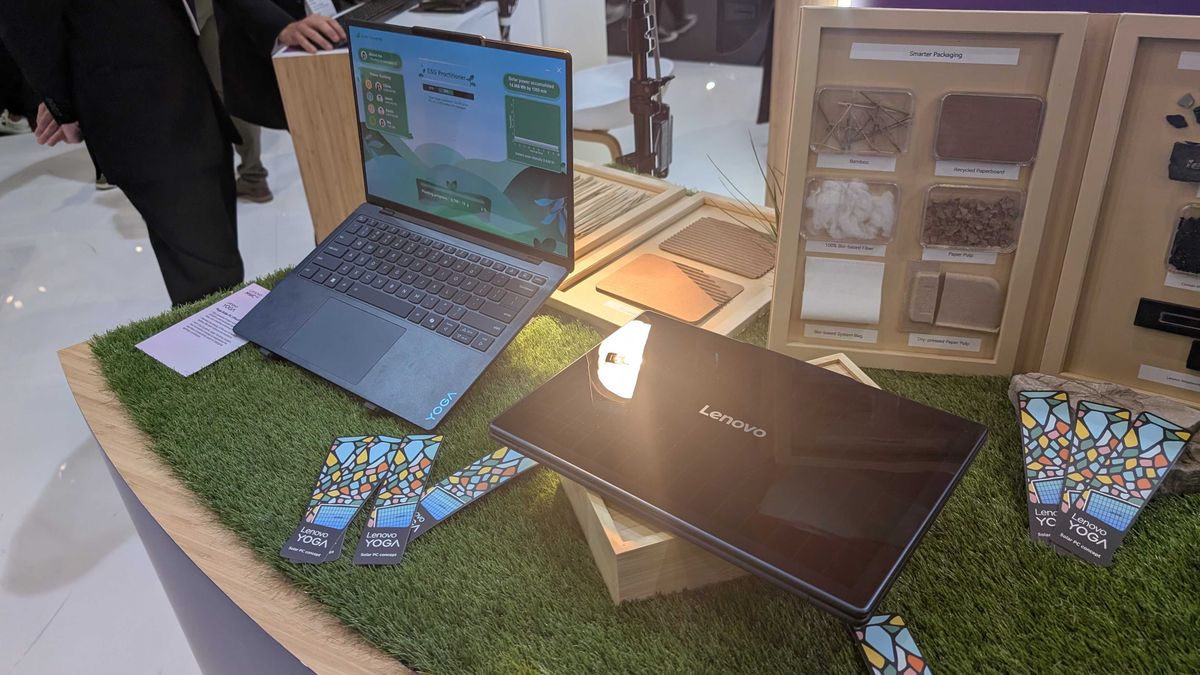
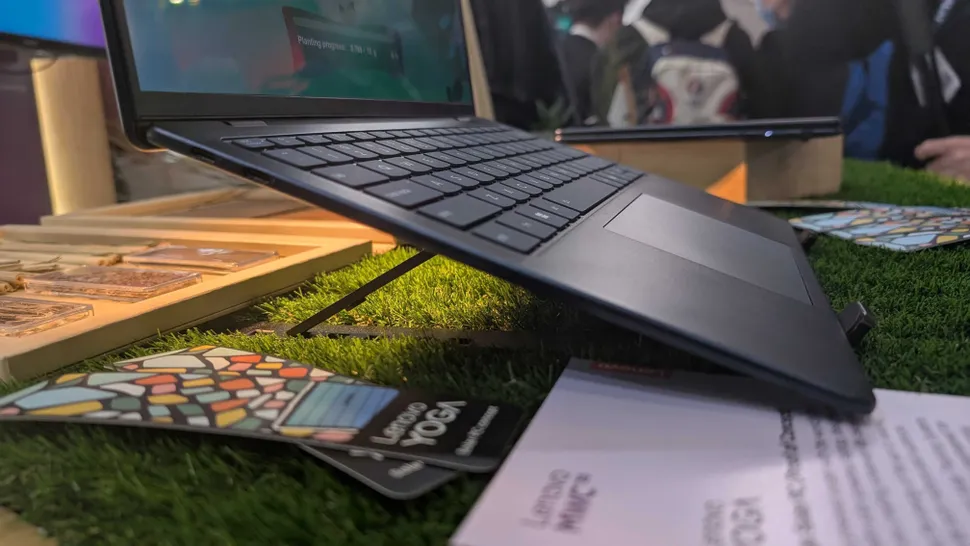
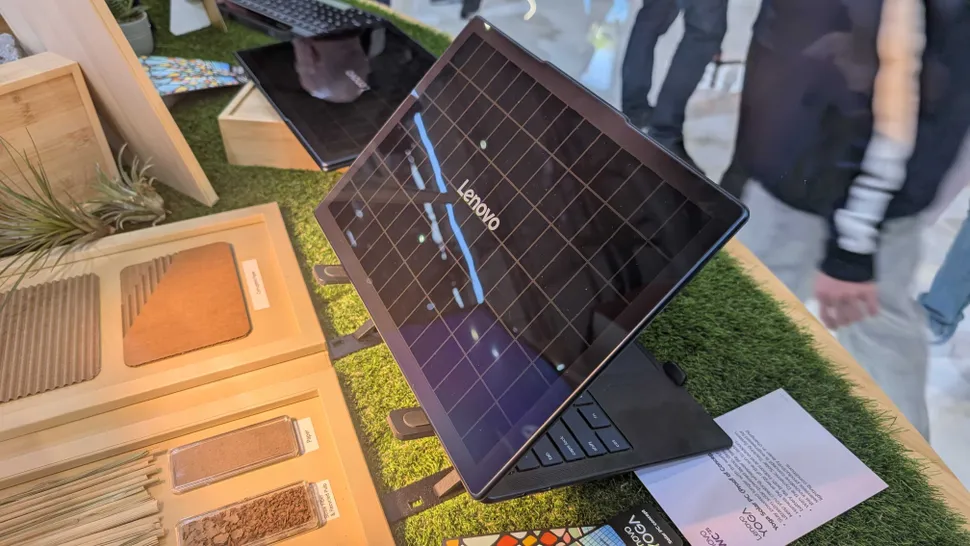
What if your laptop could get a full hour’s worth of charge simply by leaving it in sunlight for 20 minutes? That’s the promise of Lenovo’s latest concept laptop, a Yoga model featuring a photovoltaic solar panel on the rear of the screen, converting light into charge for the laptop’s battery.
I’ve seen a lot of great concept devices from Lenovo and other laptop makers at events likeMWC 2025, and I’m usually pretty excited about them. So let me be absolutely, unequivocally clear about this one:
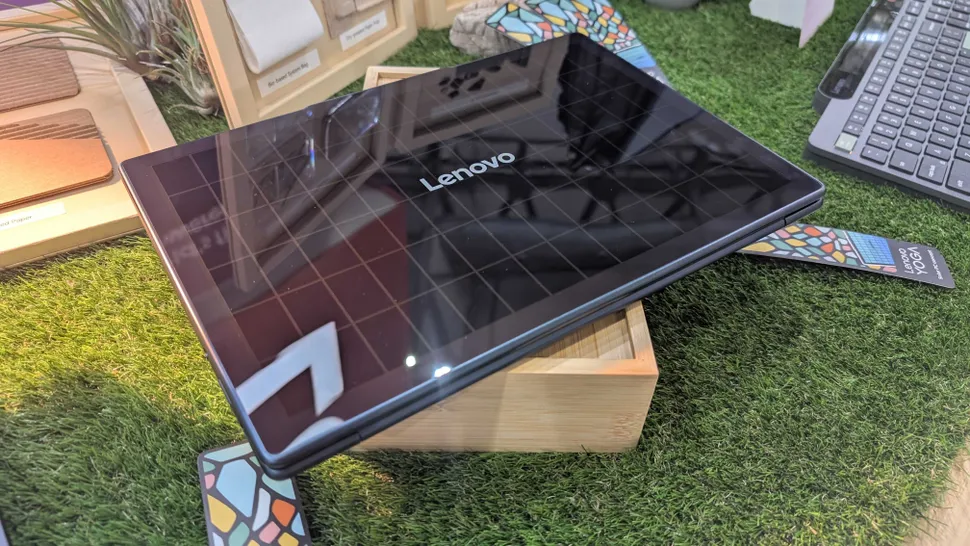
I am curious as to whether the Lenovo logo in the middle affects the solar panel’s performance…
I’m serious. To be honest, I can’t believe it took this long for a tech company to strap a solar panel to the back of an ultrabook. We need more of this. It feels like such a straightforward idea; naturally, the Yoga Solar PC can be charged conventionally via a cable, but just being able to close the lid and let it soak in the solar rays is brilliant – and basically ensures that you’ll never be stranded without any charge again (unless it’s the middle of the night, I suppose).
I can’t be the only one who’s gone on a trip or even just off to work, only to find that I’ve forgotten my laptop charger. Thus begins that stressful game of watching the battery life tick down, turning on efficiency mode, lowering the brightness, and praying.
But with Lenovo’s Solar Yoga? I could just leave it on a windowsill for an hour while I have lunch, and come back to a freshly-charged battery.
It’s also just a general triumph of eco-friendly engineering. The solar panel on the rear of the display (which, incidentally, doesn’t appear to make the laptop noticeably thicker than Lenovo’s other Yoga ultrabooks) offers an energy conversion rate of more than 24%, which is among the very best you’ll see inanytype of photovoltaic solar cells.
Lenovo also designed a ‘Dynamic Solar Tracking system’, which continually monitors the influx of electricity and adjusts the laptop’s battery consumption to prioritize the solar energy to better preserve your battery life.
Despite packing an entirely new energy source atop its lid, this laptop is still impressively thin and light.
Solar-powered devices aren’t a new thing, of course – fellow laptop manufacturerAcersells afoldable 200W solar panelthat you can hook up to a power bank, ideal for charging your devices when you’re out in nature (or in aMad Max-style apocalypse). But the Yoga Solar PC is the first ultrabook in the world with a fully-integrated solar power solution – and even though it’s just a concept right now, it’s one that Iseriouslyhope makes it beyond the prototyping phase.
Having handled the device in person at MWC, it certainly looks and feels like it could be retail-ready. I can practically picture myself taking this bad boy camping, or even just down to the cafe.
Alright, okay, as much as Ilovethis, I will admit that there are some potential stumbling blocks to this sort of tech being widely implemented in our laptops. For starters, solar panels aren’t exactly the most durable things in the world – and I have to imagine that replacing an integrated panel like this would be a costly and difficult affair. Having a laptop with glass on theoutsidedoes feel a little bit like a recipe for disaster. Drop it once, and it might be game over.
Heat buildup also feels like a natural problem here. After all, you generally don’t want your laptop to be too hot. But surprisingly, Lenovo had the Yoga Solar PC sitting under a bright lamp on their stand at the expo (presumably for hours at a time), and while the back panel itself was a bit warm to the touch, the rest of the laptop didn’t feel hot at all. In fact, I’d be willing to bet that a metal exterior lid would probably cook your laptopmoreif you left it out in the sun.
The Yoga Solar PC is also partially constructed with recycled and eco-friendly materials.
Lastly, I suspect that if it were to make it to general production, the Yoga Solar PC would beveryexpensive. I’ve looked into getting solar panels installed on my house – and sure, this is just one solar panel, and it’s a lot smaller, but it’s also part of the laptop chassis rather than a standalone item – oh, and these Yoga laptops aren’t exactly bargain-basement hardware to begin with.
Still, as someone who enjoys a good foray into the great outdoors, I think this proof-of-concept is a fantastic idea and I’d gladly throw money at Lenovo to own one. A laptop that’s more eco-friendlyandcan save my bacon if I forget my charger? Sign me up.