We are specialists in quality batteries. We have batteries, chargers and accessories for everything you can think of. Low prices, big inventory, expert advice. Find your battery here!
Apple and Qualcomm have been partners for a long time, but the former appears intent on gradually moving away from Qualcomm as a chip supplier for Apple’s iPhones and iPads over the next few years, as Bloomberg reveals in detail. Three Apple modem generations will be gradually implemented from the iPhone SE 2025 onwards and ultimately also in the Pro iPhones.
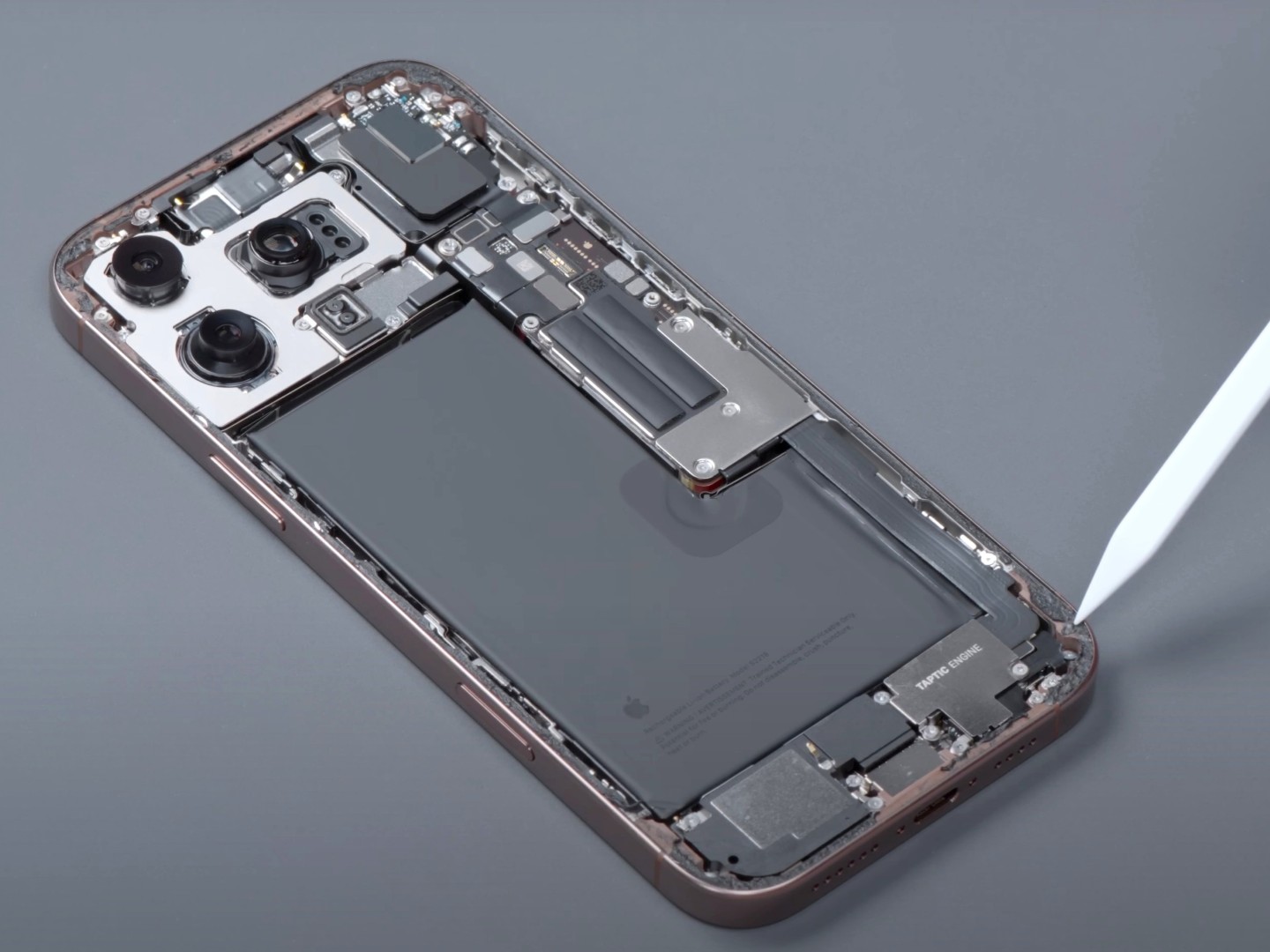
Soon a Qualcomm-free zone: Apple plans to slowly replace all Qualcomm modems in iPhones and iPads starting with the iPhone SE 4. (Image source: Wekihome)
Apple has had no luck with its modem plans so far, as Bloomberg’s Mark Gurman describes in arecent report. The original plan was to replace Qualcomm modems with in-house developments as early as 2021, but despite a high financial investment of several billion dollars, including the purchase of Intel’s modem division, there has been one setback after another.
The tests with the Apple modem prototypes were anything but positive, with efficiency and overheating problems in particular forcing Apple to extend the contracts with Qualcomm again and again. But the outlook for 2025 is positive, after recent changes to development processes and experts acquired from Qualcomm have slowly turned the tide for the better, explains Gurman.
In 2025, the first guaranteed Qualcomm-free iPhones will be launched on the market, based on a modem developed by Apple itself and manufactured by TSCM in Taiwan, codenamed “Sinope”. Next year, only theiPhone SE 4(expected in the spring) and the thinneriPhone 17 Air(following in the fall) will benefit from Apple’s in-house development, and the new entry-level iPads are also expected to be launched on the market without a Qualcomm modem in 2025.
The reason why the iPhone 17 Pro models are not yet included is that Apple’s first modem will be a mid-range 5G modem without mmWave functionality and channel bundling limited to 4 carriers, which barely delivers more than 4 gigabits per second in tests. Nevertheless, the new “Sinope” based iPhones are said to offer advantages such as greater efficiency thanks to improved integration with Apple’s A-series chips, which will also be important for satellite connectivity. The Apple modem should also make the iPhones less prone to radiation.
Second move in 2026: Catching up with Qualcomm
According to current plans, the next step will follow in 2026 in the form of “Ganymede”, which is expected to be on par with the latest Qualcomm modems and will include mmWave support, 6 Gbps download speeds and six-carrier aggregation. It will be installed for the first time in the iPhone 18 generation and the high-end iPads of 2027.
Third move in 2027: Surpassing Qualcomm
Last but not least, Apple intends to surpass Qualcomm’s solutions in 2027 with a third modem called “Prometheus” and also offer AI features and next-gen satellite features. The current plan is for Qualcomm modems to disappear from all Apple products by the iPhone 19 generation at the latest. There are also currently efforts to integrate the modems directly into the A-series chips.
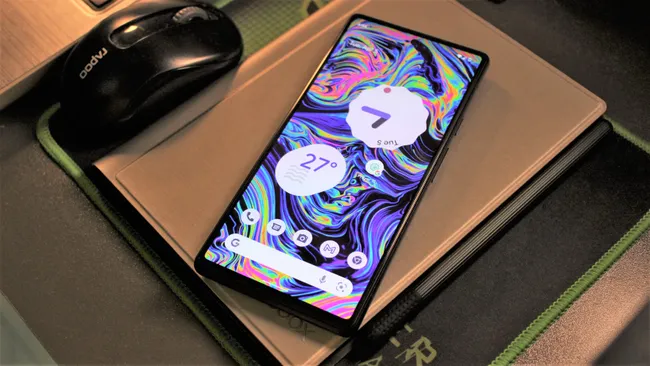
The Pixel 6 can’t do much more than it already does.
Google hasadded two more years of software supportto thePixel 6 series, thePixel 7 series, and theoriginal Pixel Fold. That’s fantastic news for anyone using these phones; since they use aGoogle-designed Tensor chip, it’s what should have been promised all along.
It says a bit more about Android’s immediate future, even if it doesn’t spell it out: don’t expect the next killer feature(s) to be part of Android.
You’re right if you’re thinking that Google hasn’t said anything about Android 17 yet and really hasn’t told us much about Android 16. but it doesn’t need to because we now know that whatever it is, the Pixel 6 will (hopefully) be able to run it.
The Pixel 6 wasn’t a bad phone, but let’s be honest — its Tensor chip isn’t a powerhouse, and having “only” 8GB of RAM means it’s missing many on-device AI features. It was built before Pixel phones needed chips that could process AI even faster and the memory to power the features that came along with it. We quickly saw that just one year later.
Here’s the thing — none of that, or any of Google’s AI magic, is part of Android. It’s all proprietary Google property that it releases to select devices as it sees fit. Android has been like this for a while, with Google holding back many of the features you think come with it and deciding which phones from which companies can have them. If you ever get your hands on a device that runs the free and open version of Android, you’ll easily see how it is lacking.
I like to call this thePixel paywall. Google shows us a new feature, spends 30 minutes on a stage to tell us how great it is and why we should want it, then says you only get it if you buy a new Pixel phone.
This isn’t nothing new; every other tech company does the same thing. The difference is other tech companies don’t offer a “free” operating system that powers billions of smartphones.
We’re going to see this again withAndroid 16when Google debuts a new Pixel phone. All of the new features are going to be Google’s own and not freely available as part of Android, and a handful of them will only be available for thePixel 10. Don’t expect many (or any) of them for your Pixel 6. You won’t be disappointed that way.
There’s nothing wrong with this. I don’t like it, and I know other people who feel the same way, but nobody should expect a for-profit company to turn over its best software features or the secret algorithms that power them as free software, no matter how restrictive the licensing is. Google is doing what we should expect it to do.
Future versions of Android will have plenty of other changes under the hood, and those can be very important, especially in terms of stability, security, and privacy. Many of those “API changes” that don’t get much press do just that and are 100% necessary and important.
Things like camera tricks or fancy AI-powered home screen features are separate, the same way Samsung’s are for Samsung phones or Apple’s are for iPhones. Google realizes their value and knows it will entice a few people enough to buy a new Pixel phone even though their Pixel 6 is still supported and does everything it did when it was new and more.
It’s still great that Google realizes it has an obligation (yes, I said obligation) to support Tensor-powered devices as long as possible.Nvidia can tell them a thing or twoabout how having control over the brains of an Android device means you cansupport it for a decade. Or longer.
TheAsus Vivobook S14andAsus Zenbook 14look like identical twins at first glance.
You’d be forgiven for getting one mistaken for the other. Don’t make a mistake by buying the wrong laptop, though.
These two Asus laptops havea lotin common — at least, on paper. They’re both 14-inch mainstream laptops with sleek, matte black designs, nearly identical specs, and similar prices.
However, our testing revealed some major differences between the Vivobook and Zenbook that highlight where each one shines, and where each falls flat. The differences set one apart as the better deal for most users.
Asus Vivobook S14 vs. Asus Zenbook 14: Price and configurations
On paper, the Asus Vivobook S14 (Q423) and Asus Zenbook 14 (Q425M) are nearly identical. They have the exact same display size and type, the same RAM, the same graphics processor, and virtually the same dimensions and weight.
The few areas where these two laptops differ make a world of difference, because oneisbetter value for your money.
The most important specs to notice are the processor and the price. The Vivobook only comes in one configuration (at the time of writing) which features an Intel Core Ultra 5 226V CPU and costs $949. In comparison, our review unit for the Zenbook costs $100 more at $1,049 but features a much stronger processor, the Intel Core Ultra 7 155H. On top of that, it has twice as much storage as the Vivobook (1TB vs. 512GB).
That extra $100 is a small price to pay for double the storage and a big leap in processing power, making the Zenbook a better deal for your money.
The Asus Vivobook S14 on a white table seen from behind
It’s hard to compare the Asus Vivobook S14’s design to that of the Asus Zenbook 14 because they are virtually indistinguishable. If you look closely, though, one laptop’s design has an edge.
The Vivobook and Zenbook both feature minimalistic, metallic chassis with a 14-inch display and the same keyboard deck. Both also have a built-in webcam shutter, which is a huge plus. Even their dimensions are similar, down to a fraction of an inch:
Asus Vivobook S14 (Q423): 12.22 x 8.74 x 0.55 inches, 2.87 pounds
Asus Zenbook 14 (Q425M): 12.3 x 8.67 x 0.59 inches, 3 pounds
Things get a little more interesting when we look at the ports on each. The Vivobook offers a much better port selection with one extra USB Type-A port and even a microSD card reader. Those could be deal breakers for many users, especially for creatives, who will appreciate having a built-in microSD card slot.
On top of that, the Vivobook also features a dedicated Copilot key for quickly accessing Microsoft’s AI assistant. Both laptops have access to the Copilot app, but this dedicated key makes launching it a bit more convenient. That, on top of the extra ports, gives the Vivobook a slight lead in this category.
The Asus Vivobook S14 on a white table playing an episode of Disney’s Agatha All Along
In this case, regardless of which Asus laptop you choose, you’ll be getting a sharp OLED display. OLED panels generally offer more vibrant colors and better contrast.
The Asus Vivobook S14 and Asus Zenbook 14 have very similar displays. The Vivobook features a 14-inch, 1920 x 1200, OLED displaywithouta touchscreen. In comparison, the Zenbook has a 14-inch, 1920 x 1200, OLED display thatistouch sensitive.
Both look good in hands-on use. In our reviews, we praised each display for its good bold colors and detail. So, you will likely get a good viewing experience from either.
However, there are some slight differences in our test scores that hint at which display has an edge. It’s a close call, but the Vivobook S14 came out on top in all three of our main display tests, giving it the win in this category.
Asus Vivobook S14 vs. Asus Zenbook 14: Performance
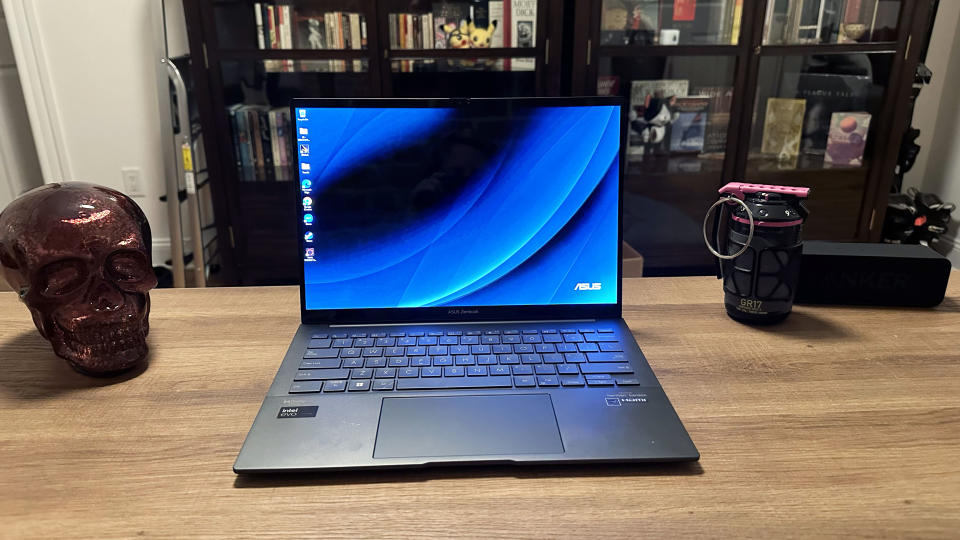
Asus Zenbook 14 OLED (Q425M) open facing camera on a wooden desk
Overall performance is arguably the most important category when you’re trying to choose between two laptops. This is also where major differences between the Asus Vivobook S14 and Asus Zenbook 14 appear.
Our review configurations include two different processors, although both configurations are similarly priced. The Vivobook S14 is powered by an Intel Core Ultra 5 226V CPU while the Zenbook 14 features an Intel Core Ultra 7 155H CPU.
Technically, the Vivobook’s CPU is a newer model from Intel’s 2024 “Lunar Lake” family. However, newer isn’t always better and that’s certainly the case here.
The Zenbook 14 scored significantly higher on the Geekbench 6 test, our main overall performance benchmark. This highlights the gap in performance between Intel’s Core Ultra 7 processors and its less powerful Core Ultra 5 processors. The Zenbook’s processor will be more capable of handling multi-tasking and demanding apps, particularly those that rely on multi-core performance such as photo and video editing apps.
So, the Asus Zenbook 14 wins this category.
Winner:Asus Zenbook 14 (Q425M)
Asus Vivobook S14 vs. Asus Zenbook 14: Graphics and gaming
The Asus Vivobook S14 running Death’s Door on a white table next to a game controller
While neither of these Asus laptops is designed for gaming, you might want to use either for some casual gaming between work or school.
The Asus Vivobook S14 and Asus Zenbook 14 both feature Intel Arc integrated graphics. If you’re looking for a laptop with a dedicated GPU capable of running AAA games, you would be better served with one of thebest gaming laptopsinstead.
However, Intel Arc integrated graphics can be surprisingly capable, particularly with lightweight titles and indie games. Even so, I was surprised at just how high the Asus Vivobook S14 scored on ourSid Meier’s Civilization VIbenchmark. The Vivobook was able to average 51.4 fps on Medium graphics in 1080p, over 20 frames higher than the Zenbook averaged.
Sure, that’s not as high as a purpose-built gaming laptop would score, but the Vivobook can deliver a surprisingly smooth casual gaming experience, one that’s a bit better than what the Zenbook can offer.
Winner:Asus Vivobook S14 (Q423)
Asus Vivobook S14 vs. Asus Zenbook 14: Battery life
Battery life can make or break your experience with any laptop, especially if you’re a student or a commuter. Luckily, the Asus Vivobook S14 and Asus Zenbook 14 bother offer enough battery life to get you through a full day on the go.
One laptop has an edge, though. The Vivobook S14 lasted nearly 2 hours longer than the Zenbook 14 in our battery life test, giving it the win in this category.
Winner:Asus Vivobook S14 (Q423)
Overall winner: Asus Zenbook 14 (Q425M)
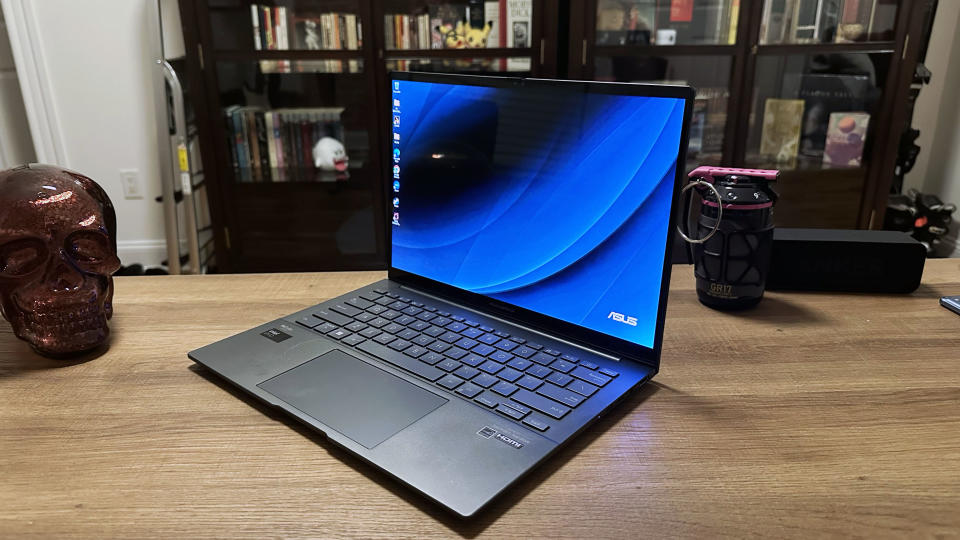
Asus Zenbook 14 OLED (Q425M) open on a wooden desk at an angle
The Asus Vivobook S14 and Asus Zenbook 14 each have their strengths and weaknesses, but one offers much better value for your money: the Asus Zenbook 14 (Q425M).
It’s a close call, especially considering these two laptops have similar specs, effectively the same design, and nearly identical displays. However, the Zenbook 14 offers twice as much storage and a much better processor for just $100 more than the Vivobook S14.
While the Vivobook offers a slight edge in several categories, the Zenbook is very close behind. The Vivobook is surprisingly good for casual gaming, but neither of these is a gaming laptop. For the average mainstream laptop user, overall performance and storage are likely much more important than casual gaming performance.
You can also compare the Asus Vivobook S14 and Asus Zenbook 14 to thebest laptopsof the year and thebest budget laptopsfor even more alternatives.
Does the hot new Sonos Ace take the crown from longtime favorites Bose and Sony?
I tried some of the best noise-cancelling headphones on the market, and I have a new favorite. Headphones or earbuds? If you can’t decide how best to pipe audio into your ear holes, allow me to make the case for cans: The best wireless headphones from Bose, Sony, Sonos and more crush earbuds when it comes to battery life, and for many users there’s a comfort advantage as well with cushy cups (aka “cans”) that cover your ears rather than silicone ‘buds that sort of screw into them. And let’s not overlook sound quality: Headphones have much larger drivers (the actual speakers inside) than earbuds, meaning they produce a larger soundstage with greater range. If you like your music more concert-hall than club, jam with cans.
There’s a downside, though, and that’s physical size: Headphones don’t exactly fit in your pocket. I’d also argue that modern wireless earbuds are a bit better when it comes to ANC (active noise cancelling). Even so, headphones make a great choice for listening to music, podcasts and audiobooks and watching movies, TV shows and YouTube videos.
The best noise-cancelling wireless headphones of 2024
I tend to get a little jaded when it comes to audio gear, because it’s rare that I have a “wow” moment. It all sounds pretty good to me, or at least good enough. But,wow, the Sonos Ace: The company’s debut headphones bring a richness and fullness to music that my ears haven’t experienced elsewhere. Yes, the Bose QuietComfort Ultra and Sony WH-1000XM5 come very close, but if you want to hear every detail, every nuance, of your favorite playlists, these are the ones to get.
It probably means breaking open the piggy bank, though. They’re among the pricier headphones we tested. That’s not surprising — Sonos is a premium audio brand — but if you’re not in a rush, consider waiting for a sale.
Sonos supplies a nicely illustrated quick-start guide, though curiously there’s no mention of charging the headphones. Although you don’t strictly need the Sonos app to use the Aces, you’ll definitely want it for things like equalizer settings and firmware updates. The app is fairly easy to use overall, with nearly all headphone status info and settings listed on a single page.
It’s hard to make headphones stand out, but I like the matte finish and overall look of the Ace. The earcups hinges are hidden inside the earcups themselves, meaning those with long hair are less likely to get tangled in them. Although there’s very little “play” in those hinges, I found that the Aces fit snugly and comfortably. Maybe a little too snugly, though? After about 30 minutes, my ears wanted some air. (For the record, this is true with nearly all over-the-ear headphones — for me, at least.)
Instead of touch controls, Sonos opted for physical ones: The right earcup is home to a noise-control toggle button (press to switch between ANC and transparency modes) and the “Content Key.” The latter is small slide-switch used to raise and lower volume, but it’s also a button: press once to play/pause, twice to skip to the next track and three times for the previous track. I like the Content Key overall; it’s a little more intuitive than Apple’s digital crown.
I do wish Sonos gave the option of a voice prompt to indicate which noise mode is selected, instead of the largely indistinguishable tones that play when you toggle them.
As noted above, I’ve rarely been so enamored with the warmth and fullness of headphone audio. I found myself noticing vocal and instrumental details I’d never heard before, or at least never heard so clearly. The Ace also crushes spatial audio, with flawless head-tracking that creates an amazing sense of “there-ness.”
Meanwhile, if you’re already part of the Sonos ecosystem (meaning you have one of the company’s soundbars), you may appreciate the TV Audio Swap option: With the press of a button, you can switch from soundbar to headphones, the better to listen in private (while also enjoying a much more pronounced spatial audio than you get from the soundbar alone). At this writing, the feature works only with the Sonos Arc; support for the Beam and Ray models is coming. Because the Aces don’t use Wi-Fi, however, you can’t “hand off” audio from Sonos speakers like the Era, Roam and Move.
If your budget won’t accommodate the Sonos Aces, I suspect you’d be just as happy with the Bose QuietComfort Ultra or Sony XM5 (though the latter is far more limited when it comes to spatial audio). But I’m calling it: These are currently my favorite wireless headphones.
Pros
Useful printed quick-start guide
Cleverly designed volume/play-control switch
Immaculate sound quality and spatial audio
Works with Sonos soundbars to provide private listening and spatial audio
USB-C-to-stereo cord included for wired listening
Cons
Sky-high price
Some might find it a little tight for comfort
Can be difficult to determine which noise mode is selected
TV Audio Swap currently works with Sonos Arc only
Other noise-cancelling wireless headphones we recommend
Best budget wireless headphones
Soundcore Space One Active Noise Cancelling Headphones
If you’re wondering whether $100 headphones can possibly rival ones costing three or four times as much, get ready for a surprise: It can. Soundcore’s Space One offers sweet sound and robust ANC. On those merits alone, I’d have no qualms about recommending it. But to quote the old commercial: Wait, there’s more.
Soundcore supplies a detailed quick-start guide that covers basic setup and operation. It’s a little “busy” because it crams multiple languages into each panel, but it’s still far more complete than the print instructions included with most headphones. Similarly, the Soundcore companion app is a model of simplicity: Everything is clearly labeled and logically organized.
Space Ones look stylish and feature comfortable padding throughout, though the build feels just a touch plasticky overall. The volume and play/pause buttons on the right earcup are a good size and well-placed, but good luck remembering which of the two left-earcup buttons is for power and which is for toggling ANC modes. (At least you get a vocal notification of which mode is active, which is preferable to the indecipherable tones produced by some other headphones.)
These ‘phones can play for a whopping 55 hours on a charge, or 40 if you use ANC. Just five minutes of USB-C quick-charging nets you up to four additional hours. (That’s for wireless play, by the way; Soundcore also supplies a stereo cord for wired listening, which requires no battery at all.) Apple’s pricey AirPods Max need to recharge after just 20 hours.
Space Ones also support LDAC, a lossless, high-resolution audio codec that promises even better sound from sources that support it. (That generally means Android phones; iPhones don’t do LDAC.) Is this a big deal for most listeners? No. Is it notable considering that some headphones costing significantly moredon’tsupport it? I’d say yes.
One of my favorite features is Easy Chat: Cup your hand over the left earcup and the headphones quickly switch into transparency mode so you can converse more comfortably. Soundcore also borrowed from Sony by including a speak-to-chat option (which at press time was in beta): No cupping needed, just start talking and transparency mode kicks in. Although it works as advertised, I don’t love it because sometimes I sing or talk to myself and don’t want the music cutting out every time. That said, the option is there for those who want it.
Also there: preprogrammed and custom equalizer modes, plus Soundcore’s HearID hearing test that will create a customized equalizer profile. It’s a fun little test to take, though I can’t say I noticed a huge difference between the before and after. Your mileage may vary depending on your age and hearing.
I’m no audiophile; I just like listening to music and going about my business. Space Ones don’t match the depth and richness offered by higher-end headphones like the Sonos Aces, but they sound perfectly good to my ears. And noise-cancelling exceeded my expectations given the price point (though this is one area where the app is a little confusing).
If blocking the outside world is your top priority, look no further than Bose’s QuietComfort Ultra headphones. Like the company’sQuietComfort Ultra earbuds, they take the prize for best ANC. As for fit, features and sound quality, they’re top-notch there as well.
Just don’t expect any help with setup, at least until you install and run the Bose app. The box includes no printed instructions, only a QR code to scan and a rudimentary diagram explaining the controls. Thankfully, once you use the app to pair the headphones with your phone, you’re immediately offered helpful tutorials on using various features.
For example: media controls. There’s a lone multi-function button that’s use to play/pause and skip tracks — easy enough. But to raise or lower volume, you run your finger along a skinny touch-sensitive strip embedded on the back of the right earcup. (You can also touch and hold the strip to activate a shortcut, like accessing your phone’s voice assistant.)
Both the button and touch-strip can be difficult to find without a little groping, at least until you get used to reaching for them. But because the touch control isn’t relegated to the entire outside edge of the earcup, as on some other headphones, you’re less likely to graze it by accident.
I do find a few aspects of the app confusing, like the Modes page where you choose between Quiet (aka ANC), Aware (transparency) and Immersion (spatial audio). But then there’s an entirely different screen devoted to Immersive Audio.
With these headphones, Bose continues its tradition of beautifully balanced and richly detailed audio. I can think of no other superlatives; the QC Ultras sound great, end of story. They also deliver terrific spatial audio, with a nifty option to toggle between Still and Motion modes depending on whether you’re sitting or moving.
The real standout feature, however, is ANC: In my tests, the Ultras were better at blocking noise than any other headphones. Consequently, these are probably my second-favorite cans behind the Sonos Aces. There’s a similarly premium price tag attached, though, and sale prices to date have been pretty modest.
If you’ve asked around (by which I mean looked at other websites), you know that Sony’s XM5s are widely regarded as one of the best ANC headphones you can get, if notthebest. But they’re two years old now, with smaller drivers than some competitors, limited spatial audio and an older version of Bluetooth. Is it time to look elsewhere?
If you’re not a tech-savvy user, then I’d say yes. Sony supplies no useful printed setup or operation instructions, just a QR code to scan. That takes you to the Sony Headphones Connect app, which shows up on your phone as just “Headphones” (confusing if you’re looking for something labeled Sony).
As with theSony WF-1000XM5 earbuds I tested earlier this year, I ran into trouble pairing them with my iPhone. After a fair bit of hair-pulling, I rebooted the phone; only then would it detect the XM5. I had no such issues with any other headphones I tested.
Next, the Sony app asks you to perform various setup activities, including 360 Reality Audio (which works only with select few apps). You can skip all these, but it’s just a lot for a novice user to take in. Same goes for Sony’s commendable but complex Adaptive Sound Control system, which “detects your actions and the places you frequent” to automatically adjusts ANC accordingly.
Put simply, I find Sony’s app to be unnecessarily confusing; you can read more about why in the aforementioned earbuds review. All my same complaints apply here.
So let’s overlook that and focus on the headphones themselves. They’re superb, bringing music to life with full-bodied detail and sumptuous bass. If you’re an Android user, you’ll also enjoy Sony’s LDAC Bluetooth codec, which supports Hi-Res Audio content (from compatible sources). iPhone users like me still enjoy premium sound, just without that optimization.
As for noise cancelling, it’s also excellent, on par with the best you’ll find anywhere. (That said, I must note that the XM5earbudsare better still.)
I have mixed feelings about Sony’s speak-to-chat feature: If you start talking to someone, the music cuts out while the microphones cut in — the better to allow clear conversation. Very cool on paper, but if you routinely talk to yourself or sing along to the music, you’ll want to toggle this off.
The only real downside here is the lack of ubiquitous spatial audio, a feature available in headphones from Apple, Bose, Sonos and others. Some people love it; others can take it or leave it. I’m in the former camp, but if you’re in the latter, the only remaining issue is sticker shock: The XM5 has a list price of $400, but they’re frequently on sale during the holidays. Even then they’re a splurge, but worth it for anyone who prizes a premium audio experience.
Pros
Eco-friendly packaging
Premium sound
Versatile noise-cancelling automatically adapts to your environment
Lots of useful tools in Sony’s companion app
High-resolution LDAC codec for Android users
Cons
Expensive (but often discounted)
Non-folding design
Spatial audio available only with a select few apps
App can be confusing in places
Best headphones for Apple die-hards
Apple AirPods Max
Driver size:40mm |Spatial Audio:Yes |Foldable:No |Controls:Analog |Colors:Green, Pink, Silver, Space Gray, Sky Blue |Connectivity:Bluetooth |Weight:14 ounces |Carrying case:Sort of |Max battery life:20 hours
The Apple AirPods Max are not the best wireless headphones you can buy, not by a longshot. They sound great, sure, but they’re very expensive, with mediocre battery life and some notable usability quirks. Plus, they’re not a good choice for Android users; I’d recommend them only to die-hard Apple fans, and even then with some caveats.
Like other AirPods, Maxes are easy to pair with your iPhone or iPad; you just turn them on and bring them close: a screen pops up to get you connected. Of course, you need to charge the battery first, something not mentioned in Apple’s terse, incomplete printed instructions. (Neither is how to actually turn them on — which you can’t do if they’re not charged!)
Speaking of which, they still rely on a Lightning port; Apple has yet to transition them to USB-C, as it has done with AirPods Pro. That’s annoying, but this is even worse: Like the latter, the AirPods Maxes incorporate an inexplicably dumb, super-tiny charging LED. When you plug in the Lightning cable, it lights up orange — but only for a few seconds. Then it goes dark and stays that way; there’s no way to know at a glance if they’re actively charging, no way to know if they’re done charging. Instead, you have topress a buttonto see if it’s still orange or has made it to green (which indicates at least 95% full).
Sure, you can pull out your phone to check charging status, but that’s a hassle. Nearly every other electronic product on the planet keeps the LED illuminated, especially during charging.That’s how you know the status. Oh, and if the headphonesaren’tconnected to power and you push the button, the LED lights up green — which indicates at least 15% charge remaining. Only if it’s below 15% does it glow orange.
Meanwhile, if you’re using Maxes for the first time, you could easily overlook that LED and those few seconds of orange. Then you might think the headphones weren’t charging and come to the conclusion they’re defective. I wonder how many of these have been returned due to this.
Another user-hostile design decision: The big “L” and “R” inside the earcups (to indicate left and right ear) are the same non-contrasting color as the rest of the material, so it’s difficult to see them unless you catch the light just so. Consequently, I have to spend an extra few seconds figuring out proper orientation.
AirPods Maxes have the same controls as an Apple Watch: a button and a “digital crown.” The button quick-switches you between ANC and transparency modes. To adjust volume, you rotate the crown, which is great; I like this better than the button or touch controls employed by most other headphones. It’s super-precise and easy to find by feel.
However, the crown is also a multi-function button: press once to play/pause music or accept/end a phone call; twice to skip to the next track or reject a call; or three times to go to the previous track. That’s already a fair bit to remember, but when calls are involved, lotsa luck: you press and hold to reject a second incoming call, or twice to switch the current call from the headphones back to your phone, and so on and so on. I’ll never remember all this.
Because the AirPods Max don’t fold, they make for an extra-bulky addition to your backpack or carry-on bag. Much has already been said about the Maxes’ carrying case, which offers no protection for the headband and makes the whole thing look like a purse. Stylish? Sure, I guess. But also annoying: To put the headphones into ultra-low-power mode (which consumes less battery), you have to park them inside the case. They’ll also go into that mode if they spend 72 hours outside the case (and don’t get touched). Ooookay.
To cap off all this power/charging nonsense, AirPods Maxes can last a maximum of 20 hours on a charge — well below most of the other headphones in this roundup.
If it seems I’m spending an inordinate amount of time on usability issues versus, say, sound quality, it’s because I expect better from Apple — and from the amount I spent on them. Make no mistake, AirPods Maxes sound great; ANC quality: also great. Spatial audio: superb. I also like the build quality, shiny metallic coloring and overall comfort. (These are some seriously cushy and breathable earcups.)
But that’s what I expect from a premium headphone with a premium price. And while on that subject, AirPods Maxes are among the most expensive headphones on the market. Like Apple’s AirPods Pro earbuds, they’re frequently discounted, but even on sale they’re costlier than premium competitors from Bose and Sony.
Therefore: If you love Apple gear and you’re willing to overlook numerous irritating flaws, I suspect you’ll love the AirPods Maxes. Everyone else: You can do better.
Pros
Solid build quality
Very comfortable earcups that are easy to replace
Easy to pair with Apple devices and automatically switches between them
Superb spatial audio
Cons
Very expensive (even when discounted)
Confusing setup instructions
Poorly designed charging LED
Still uses Lightning connector instead of USB-C
Below-average battery life
Digital crown is great for controlling volume but bad for everything else
With dozens (and dozens) of over-ear headphone models to choose from, how did I decide which made the cut? Audio is a highly subjective thing; the best sound to one set of ears might sound less so to another. For example, if you’re not a fan of heavy bass, you might dislike ‘phones designed to boost that thump. And if you’re older, maybe you care more about dialogue enhancement (for movies, podcasts and such) than anything else.
There’s also the question of fit: Not every headphone sits comfortably atop every head. A tight headband or mushy earpads can make for an uncomfortable experience.
Finally, when evaluating headphone sound, there’s always the source to consider: If you use a music streaming service like Apple Music or Spotify, data compression can result in a slight loss of fidelity. Will the average listener care about that, or even notice it? Probably not, but it’s still a piece of the puzzle.
All this is to say that different people have different ears, heads, needs and preferences. Budgets too. Therefore, my picks for this roundup are based on a combination of personal experience, product reputation, professional reviews, specs, user ratings and, finally, price tag. You won’t find only high-end, super-expensive headphones here, nor will you find cheap off-brand junk. Every product I’ve selected deserves its “best” designation for one reason or another.
FAQs
What is active noise cancelling (ANC)?
The hot headphone feature of the 21st century is active noise cancelling, otherwise known as ANC. Flip a switch (or press a button) and the earpieces magically reduce a certain range of ambient sounds. Jet engines, for example, or backyard lawnmowers. The result is that you’re able to fly, work or exercise in relative peace.
Some headphones perform this trick better than others, but the good news is it’s now a staple feature: Even the most affordable ones have it. Take note, however, that activating ANC will cost you a bit of battery life and possibly some audio fidelity as well. But it’s optional, so you can always turn it off if it’s not necessary or if you decide you don’t like it.
What’s the difference between ‘noise canceling’ and ‘noise cancelling’?
An extra letter “L,” that’s it. They’re exactly the same technology, but for whatever reason, both spellings are used. (Go home, English language, you’re drunk.)
What is driver size and why does it matter?
In simple terms, “driver” is just audio-speak for “speaker.” And bigger is always better, right? Yes,but… there’s a bit more to it than that. As with actual speakers, there’s more to sound quality than just size. The materials used, the electronics behind those materials, the overall fit of the headphones, etc. Don’t let driver size alone determine which headphones you buy.
Do you need special headphones for watching TV?
In most cases, no! Many modern TVs and streaming devices (Roku, Fire TV, etc.) support Bluetooth, meaning you could pair any of these headphones for private listening. The only potential issue is audio that’s slightly out of sync with video, which can happen with older TVs/streamers. And if you have gear that doesn’t support Bluetooth, you might need to invest in something like theSennheiser RS 175 wireless headphone system for TVs, which relies on RF (radio frequency) technology for wireless listening.
How do noise-cancelling headphones work?
This will sound strange, but these headphones fight noise with … noise. External microphones listen to the ambient sounds, then reproduce those frequencies in your ears, effectively cancelling them out. Talk about sufficiently advanced technology that’s indistinguishable from magic!
Do noise-cancelling headphones protect hearing?
After a fashion. By reducing outside sound, ANC headphones save you from having to crank the volume just so you can hear your music — and that itself is a form of hearing protection. There’s a related benefit as well: If you’re on a long flight or stuck in a noisy terminal, ANC helps to drown out engine and crowd noise, the better to keep your stress level low.
Are noise-cancelling headphones safe?
There are no known safety hazards to using noise-cancelling headphones. The only risk, as with any headphones, is playing music too loudly and damaging your hearing.
For the last few years, Apple has been on a quest to end its reliance on iPhone components from other companies. The latest bit to get the ax looks to be the cellular modem chip, and a switch to an Apple-made part looks imminent.
Currently,Qualcommmakes the modems in your iPhone, but a new report fromBloomberg’s Mark Gurmanclaims that Apple’s in-house modem will debut in 2025.
The first iPhone to feature this new modem will reportedly be theiPhone SE 4, which is expected tolaunch in the springof next year. However, Gurman claims that the first version of Apple’s modem will be much weaker than the currently available Qualcomm chip.
Simply, the modem on your smartphone enables the handset to connect to cell towers so it can make calls and connect to the internet over cellular.
Apple wants to surpass Qualcomm by 2027 with increasingly “more advanced” chips, according to the Bloomberg story.
Gurman gets more in-depth in the history of Apple’s modem development but briefly, Apple has been working on this project since at least 2021, having spent billions including acquiringIntel’s modem group and hundreds of engineers.
Interestingly, the first version of the modem, codenamed Sinope, won’t be in the flagshipiPhone 17models next year. Instead, it will launch with the iPhone SE 4. The new modem also may feature in the much-rumorediPhone 17 Airand lower-end iPads. It appears the SE 4 will be a real test for Apple’s in-house modem.
Sinope won’t support mmWave, a 5G technology that can handle large download speeds. Instead, it’s supposed to feature a Sub-6Ghz standard that’s featured on the currentiPhone SE, which debuted in 2022.
Allegedly, because this new modem will be more integrated with Apple’s iPhone systems, it will be more efficient, use less power and better support network connections, despite its downgraded connectivity.
Like much of Apple’s chip components, Sinope is going to be produced by TSM, who also make the Apple-designed A-series of processors.
According to the report, Apple-built modems will feature in more products in 2026, including the iPhone 18. iPad Pros are slated to feature a third-generation modem by 2027. By then, Apple’s modem should support mmWave and bigger download speeds.
Gurman briefly noted that Apple is considering merging the modem and main processor as one component.
With advancing processors and capabilities the iPhone is a powerful device, it will be interesting to see what effect the modem switch will have on Apple’s devices.
Now you’ve got one less thing you have to fish for in your pocket or purse at the airport. Starting today, Google Wallet can carry a digital copy of your US passport and use them at Transportation Safety Administration (TSA) checkpoints.
If you want toadd your passportto Google’s virtual wallet, first you’ll need to download the Google Wallet app and log into your account or create one. Check the prompt “create an ID pass with your US passport” and follow the instructions. The app will ask you to take a video selfie to verify your identity and scan the security chip in your passport. It should only take a few minutes for Google to confirm your identity.
Your digital passport won’t work at every airport. Currently, there are 27 states (and Puerto Rico) with at least one airport that accepts digital forms of identification.The TSA websitecan show you which states and airports accept digital IDs.
Google has been testingthe use and storage of digital passports in Google Wallet for some time. Several states have started accepting digital IDs just in the last few months.New Mexicois the newest state to accept digital IDs including driver’s licenses and state IDs in Apple Wallet and Google Wallet.
More images of the incoming Google Pixel 9a have leaked
The rear camera bar doesn’t appear, suggesting a design shakeup
Expect to see a launch sometime in 2025
In ourGoogle Pixel 9 reviewwe describedGoogle’s latest flagship as “a fantastic phone”, and we may have been given an early glimpse at what Google’s next handset is going to look like when it shows up sometime in 2025.
That handset is the Google Pixel 9a, and two pictures of what’s being described as a “prototype” have been posted by@feni_bookand@OnLeaks– though it’s not immediately clear where these images have come from.
These real world photos closely match leaked renders we sawback in Octoberand other imagesposted online in August. It seems Google is going to ditch the raised camera bar around the back of the phone, in favor of a flatter look.
Whether you like the raised camera bar or not, it is distinctly Pixel – so it’s a little strange that Google would abandon the established design for something that’s more ordinary and arguably less visually appealing.
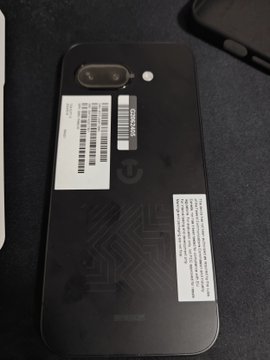
(Google Pixel 9a leaked./Foto: feni_book)
These new images don’t tell us anything more about the Google Pixel 9a other than what it looks like, and that there’ll be a single selfie camera on the front and a dual-camera setup around the back of the handset.
Based on aprevious leak, we’re expecting the phone to measure 154.7mm x 73.2mm x 8.9mm, which makes it slightly bigger and wider than theGoogle Pixel 8a. It may be that the screen will be a touch larger than the 6.1-inch one on its predecessor.
That’s backed up by aseparate leakthat put the screen size of the Pixel 9a at 6.3 inches. The display will apparently jump from 60Hz to 120Hz in terms of refresh rate, while the same Tensor G4 from the Pixel 9 series is tipped to appear here too.
We might also have some color information too, with a few tweaks from the Pixel 8a that launched this year. As for pricing, the launch price of the Pixel 8a is expected to be matched next year: $499.
They were initially promised three, and now they’re getting five.
What you need to know
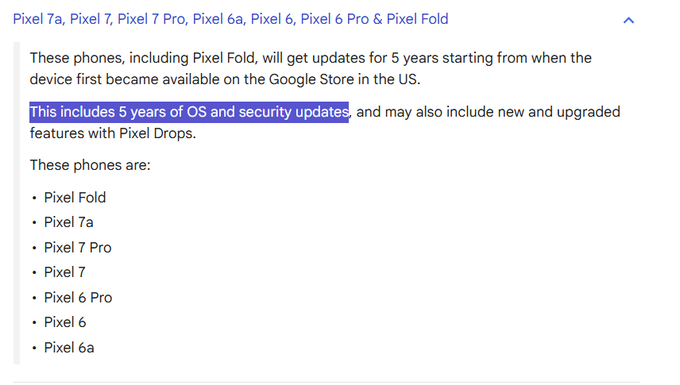
Google quietly updated a support document that now explains the Pixel 6 series, Pixel 7 series, and Pixel Fold will receive five full OS upgrades.
Originally, Google promised these devices would get three full Android OS upgrades, and five years of security updates.
The extension was rumored when the Pixel 6 series became eligible for the Android 16 developer preview, and it’s now official.
Google is retroactively providing an extra two years of full OS upgrades to the Pixel 6 series, Pixel 7 series, and Pixel Fold, it quietly detailed in anupdated support document. Additionally, the company says that during this extended window, these models “may” also get new features through Pixel Drops.
The change was first spotted byNail Sadykov on X(viaMishaal Rahman). It confirms what was originally suspected when Google released the first developer preview for Android 16 last month: the company plans to support the Pixel 6, Pixel 7, and Pixel Fold beyond its initial promises. TheAndroid 16 Developer Preview 1updatesupported the Pixel 6, Pixel 6a, and Pixel 6 Pro, even though Android 15 should be its last OS upgrade according to Google’s three-year promise.
Now, the entire Pixel 6 and Pixel 7 series — plus the original Pixel Fold — will get a total of five years of OS upgrades from the time they were first released. That’s two more years than Google initially promised, as its first guarantee was that each of these models would get three years of OS upgrades and five years of security update.
The change means that the Pixel 6, Pixel 6a, and Pixel 6 Pro should receive Android 16 and Android 17. Meanwhile, the Pixel 7, Pixel 7a, Pixel 7 Pro, and Pixel Fold should receive Android 16, Android 17, and Android 18.
Google has significantly expanded its guaranteed software support windows since it switched to its in-house Tensor processors, setting a new industry-standard with seven years of full OS upgrades on the Pixel 8 andPixel 9 series. However, competitors are catching up. Qualcomm recently announced theSnapdragon 8 Elite chipsetcould support up to eight years of major Android version updates.
The Google Pixel brand has grown of late,earning double-digit market share. It seems that Google is now showing some goodwill to Pixel owners by extending the support their existing devices will receive.
The Samsung Galaxy S24, Galaxy S24 Plus, and Galaxy S24 Ultra are eligible.
What you need to know
Samsung’s upcoming One UI 7 update, based on Android 15, has experienced numerous delays, but a beta is available now.
The update is expected to debut near or alongside the release of the Samsung Galaxy S25 series in January.
One UI 7 adds new features like theNow Bar, newcamera toggles, and persistentWriting Tools.
Samsung today announced that,after numerous delays, the first One UI 7 beta is now available for theSamsung Galaxy S24 series. The company says that Samsung Members can apply for access to the One UI 7 beta starting today to gain early access to the Android 15-based update. Otherwise, the upgrade is expected to launch early next year alongside the upcomingSamsung Galaxy S25 series, as the company confirms One UI 7 will release publicly in the first quarter of 2025.
One UI 7is set to launch with “upcoming Galaxy S series devices,” but will arrive on other Galaxy devices as part of a gradual rollout. For now, the Samsung Galaxy S24, Galaxy S24 Plus, and Galaxy S24 Ultra are the only three models known for certain to be eligible for the One UI 7 beta immediately. It’s possible that the beta could be expanded to include the Galaxy S24 FE, Galaxy Z Fold 6, and Galaxy Z Flip 6.
As was expected, Samsung is doubling down onGalaxy AIwith One UI 7. It’s specifically trying to compete with Apple Intelligence with more system-wide software tools. For example, Writing Tools — a set of generative AI-based grammar and writing options — are now able to be used anywhere without needing to switch apps.
Additionally, Samsung touts that One UI 7 will bring “more intuitive interaction and greater personalization,” with AI at the heart of it.
Samsung also shared a few details about the new features One UI 7 will bring. ANow Barwill become a new part of the One UI lock screen, making it possible for users to see important notifications dynamically without needing to open their phone. Additionally, the Camera app in One UI 7 is getting a boost, as the viewfinder now includes new buttons, controls, and modes. In another Apple Intelligence-inspired feature,Call Transcriptwill automatically transcribe recorded calls in 20 supported languages.
A few security improvements add aKnox Matrix dashboardthat lets users view their connected devices in one place,Credential Syncs, and a new recovery method for data transfers.
You can apply to gain access to the One UI 7 beta and test these features for yourself by becoming a Samsung Member if you have a Galaxy S24 series device.
Cook opines on legacy, Vision Pro, and Apple Intelligence
Tim Cook sat down with Wired for a wide-ranging interview
He confirmed that Apple hasn’t considered charging for AI features as of yet
Cook shedded some light on Vision Pro performance, albeit indirectly
I likeTim Cook. The now long-timeAppleCEO is gracious, smart, and as close to a human sphinx as you can imagine. He rarely drops major news, either casually or when the media are grilling him.
Cook did not disappoint inhis latest wide-ranging interview with Wired’s Steven Levy. One of the best in the business, Levy peppered Cook with questions about everything from theiPhone’s 16’snew Camera Control button toApple Intelligence, the company, and his own legacy. Cook didn’t exactly break news, but there were areas where he revealed a bit more about himself and some of Apple’s strategic decisions relating to AI, mixed reality, and what comes next for Cook himself.
Apple Intelligence, Apple’s brand of AI that Cook insists is not a pun, has been slowly rolling out to supported iPhones, iPads, and Macs, with each iteration getting a bit closer to what Apple promised during its JuneWWDC 2024keynote. Cook didn’t walk through any new features, though he does have a point of view on the fine line between utility and taking over. Cook tends to believe that AI is an assistant (like a copilot, I guess) and is not straight-up doing things for you.
However, Cook’s perspective on charging for additional and maybe more powerful AI Apple Intelligence features was more interesting. It’s not a discussion they’ve been having on the Apple Campus.
“We never talked about charging for it,” Cook told Levy. Now, that doesn’t mean it’s off the table, but since Apple and Cook view Apple Intelligence as similar to multitouch on the iPhone, AI is likely a feature that adds value to all the other products and services Apple charges for. Apple could simply raise the prices on them to cover the cost of building and supporting Apple intelligence features.
Apple has been mum onVision Prosales. The powerful VR and mixed-reality headset is undoubtedly the apex of Apple’s consumer electronics capabilities and the company makes you pay dearly for it – $3,500 – which may account for consumer apathy.
Cook didn’t speak directly about sales performance, but he’s still bullish about the headset. I think, though, he may have acknowledged that the pricey wearable is not for everyone. Here’s how Cook characterized it to Levy:
“It’s an early adopter product, for people who want tomorrow’s technology today.”
Cook insisted that the ecosystem is flourishing, which may be a sign of product category health, but then he added one encouraging bit of almost news about what might come next.
Levy asked aboutMeta OrionandSnap AR glasses. These lighter and more glasses-like wearables focus on AR experiences, and I wondered if Vision Pro’s next iteration could be headed in that direction.
“Yes,” Cook told Levy, “It’s a progression over time in terms of what happens with form factors.”
I think the market cannot wait to try out those next form factors.
Some believe that Apple Hardware lead John Ternus is thenext likely Apple CEO, but for Ternus to step in, Cook would have to step away. The current Apple CEO, however, did not paint a picture of someone running out ofsteamor one who is becoming less engaged with the brand.
The Apple-Tim Cook love affair is still very much alive. Cook is not planning his exit and told Levy that he would not “do it until the voice in my head says, ‘It’s time.”
Cook said he loves the job and can’t imagine his life without it. Put another way, Tim Cook will be steering the Apple ship and building upon his legacy, which Cook wants to be health. “We have research going on. We’re pouring all of ourselves in here, and we work on things that are years in the making,” Cook told Levy.
I think it will likely be Apple Silicon for many years to come, though.